Inventory Correction
You can post inventory corrections in the Inventory Summary list using the action Post Inventory Correction.
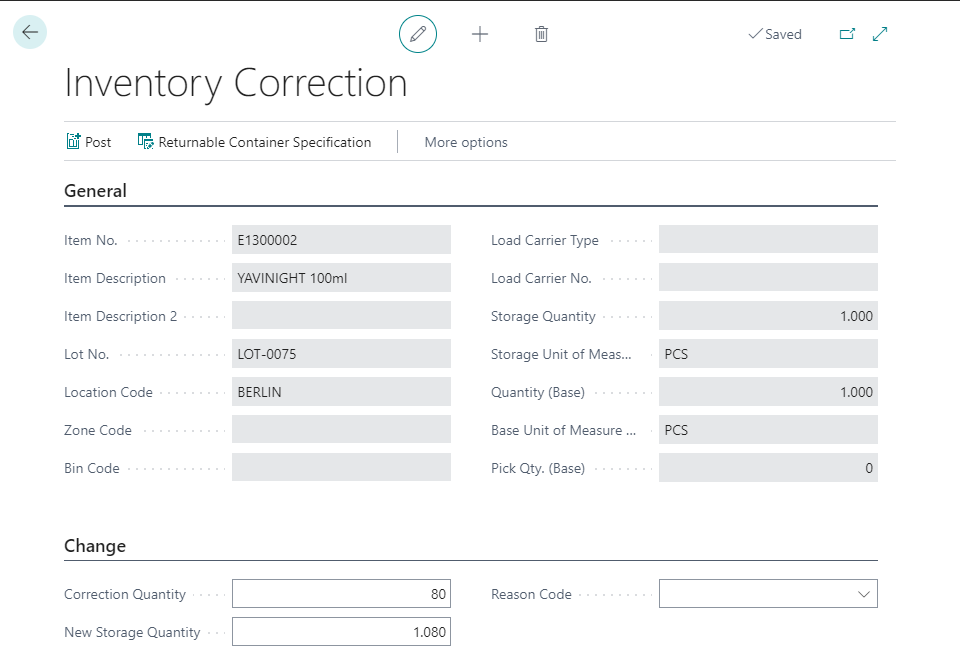
The Info Tab General shows information about the actual inventory you want to modify. Insert the posting quantity in the field Correction Quantity (positive or negative). The field New Storage Quantity displays the new quantity on stock after posting. The quantity is displayed for the Storage Unit of Measure and Quantity.
You can enter a Reason Code which will be transferred to the Warehouse Entries.
If every inventory correction in your company must be justified, activate the field Reason Code Mandatory on Inv. Correction in the Yaveon 365 Lot Management Setup on the InfoTab Tracing. If the setting is active, the inventory correction is only posted with a Reason Code. Without a Reason Code, posting stops with the message A Reason Code is required for Inventory Corrections.
Note
The check applies to every posting of an inventory correction – including corrections that other processes trigger automatically.
Posting Rules for positive adjustments are checked when posting the inventory correction.