Container types for filling
The prerequisite for creating a filling item using the function is the definition of container types. You can define any number of container types in the table with the same name.
Note
Since the Returnable Container feature is permanently active from Yaveon 365 13.0 (Business Central 28.0), container types are no longer maintained in a separate table. They are records on the unified Package Types page in the Yaveon 365 Library app — see Package Types. The steps below apply to records that are used as container types for filling.
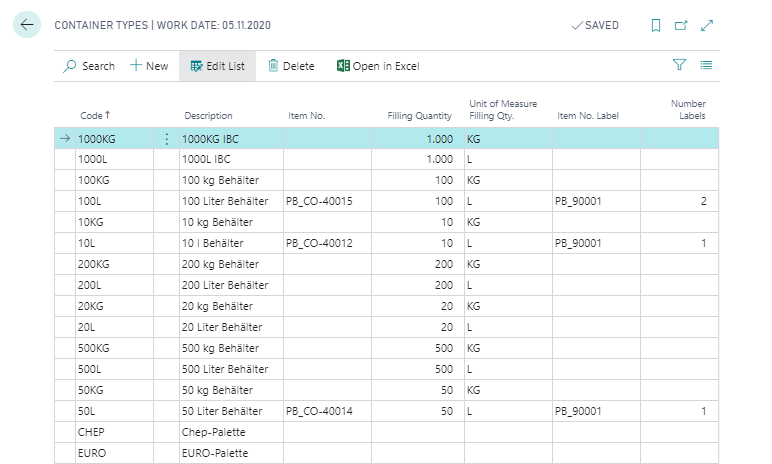
To create a new container type, proceed as follows:
- create a new record with a unique code and a description.
- add the item no. of the container if the container is handled on inventory. When you create a filling item, the container is then transferred to the manufacturing specification as an ingredient.
- define the filling quantity and filling quantity unit of the container. When generating filling items, this value is adopted and is ultimately the basis for determining the item units of the filling items and converting them.
- add the item no. label if it is handled on inventory. When a filling item is created, the label is copied as an ingredient into the manufacturing specification. You use the No. of labels to define the required quantity.