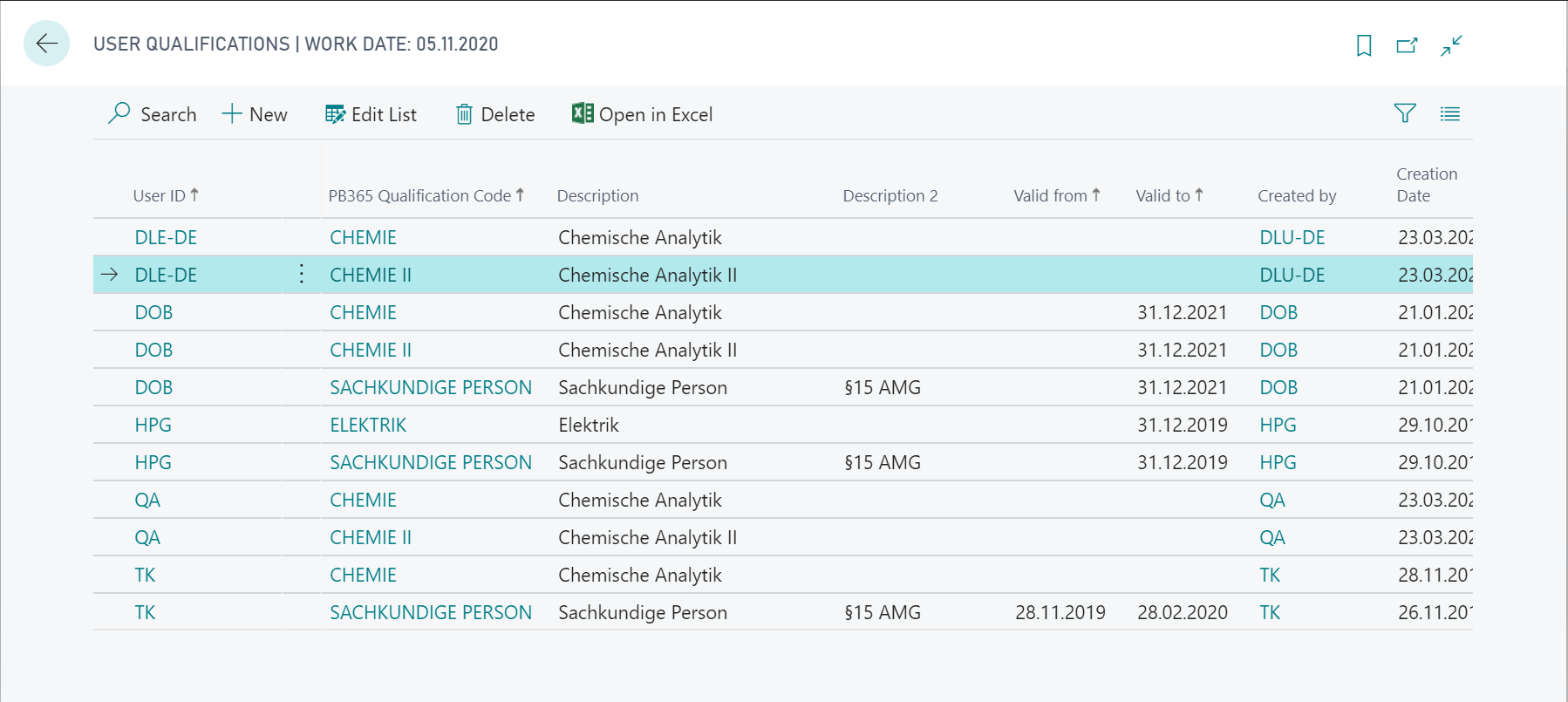
User Qualification
The second step in using PB 365 Qualifications is the creation of associated User Qualifications. To be able to perform certain tests, the user must have the appropriate qualification. If the user does not have this qualification, the recording of the actual value for this inspection feature is prevented. The inspection groups you are qualified for are already shown when you select the inspection group in the Actual Value Recording (see Entering the actual values in the Inspection Order).
You can add a new row using the New action. In the User ID field, you must select the user for which you want to define a PB 365 Qualification Code. You can also define a time limit by maintaining the fields Valid from and/or Valid to. The system automatically fills the other existing fields. You can define any number of user qualifications for each user.