Extensions inventory
For the purpose of the inventory the Yaveon 365 phys. inventory order is available by using the app Yaveon 365 Lot Management. The Yaveon 365 Warehouse Management extends the range of functions.
Calculate stock
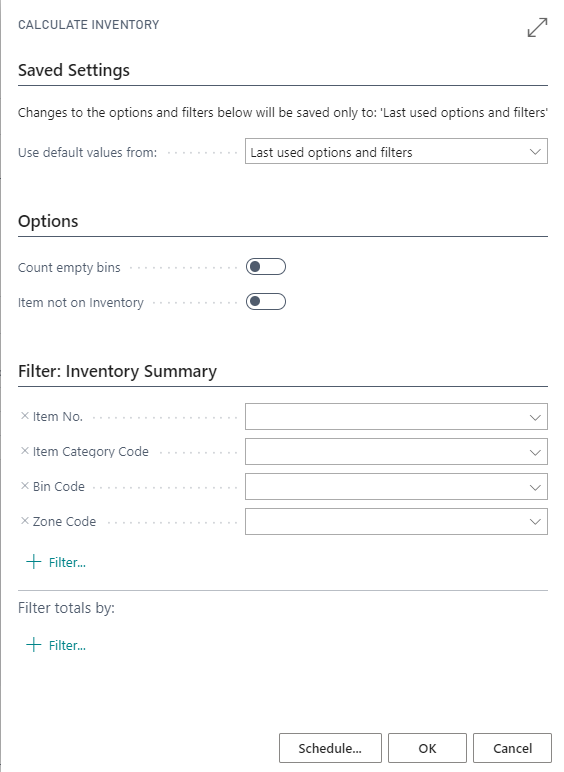
The action Calculate Inventory can be used to calculate the stock. The following fields are supplemented by Yaveon 365 Warehouse Management:
| Field | Description |
|---|---|
| Item not on inventory | If this option is selected, additional lines are created in the inventory document for bins with fixed assignment of items (Bin Contents with Fixed = yes), even if there is currently no stock for this item in this bin. |
| Count empty bins | If this option is selected, lines are created in the inventory order for the bins within the set filters that currently have no stock. If necessary, additional data (item number, etc.) can be added to these lines if stock was found in the bin during the physical count. |
Information at the bin card
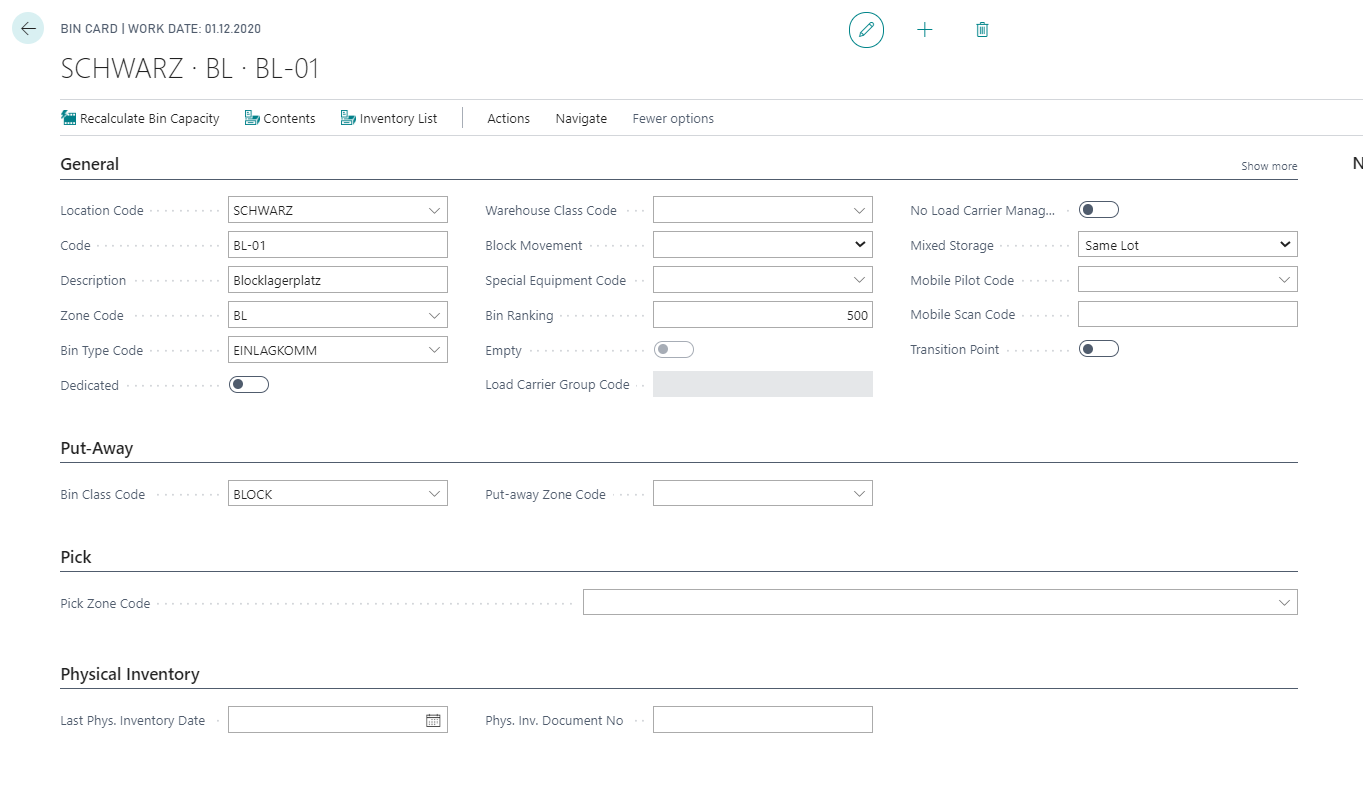
The two fields Last Phys. Inventory Date and Phys Inv. Document No of the Bin show when this bin was last contained in an inventory document. The fields are filled with the posting date and the document number when the Yaveon 365 Posted Phys. Inventory Order is created.