Planing a pick
For work preparation and checking which warehouse shipments are available for picking, the action Plan Pick can be called up in the Whse. Shipment Control Center.
Relevant fields at location
When planning picking, the corresponding warehouse shipment lines are copied to a pick worksheet. For this reason, the fields Pick Worksheet Template Name and Pick Worksheet Name must be filled in the corresponding Location. The corresponding templates are created in the table Whse. Worksheet Templates List.
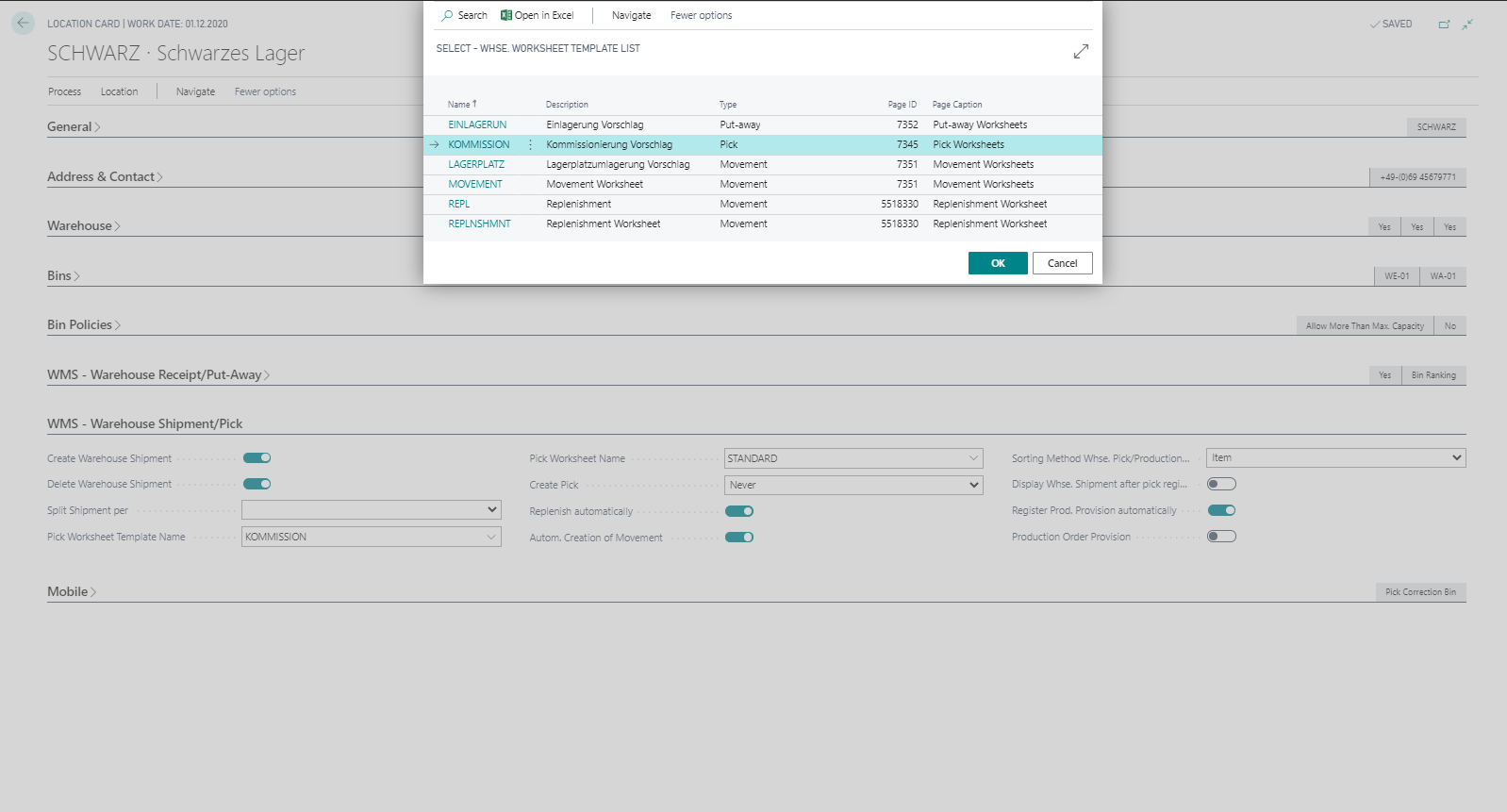
In the field Create Pick, you can also define whether and in which cases pickings are to be created automatically. The initial value is Never. You have the following options:
| Value | Description |
|---|---|
| Never | Picking must always be created manually. |
| Completely available | Picking is automatically created when a warehouse shipment is released, if all lines are completely available. |
| Always | Picking is always created, regardless of the availability of the goods to be delivered. |
Pick worksheet
In the Whse. Shipment Control Center you can select one line, several lines or all lines and plan pick. Pick planning creates entries in the Pick Worksheet for the corresponding lines. In addition, the Status of the warehouse shipment is set to released and the Processing Status is set to planned.
The pick worksheet is sorted by warehouse shipment date and the field Qty. to Handle is filled with available stock in the warehouse. This function can be called up again at any time from the pick worksheet using the action Autofill Qty. to Handle. A prerequisite for setting the quantity to handle is that there is available stock in bins from which picking or replenishment is possible. You can then adjust the quantity to handle manually for the individual lines. The pick worksheet allows you to distribute your available inventory among the picking situations.
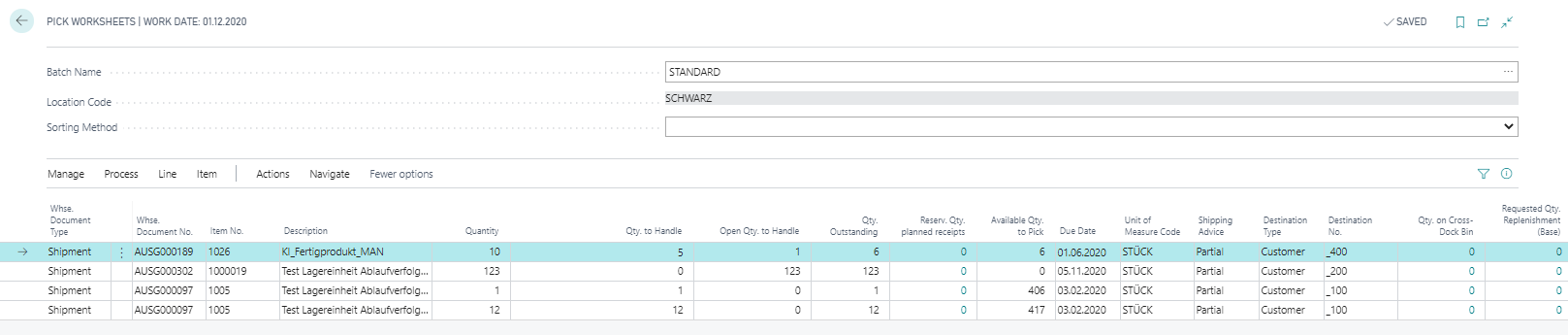
After pick planning, the field Available to Pick is set on the warehouse shipment and displayed via the traffic light function in the Whse. Shipment Control Center. Since the Qty. to Handle represents the actual available stock from the pick bins, the field directly reflects inventory availability:
| Value | Description |
|---|---|
| Yes | All shipment lines are fully covered — sufficient inventory is available for picking. |
| Part | At least one line is covered, but not all lines can be fully picked. |
| No | No inventory was available in the pick bins — no quantity could be planned. |
If creating a pick triggers a replenishment, the replenished quantity is assigned to that shipment and is no longer available for other shipments. As a result, the Available to Pick value of other shipments may decrease when they are next planned.
In addition, the info box Availability Details is available here. This shows you a quick overview of the stock situation of the current line (reserved quantities, quantities in pick, etc.).