E-mail Setup
The system supports you in the process of electronic signatures by sending e-mails to the persons involved.
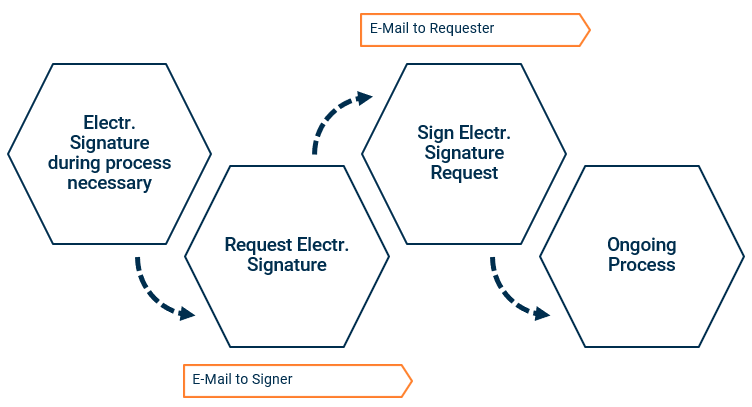
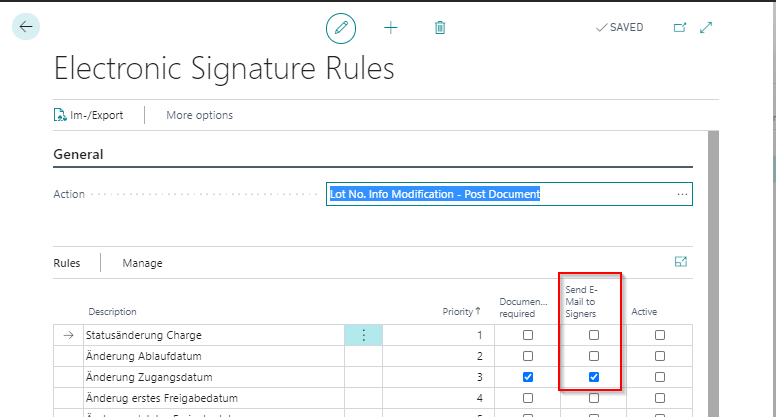
In the electronic signature rules, you can set the Send e-mail to signers indicator. In this way, the person who is to provide the electronic signature receives an e-mail that new tasks are available for him or her.
In the PB365 Compliance Setup you can also set the indicators E-Mail to Requester after Signature and E-Mail to Requester after Rejection. These mean that an e-mail is sent to the requester as soon as his or her request has been signed or rejected. The requester can then continue with the process or correct the data.
Note
To send e-mails via Business Central, you need an E-Mail account at first. Then open the window E-mail Scenarios and assign the E-mail Scenario Electronic Signature to this account.