From the Same Lot Rule
The from the same lot rule can be used to control whether certain items in your sales order can only be delivered in lots or that specific suppliers are only allowed to supply them on a lot-by-lot basis. You can also set up your lot deliveries based on the destination country.
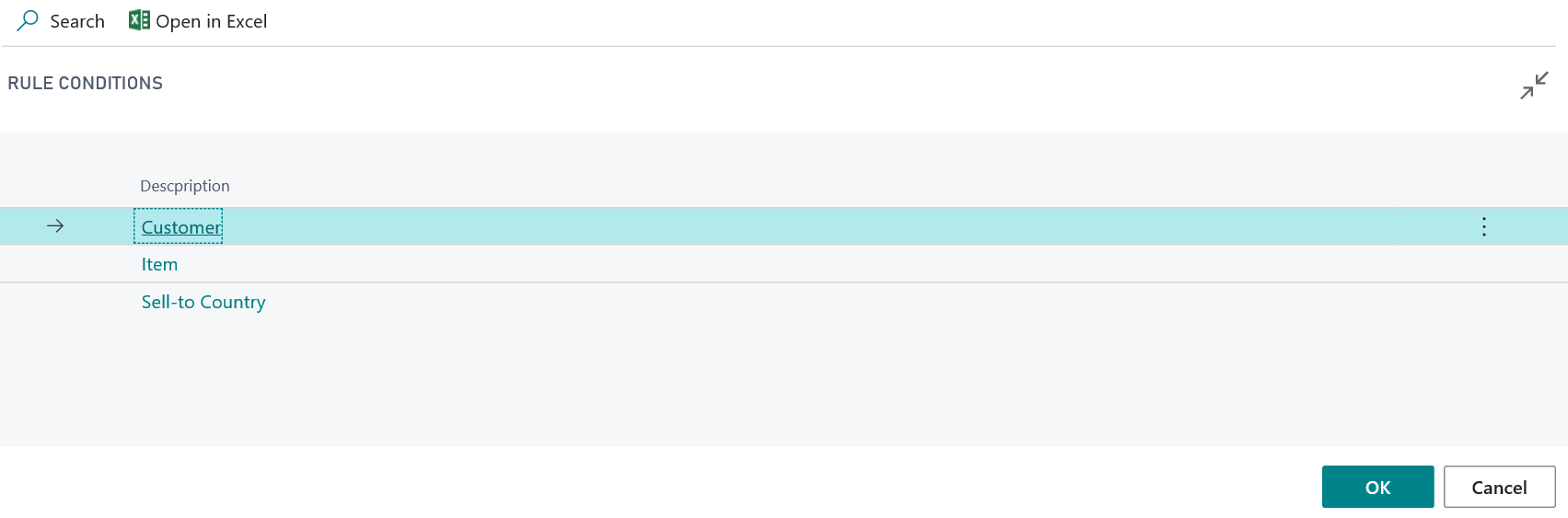
It is possible to combine several conditions within a rule. In addition, the Priority field can be used to set the order in which your rules are checked. Rules are taken into account starting with the lowest priority, if the field Active is set.
In addition, it is possible to define explicit exceptions. For this the field From the same lot must not be set for an active rule.
Setup example for an explicit exception rule:
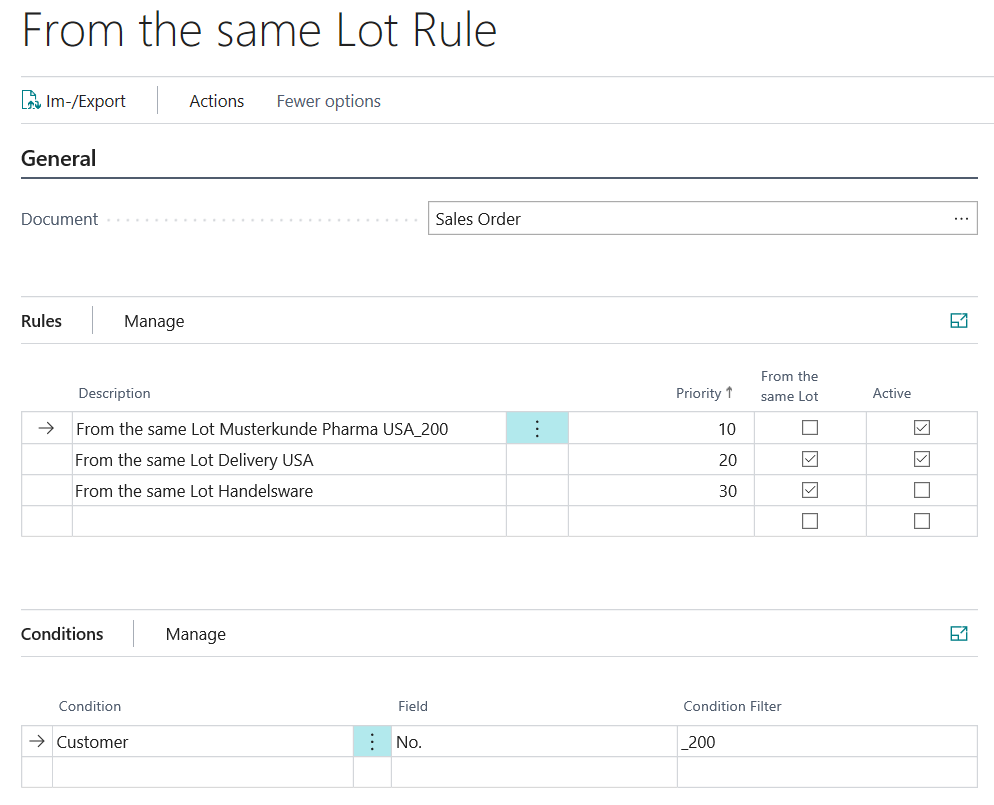
- Priority=10: For customer Musterkunde USA with the number = _ 200 and a delivery address with the country / region code = USA an exempt exception is set up. The field From the same lot is not set. Consequently different lots of an item can be sold in a sales order for the customer. For any other customers with the same country / region code this is prevented by the following rule with the priority = 20.
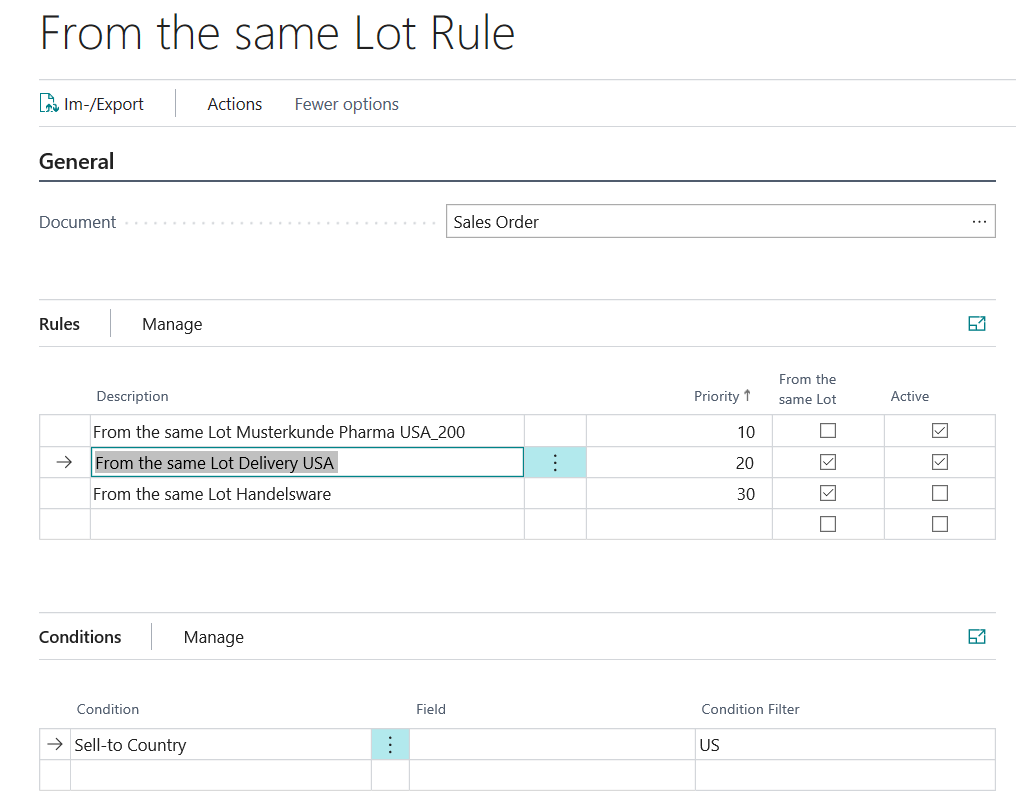
- Priority=20: The field From the same lot=Yes ensures that for customers with countries / region code = USA only items of the same lot can be posted.
Note
If you use the module ProBatch 365 Manufacturing, you have the option of defining your consumption records by setting up your production master data.