Item Tracking Assignment Rules
Item tracking assignment rules allow you to define rules that automatically assign item tracking to different line items. When assigning existing item tracking, your picking method facilities (FIFO or FEFO) are included in the item master data or item tracking code card.
The following document lines have the option of setting up rules:
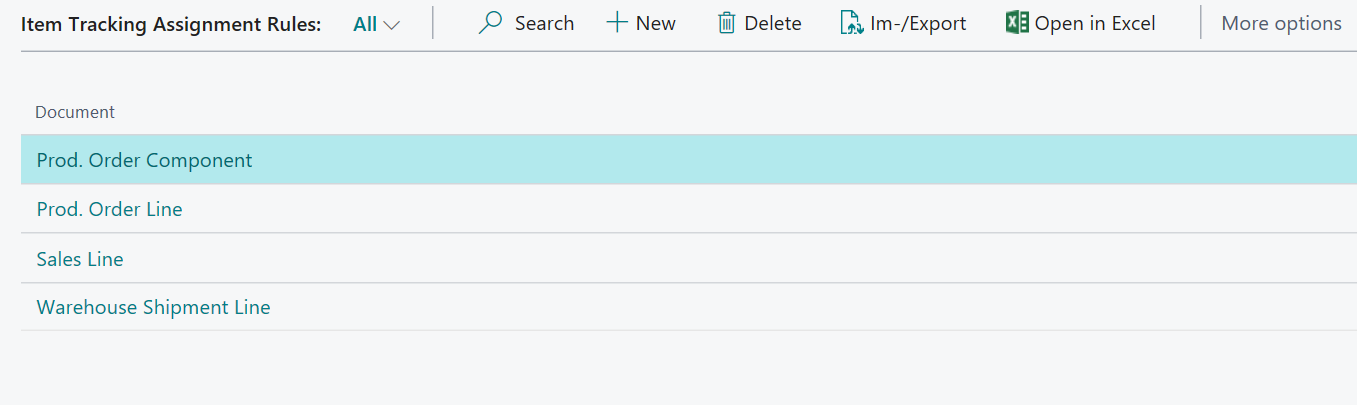
For each document you have different conditions to choose from, with which you can define for which selection either an automatic assignment of the item tracking or an automatic assignment of the item tracking including a reservation is to take place. It is possible to combine several conditions within a rule. In addition, the Priority field can be used to set the order in which your rules are checked. Rules are taken into account starting with the lowest priority, when the field Active is set.
| Document | Condition |
|---|---|
| Prod. Order Component | Item, Prod. Order Status, Variants Code |
| Prod. Order Line | Item, Prod. Order Status, Variants Code |
| Sales Order Line | Item, Sell to Customer, Variants Code |
| Whse. Shipment Lines | Item, Sell to Customer, Variants Code |
Setup example for an automatic item tracking assignment with and without reservation:
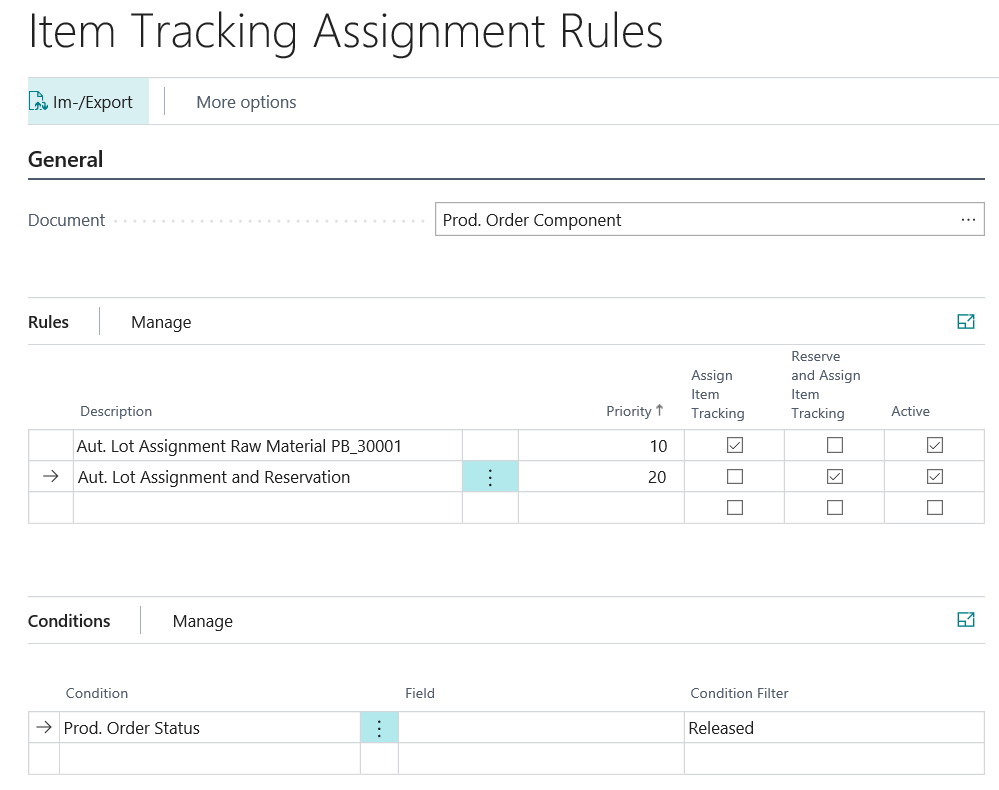
- Priority=10: If a planned or planned production order is released or a released production order is created, an item tracking is automatically assigned for an Prod. Order Component with the number = PB_30001. However, no reservation entry will be created for the selected stock because the Reserve and Assign Item Tracking field is not set.
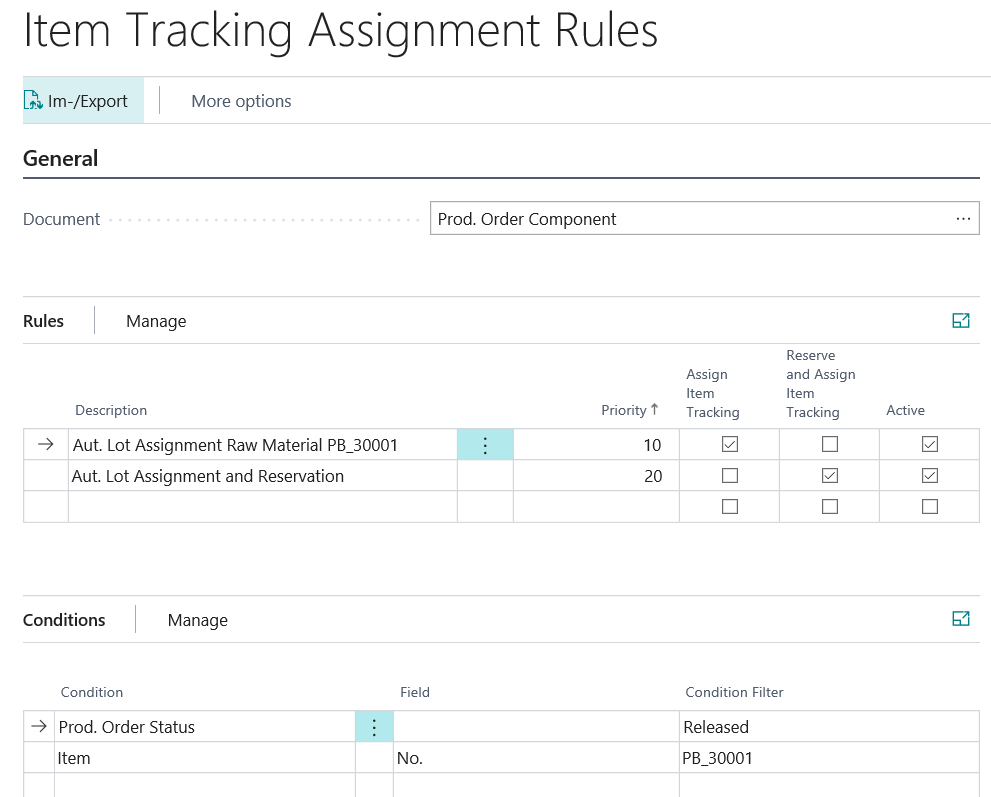
- Priority=20: If a planned or permanently planned production order is released, an item tracking is automatically carried out for all Prod. Order Components and a reservation entry is created for the selected stock because the field Reserve and Assign Item Tracking is set. For item # = PB_30001, however, due to the previous lower priority rule, only item tracking would be possible, but no reserve item would be created.