Sales Shipment Rules
Posting rules allow you to control the criteria according to which postings to your sales deliveries are permitted or prevented. You can set up your rules according to different conditions. The following conditions are available here:
- Sell to Customer
- Sell to Country
- Expired Goods
- Item
- Lot
- Finished Item
- Posted by User Group
- Posted by User ID
- Rem. Shelf Time (absolute) (Insert Condition Filter with date formula. For example <=12M)
- Rem. Shelf Time (%) (Condition Filter with operator <,>,= and number 0-100. For example <50)
Serial No.
Note
When a lot is selected, its percentage remaining shelf life is determined as follows:
Shelf life = "Expiration date - Reference date" / Expiration date formula on item card.
Example: (01.06. - 01.01) / 12M = 6M / 12 M = 1/2 = 50%
The following date is used as reference date:- Assembly consumption: Due date
- Item availability: Work Date
- Picking: Due date
- Pos. Adjustment, Purchase: Planned Receipt date
- Pos. Adjustment, Journal: posting date
- Pos. Adjustment, Transfer: Receipt date
- Production consumption: due date
- Sales Shipment: planned delivery date
- Outgoing Transfer: Shipment date
It is possible to combine several conditions within a rule, that all must apply. In addition, the Priority field can be used to set the order in which your rules are checked. Rules are taken into account starting with the lowest priority, if the field Active is set.
Note
All conditions within a rule must be met for the rule to be applied. This also means, for example, that if the availability calculation is to refer to the status of lots and serial numbers, two rules must be created. One rule that refers to the lot and its status, and a second rule that is for the serial number data.
In addition, it is possible to define explicit exceptions. For this, the field Block Action must not be set for an active rule.
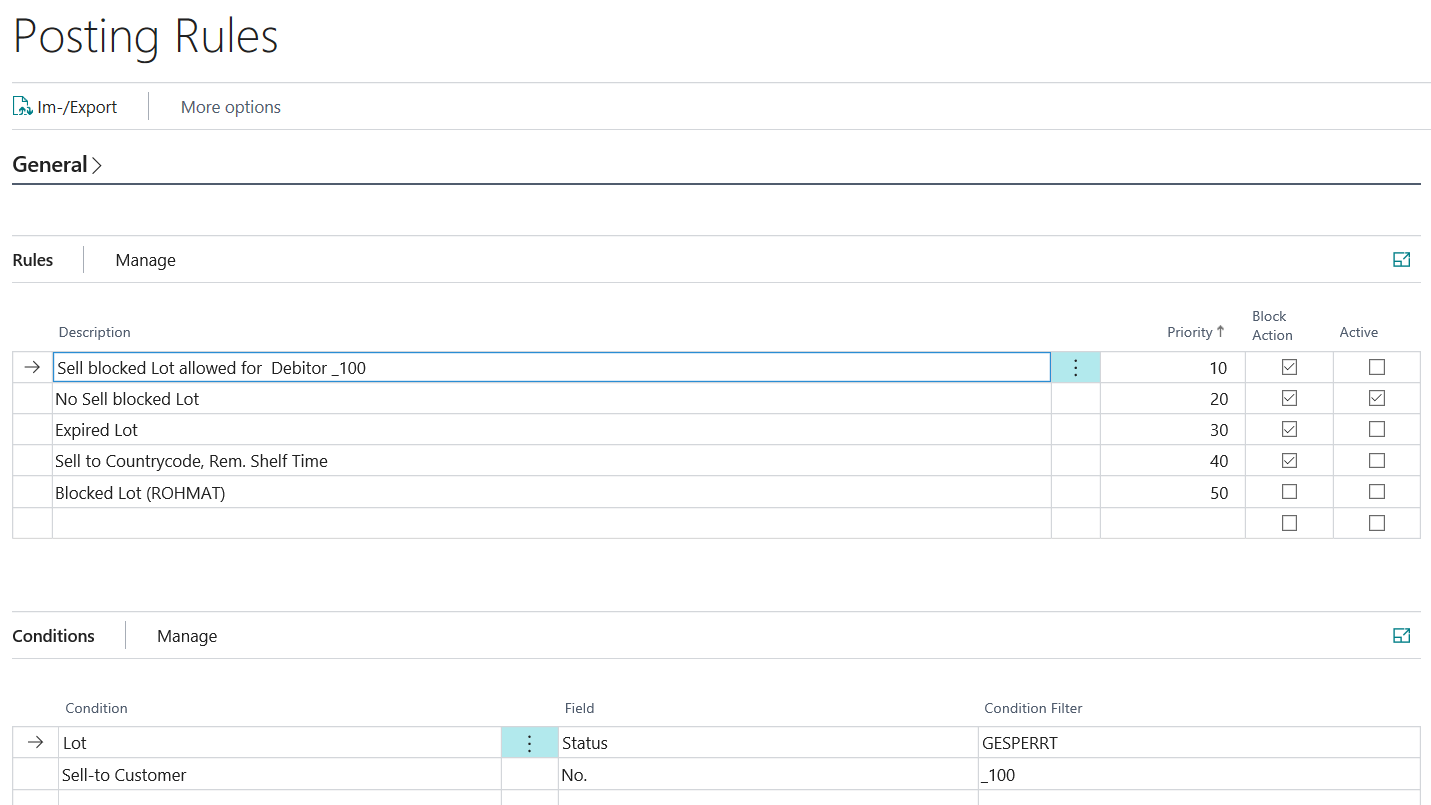
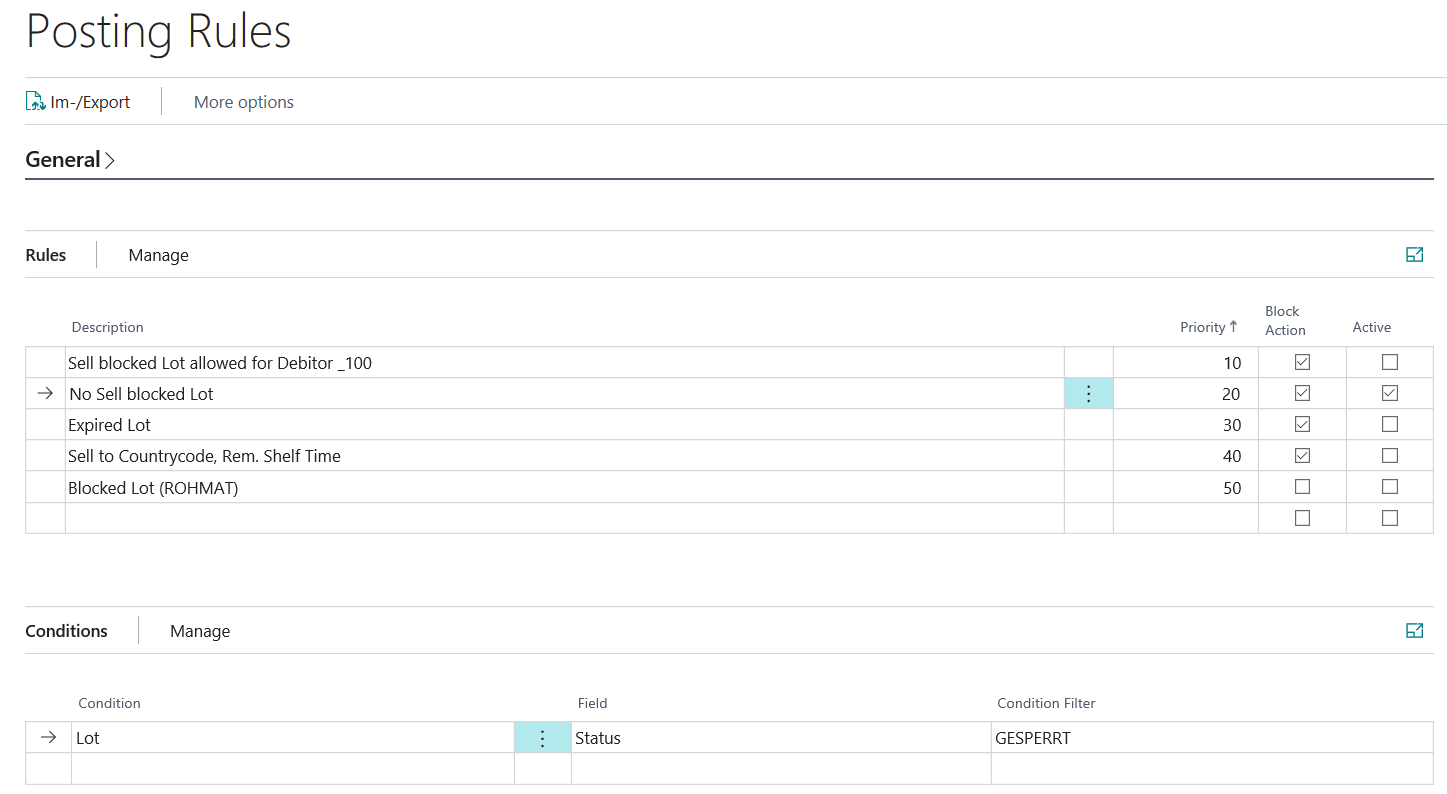
Setup example for an explicit exception rule:
- Priority=10: Posting a sales delivery to the customer = 100 for articles with a lot status = GESPERRT is explicitly permitted by the rule and is not subject to any restrictions.
- Priority=20: Posting a sales delivery of items with the lot status = GESPERRT is not allowed.
Exclude from planning
With this setting, an existing item or lot inventory can be excluded from the availability for planning. You can define whether or not an inventory is used to cover requirements, regardless of whether it can be posted in the respective process. This setting can be used for postings for the actions Production Consumption, Assembly Consumption, Sales Shipment and Transfer Shipment.
General example:
- Inventory with status "QC" may not be posted as production consumption.
- However, they should be available for MRP, since they are expected to be released soon and no new procurement proposal should be created.