Serial Number Information Modification
The Serial No. Information Modifications allow you to change existing Serial No. information. This can be necessary for example when the serial number status changes because of a conducted quality control or a changing expiry date because of external factors.
Changing serial number information is possible per serial number or for several serial numbers at the same time.
How to create a Serial Number Information Modification for one Serial Number
Create a new Serial No. Modifications by pressing +NEW. Due to the setup in the PB365 Lot Management Setup a number is automatically assigned or assign your own number manually. The posting date is automatically filled with your work date.
Anther way is to create a Serial No. Information Modification via PB365 Serial No. Information list. Data will be prefilled when using this way.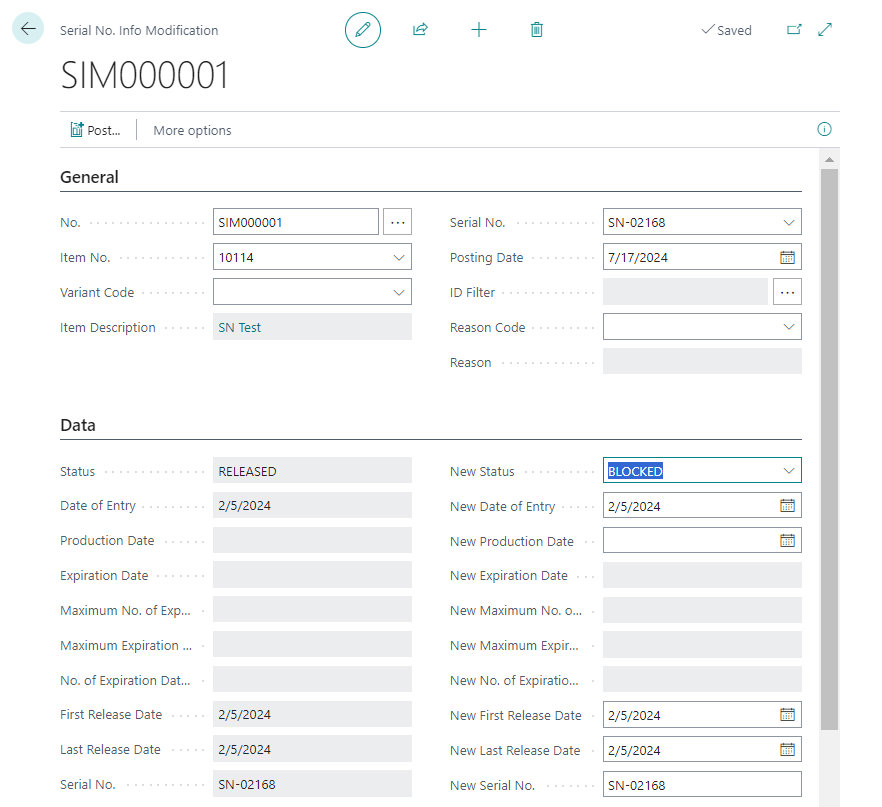
When creating the document manually the fields Item No., Variante Code and Serial No. must be filled. Depending on the setup in ProBatch 365 Lot Management Setup it is mandatory to enter a Reason Code for the planned change.
The info tab Data show actual serial number data on the left side of the document.
Enter the new data into the fields on the right side:
- New Status
- New Date of Entry
- New Production Date
- New Expiration Date
- New Maximum Number of Expiration Date Extensions
- New Maximum Expiration Date
- New Number of Expiration Date Extensions
- New Date First Release
- New Date Last Release
- New Serial No.
Afterwards you post the Serial No. Information Modification via Post.
A posted Serial No. Information Modification will be created and the posted modification creates a timestamp entry and user stamp in the ProBatch Item Tracing.
If the corresponding setting has been set in the ProBatch 365 Lot Management Setup, item ledger entries of the type = transfer are created when the serial number data is changed. These (negative / positive) entries contain the original and changed data. Thus, the last item ledger entry shows the current data.
How to create a Serial Number Information Modification for several serial numbers
Open the PB365 Serial No. Information list and mark all data sets you want to change.
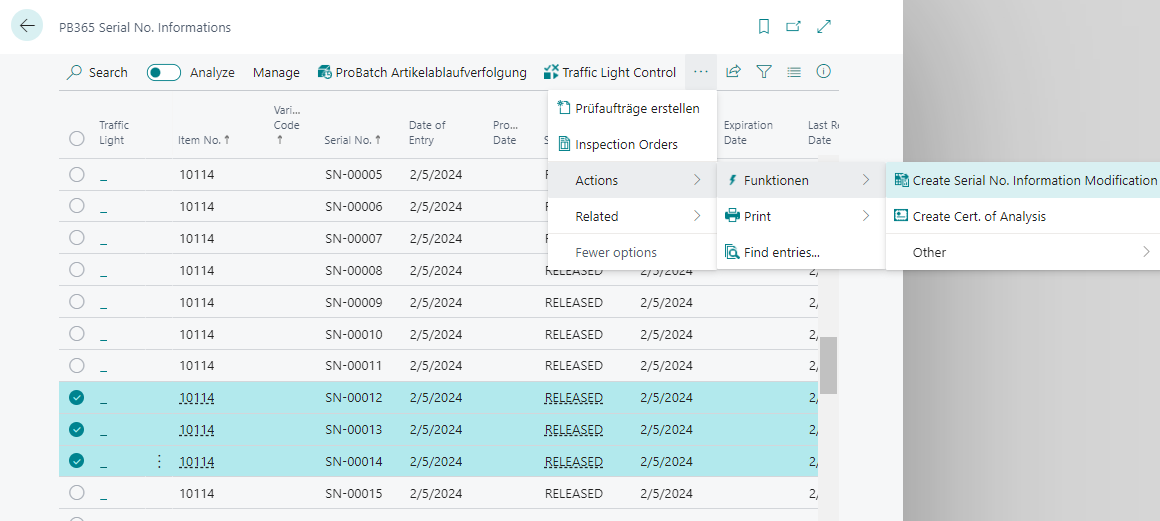
Create a Serial Number Information Modification via function in the list. Due to the setup in the PB365 Lot Management Setup a number is automatically assigned. The posting date is automatically filled with your work date. All IDs of the selected serial numbers are inserted into the ID Filter.
The actual values are not displayed because the document combines multiple serial numbers. Enter the new data into the fields on the right side you want to change for all serial numbers.
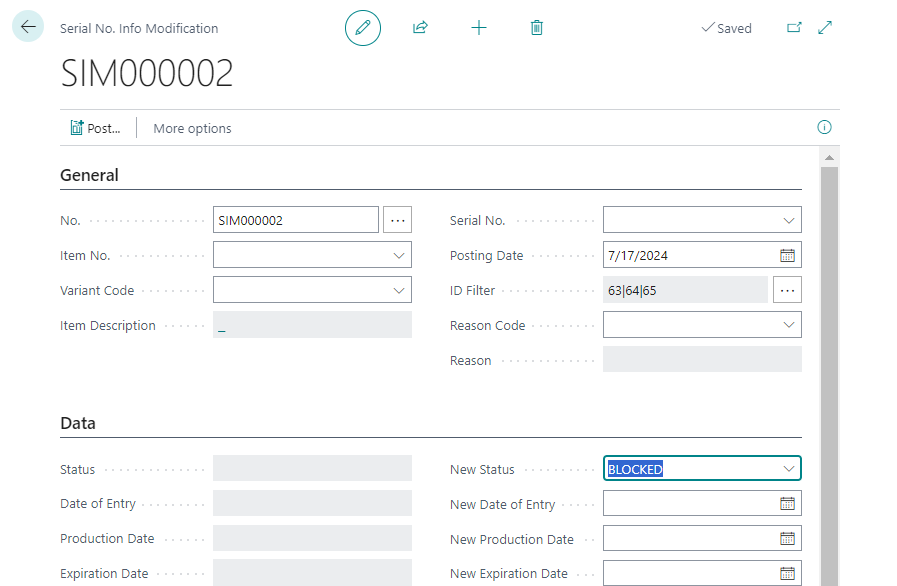
Afterwards you post the Serial No. Information Modification via Post. One posted Serial No. Information Modification will be created for every single serial number and the posted modification creates a timestamp entry and user stamp in the ProBatch Item Tracing.