Definition of the item group for manufacturing
Manufacturing item groups
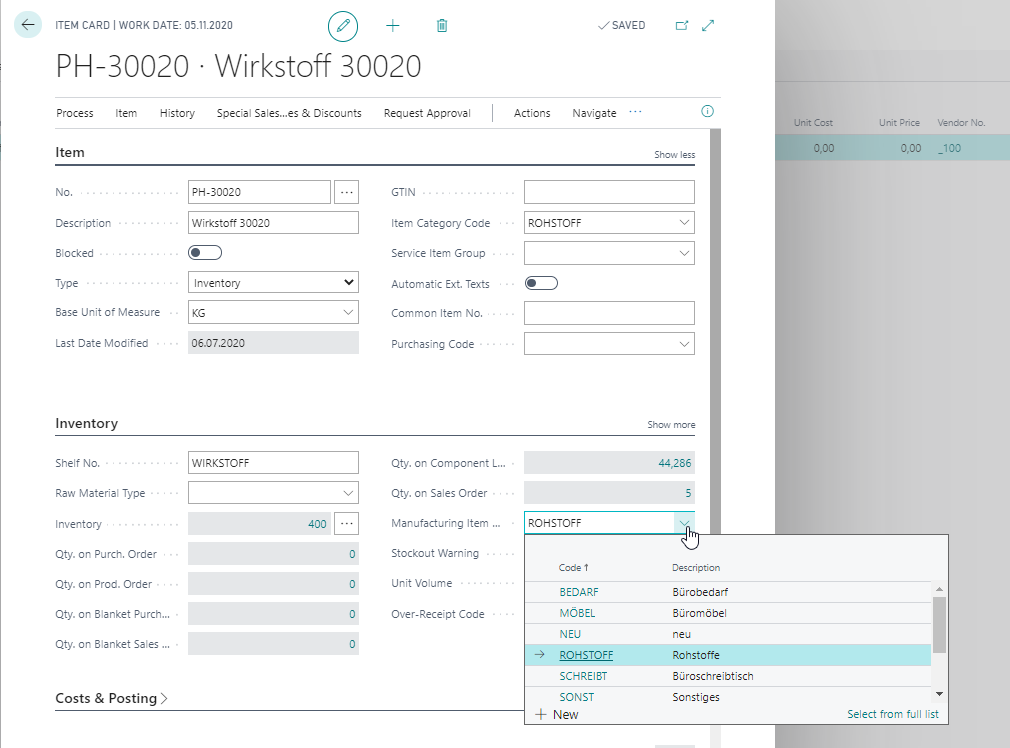
Manufacturing item groups group the items on the basis of production-relevant ratings. The Manufacturing item group can be assigned on the item card in the field Manufacturing item group code (InfoTab Inventory).
This field can be accessed within the rule definition if it has been selected in the Rule tables.
Manual creation of the Manufacturing item groups
The table Manufacturing item groups can be filled manually. In this way, the values it contains are independent and can be defined as required.
Synchronize the Manufacturing item group with another item field
To facilitate data maintenance, it is also possible to have the table Manufacturing item groups filled automatically and to synchronize the value of the individual item with another item field. In the ProBatch 365 Manufacturing Setup, you can define at a central point to which table or values the Manufacturing item group is to be linked. For example, it can be synchronized with the product posting group or item category.
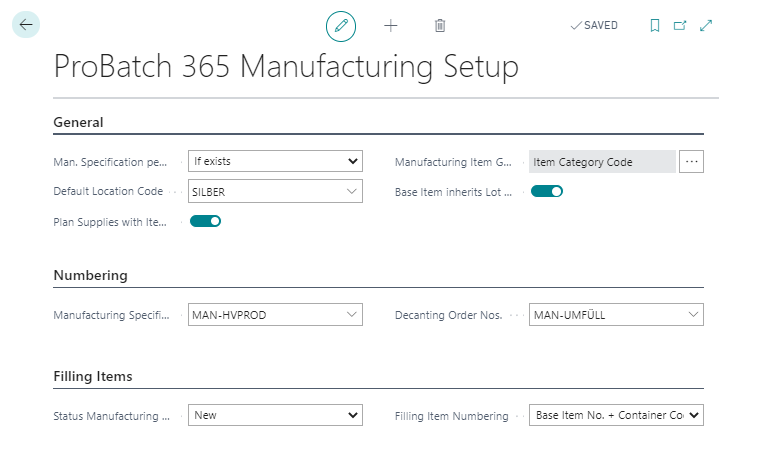
When entering the linked table in the ProBatch 365 Manufacturing Setup, the values are entered in the table Manufacturing item group. The filed Manufacturing item group on the item card is filled with the value of the linked field. If a value is added or deleted in the source table, it is also added or deleted in the Manufacturing item groups.
Note
Values in the Manufacturing item group should not be adjusted manually if they are linked to another table.