Inspection Groups
The use of inspection groups is absolutely necessary, since the inspection group controls for what or in which processes the inspection will be carried out. You can group together different inspection features for specific processes, in a Inspection Group. The inspection group is then added to an Inspection Plan.
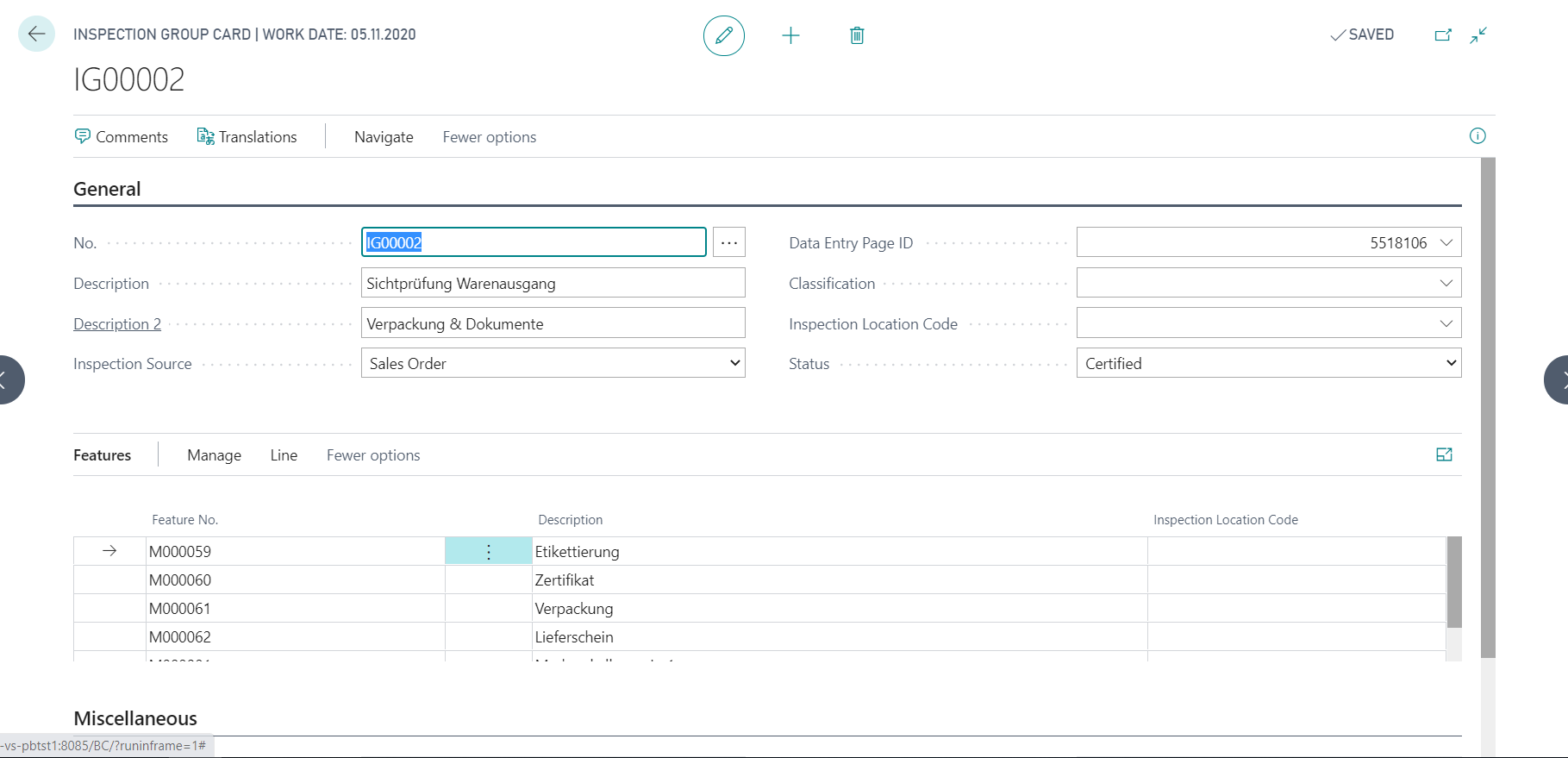
Creating a new Inspection Group
- You can create a new Inspection Group Card with the action New.
- In the No. field, you can automatically assign the next free number from the number series by pressing Enter. Alternatively, it is possible to manually select a number.
- You can optionally define the fields Data Entry Page ID, Classification and Inspection Location Code.
Note
If the Data Entry Page ID has already been defined in the Quality Control Setup and should also be valid for this inspection group, the field can remain empty here. If the actual value acquisition is to be carried out with the other available acquisition page ID, the setting in the Quality Control Setup can be overridden here.
In the inspection group lines, you can select the features to be inspected using the lookup in the Feature No. field. If the Inspection Location Code was defined in the inspection group header, this field is also filled automatically in the inspection group line and cannot be edited. Otherwise, you can specify the respective inspection location code for each feature.
Define Inspection Source
- Empty
- Purchase Order
- Purchase Receipt
- Purchase Return Order
- Sales Order
- Sales Shipment
- Sales Return Order
- Sales Return Receipt
- Production Order
- Prod. Order Routing Line
- Inventory Inspection
- Stability Test
- Transfer Order
- Manual
- System (Object Inspection, Inspection Equipment inspection)
- Inventory Put-Away
- Assembly Order
Note
If you want to use a inspection group in several processes and no assignment to a single inspection source, you can leave the field in the inspection group empty and fill it in the inspection plan lines first.
Finish Inspection Group creation and further Data Maintenance options
To enter an inspection group in an inspection plan, the Status must be set to Certified. You cannot use inspection groups with the status "Empty " and Blocked in an inspection plan.
You can also define Comments and Translations for the validation group.