Mobile registration of inspection equipments
In order to be able to trace which tests were actually carried out with which inspection equipment, the testinspection equipment actually used during the test can be recorded with the help of a mobile dialogue. This makes it possible to see who used which inspection equipment and when.
In order to record the inspection equipment actually used during the test, the mobile dialogue Inspection Equipment Registration can be used. The inspection equipment should not already be assigned in the inspection plan, but should be registered by the employee during the test process. In this way, the inspection equipment used can be tracked for each test.
The following requirements must be met for this:
- the mobile pages QA_INSPEQREG and QA_MAIN have been created by the Supported Setup ProBatch 365 Scanning Setup.
- the mobile menu was integrated into the mobile main page.
- The inspection order was printed with barcodes.
- The inspection equipment has been provided with barcodes.
The mobile dialogue Inspection Equipment Registration works as follows:
- Scan the inspection order line for which the test equipment is to be recorded. This is possible for inspection orders in Released and Inspection status.
To record the inspection order line, the printout of the inspection order contains a unique barcode (inspection order number@inspection order line number) per inspection feature / inspection group for identification.
Depending on the type of the scanned inspection order line, the following registration of the inspection equipment takes place:
- When scanning a line of the type = inspection group, the registered inspection equipment is used for all features of the group.
- When scanning a line of type = inspection feature, the inspection equipment is only used for this line.
Scan the used inspection equipment.
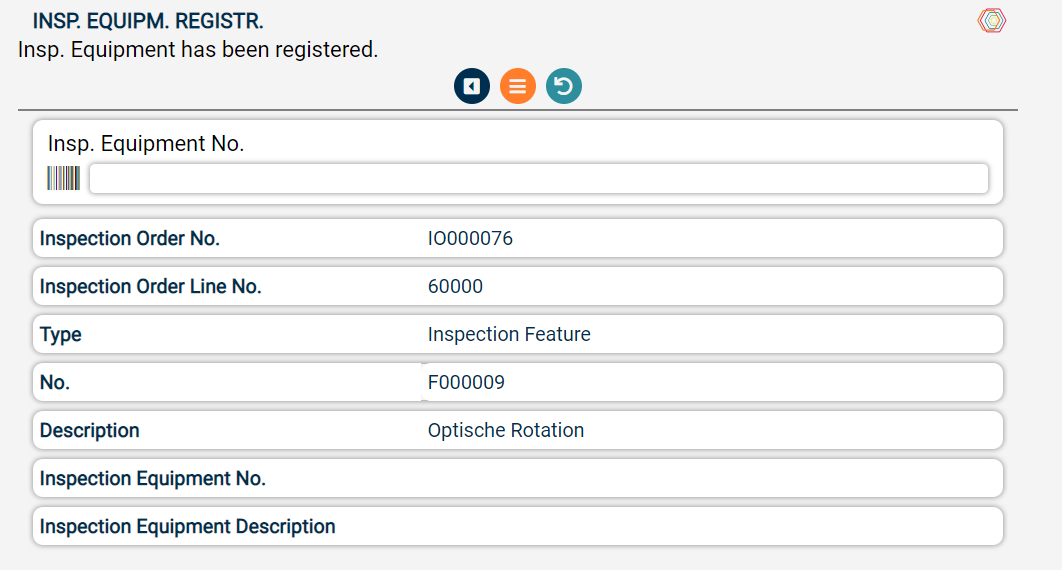
The physical inspection equipment itself must also have a unique barcode. This barcode contains the No. of the inspection equipment and can be created via Print Barcode from the Inspection Equipment Card. All equipments can be scanned, regardless of their status.
Post the entry. You can then continue with the recording of a new line.
The inspection equipment thus recorded is saved in the Inspection document inspection equipment table and can be viewed from the inspection order via the call in the header or the line or via the info boxes. Blocked inspection equipment is shown separately in the info box.
Equipments that have already been assigned are not deleted. If the scanned inspection equipment is already assigned, it is extended by the mobile user and the time stamp.
The following information is saved in the Inspection document inspection equipment:
| Field | Description |
|---|---|
| Inspection Equipment No. | The inspection equipment assigned to the inspection order line |
| Description, Description 2 | Description of the assigned inspection equipment |
| Blocked | Info whether the inspection equipment is blocked |
| Mobile User | Contains the mobile user who recorded the inspection equipment |
| Creation Date | Contains the date on which the mobile user recorded the inspection equipment |
| Creation Time | Contains the time when the mobile user recorded the inspection equipment |