Audit trail setup
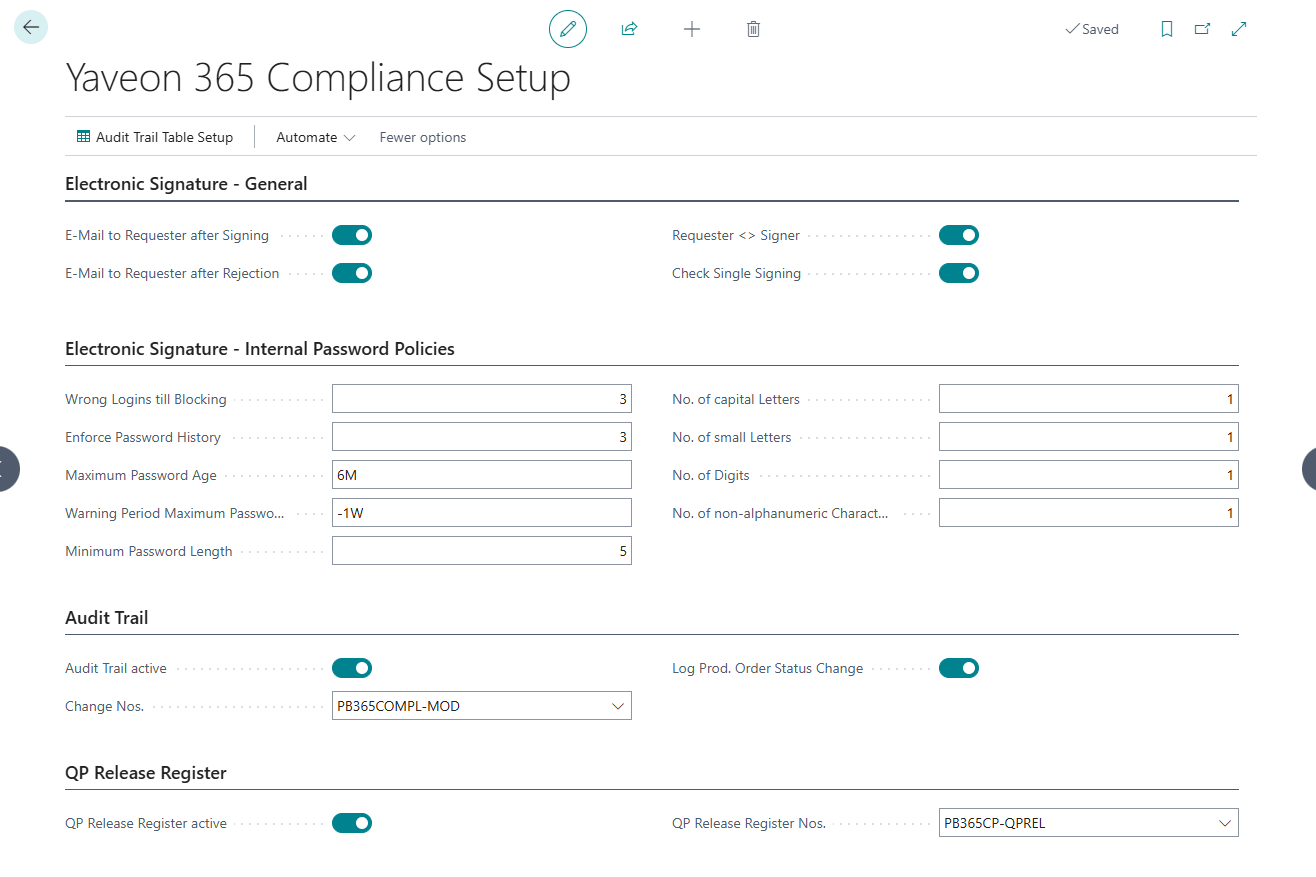
To document data changes using the audit trail, you must first activate the field Audit Trail activated in the Yaveon 365 Compliance Setup.
Important
For any changes to the Audit Trail setup to take effect, the BC session must be restarted.
Here you will also find the flag Log PO status change. If this is NOT set, the status change is not logged. If it is marked, audit trail entries are written during the status change. The specification of a change reason is currently not supported for status changes.
Note
Changes to the Business Central tables of user and permission management (users, (tenant) permission sets, user permissions) are logged automatically, as soon as Audit Trail active is set – across all fields. These tables do not require an entry in the Audit Trail Table Setup and are not offered for selection there.
Here you can also call up the Audit Trail table setup.
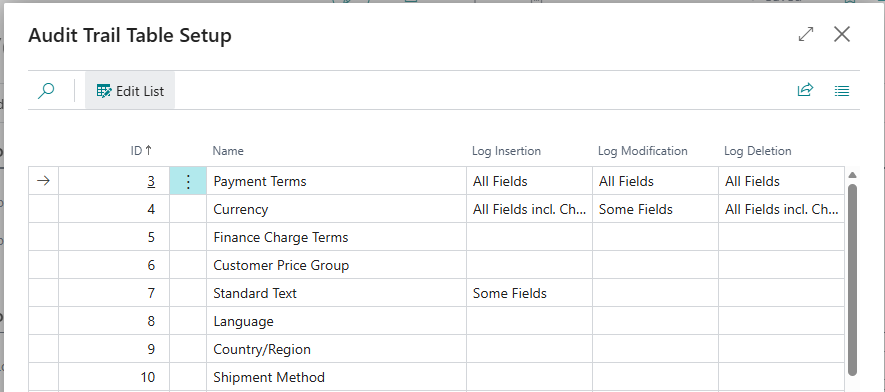
Here you can see all the tables in the system and you can specify how the insert, modify or delete of data should be logged.
| Selection | Description |
|---|---|
| Log all fields | This option means, that the insertion, deletion or modification of a value in any field of this table will be logged. |
| Log all fields (including reason for change) | This option means, that the insertion, deletion or modification of a value in any field of this table will be logged and a change reason must be assigned (see chapter Documentation of Modifications with reasons). |
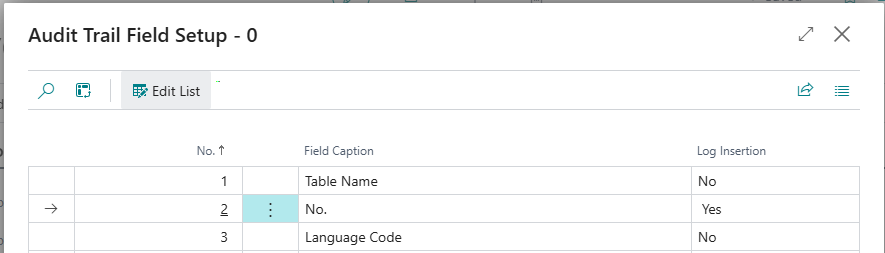
| Some fields | If this option is selected, you can choose which of the table fields should be logged. To do this, you must call up the Audit Trail Table Setup (Fields) window via AssistEdit (...). Here you get an overview of all fields for the corresponding table and can determine for which field the insert, delete or modify should be logged by selecting one of the following options: No = Field is not logged Yes = Field is logged Incl. change reason = Field is logged, an additional change reason must be assigned |
Note
A change of the audit trail setup data is always logged regardless of whether the audit trail has been activated in the global setup. Thus, it can be traced who activated or deactivated the logging and when. This cannot be switched off.
System tables (ID from 2000000000) cannot be selected in the Audit Trail Table Setup. The tables mentioned above, which are logged automatically, are excluded from this.
The setup is always company-specific. Nevertheless, cross-company tables can be logged.