Corporate Design Layouts
RDLC (Report Definition Language Client) report layouts can be stored in the Corporate Design Layouts page. The RDLC layout is defined outside of Business Central and then imported into the system. These layouts determine the structure of the document. The layout determines where on the document the individual Sections and Document elements, e.g. the address header, are printed. For the individual elements or within the elements, in turn, setups are possible, which can be controlled via the setup tables and the CD Field Configuration. The layout itself, however, has a fixed structure.
The layouts are applied in the Corporate Design Report-Specific Setup to individual documents and can be used in the Corporate Design Custom Specific Setup for individual customers or vendors.
The following layouts are provided by the system. The differences between the individual layouts are explained below, and each layout is shown in a sample document. The SYS_SMHDRNOEMAIL layout is preset for all documents with the Initialize function.
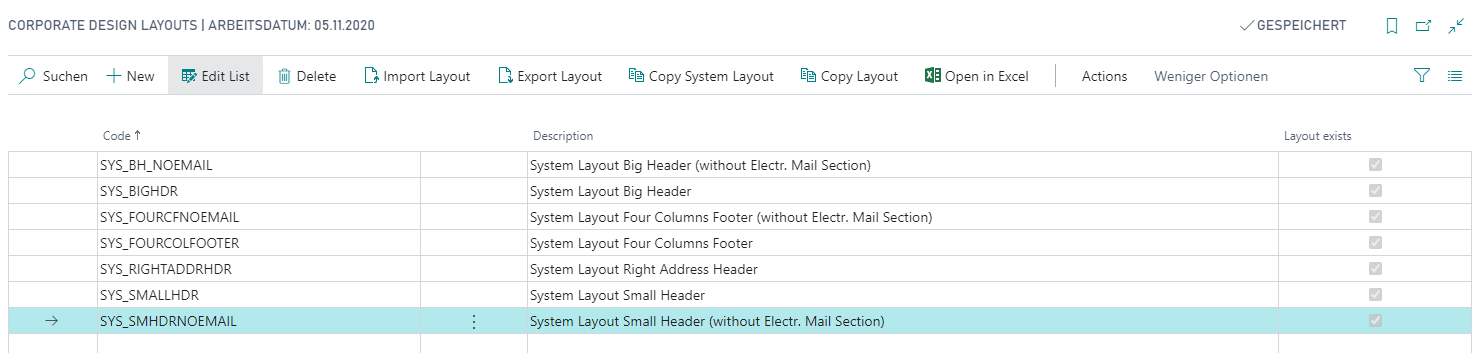
Important
The system-provided layouts must not be modified. If a layout needs to be customized, the layout must first be copied. When updating the app, the system layouts may be overwritten. This may result in any changes made being lost.
Using the functions in the ribbon of the Corporate Design Layouts page, existing layouts can be exported and copied, and new layouts can be imported.
Choosing a Layout
The seven system layouts differ along four structural axes. Answering the following questions will guide you to the right layout:
1. Do you use Deutsche Post EPost for dispatch?
EPost is a Deutsche Post service for sending physical mail digitally. EPost-compliant layouts reserve a dedicated space in the address area for a machine-readable barcode required by the service. If you do not use EPost, choose a layout without this space — the layouts without an EPost space include NOEMAIL in the layout code. Choosing a layout with an EPost space when you do not use the service wastes address area on every document.
2. Should the full header repeat on every page, or only on the first page?
Small header layouts display a compact header on subsequent pages, containing only the company logo, document label, page counter, and subtotals. Big header layouts repeat the complete first-page header — including the address block and all reference fields — on every subsequent page. Use the big header when readers must have the full context on every page, for example on multi-page quotations sent without a cover sheet.
3. Do you want a centered four-column footer or the standard footer?
The standard footer arranges data from left to right, with text left-aligned inside each column. The centered four-column footer centers the text within each column and allows you to control the footer height via a setup option. For details on both footer types see Footer Elements.
4. Should the address block appear on the right side of the first page?
By default, the address block is placed on the left. The layout SYS_RIGHTADDRHDR places it on the right instead.
Layout Feature Overview
| Layout Code | Header on subsequent pages | Address position | EPost space | Footer style |
|---|---|---|---|---|
| SYS_SMHDRNOEMAIL (default) | Compact | Left | No | Standard |
| SYS_SMALLHDR | Compact | Left | Yes | Standard |
| SYS_BH_NOEMAIL | Full (same as page 1) | Left | No | Standard |
| SYS_BIGHDR | Full (same as page 1) | Left | Yes | Standard |
| SYS_FOURCFNOEMAIL | Compact | Left | No | 4-column centered |
| SYS_FOURCOLFOOTER | Compact | Left | Yes | 4-column centered |
| SYS_RIGHTADDRHDR | Compact | Right | No | Standard |
Layouts in the System
| CD Layout Code | CD Layout Description | Explanation |
|---|---|---|
| SYS_SMHDRNOEMAIL | System Layout Small Header (without EPost Space) | In this layout, the header on the first page is complete. All subsequent pages have only a compact page header, consisting of the company logo, the document label, a page counter, and the subtotals. The address is on the left. No EPost barcode space is reserved. This layout is preset for all documents by the Initialize function. It is the recommended starting point: the compact subsequent-page header saves space on multi-page documents, and no Deutsche Post EPost subscription is required. The standard footer is used; see Footer Elements. |
| SYS_SMALLHDR | System Layout Small Header (with EPost Space) | The layout corresponds to SYS_SMHDRNOEMAIL. In addition, this layout reserves a space in the address area between the sender address and the recipient address for an EPost barcode for dispatch via Deutsche Post. The layout is therefore EPost-compliant. |
| SYS_BH_NOEMAIL | System Layout Big Header (without EPost Space) | In this layout, the full page header — including the address block and reference fields — is repeated on all subsequent pages at the same size as on the first page. No EPost barcode space is reserved. Otherwise the layout corresponds to SYS_SMHDRNOEMAIL: the address is on the left and the standard footer is used; see Footer Elements. |
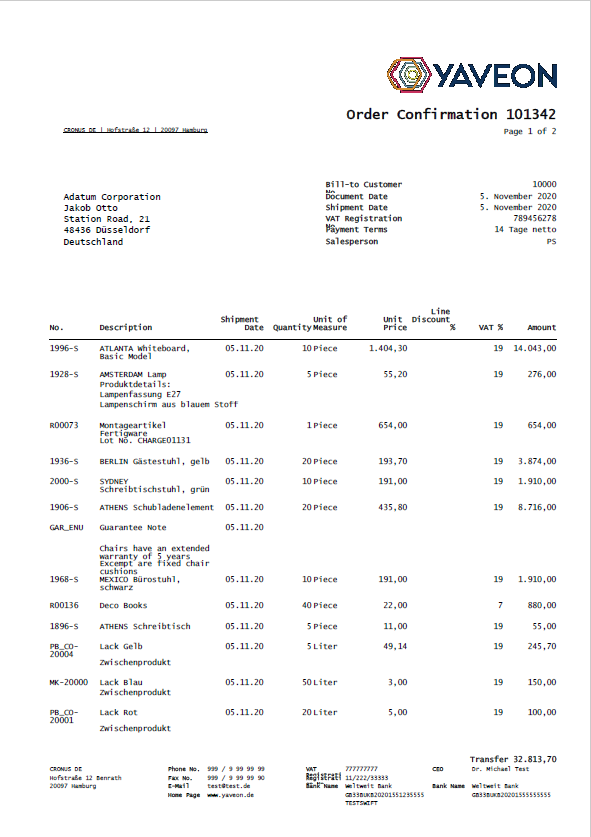
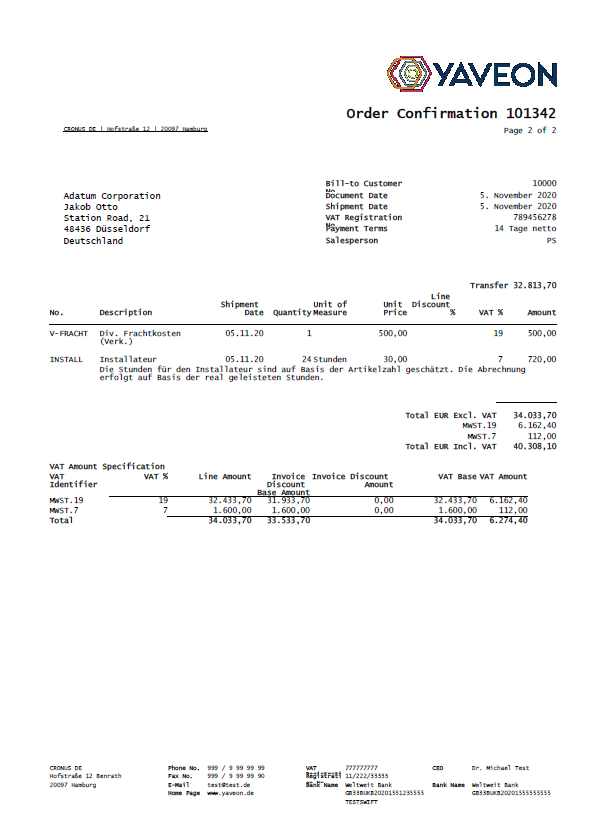
| SYS_BIGHDR | System Layout Big Header (with EPost Space) | The layout corresponds to SYS_BH_NOEMAIL. In addition, this layout reserves a space in the address area between the sender address and the recipient address for an EPost barcode for dispatch via Deutsche Post. The layout is therefore EPost-compliant. |
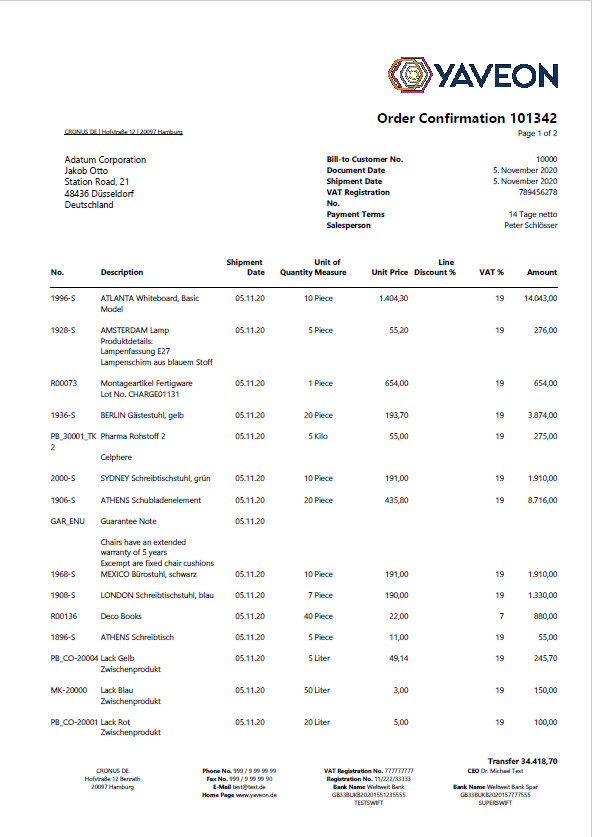
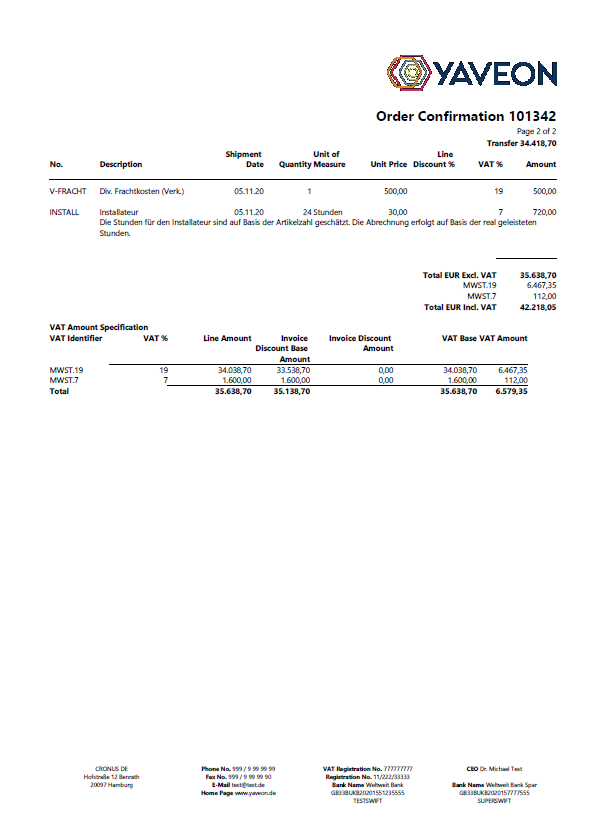
| SYS_FOURCFNOEMAIL | System Layout Four Columns Footer (without EPost Space) | This layout has a compact page header on subsequent pages and otherwise corresponds to SYS_SMHDRNOEMAIL. No EPost barcode space is reserved. The footer is displayed in four columns with the data in each column centered. The columns can be set up in the CD Field Configuration. The height of the footer for this layout can be adjusted; see Centered footer. |
| SYS_FOURCOLFOOTER | System Layout Four Columns Footer (with EPost Space) | The layout corresponds to SYS_FOURCFNOEMAIL. In addition, this layout reserves a space in the address area between the sender address and the recipient address for an EPost barcode for dispatch via Deutsche Post. The layout is therefore EPost-compliant. The height of the footer for this layout can be adjusted; see Centered footer. |
| SYS_RIGHTADDRHDR | System Layout Right Address Header | This layout has a compact page header on subsequent pages and uses the standard footer; see Footer Elements. On the first page, the address block is arranged on the right instead of on the left. |
Example Illustrations of System Layouts
The system layouts are illustrated below using an order confirmation as an example. An overview of the sections within a layout is provided in CD Layout Sections and Document elements.
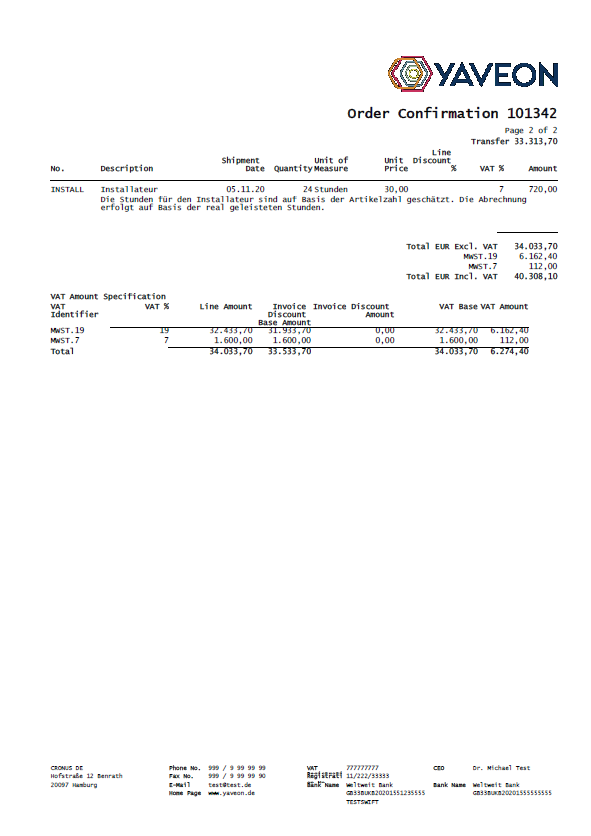
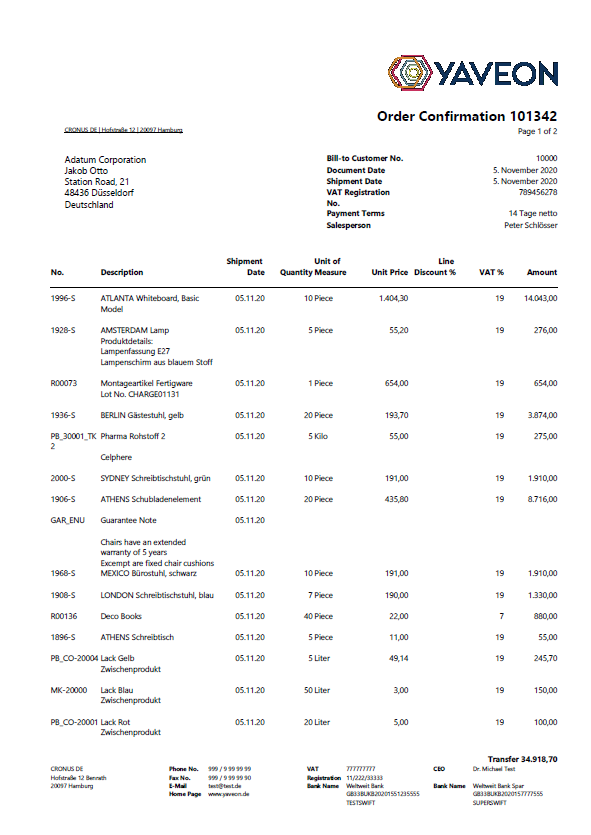
SYS_SMHDRNOEMAIL
Order Confirmation Example — Page 1 (full header, address left, no EPost space):
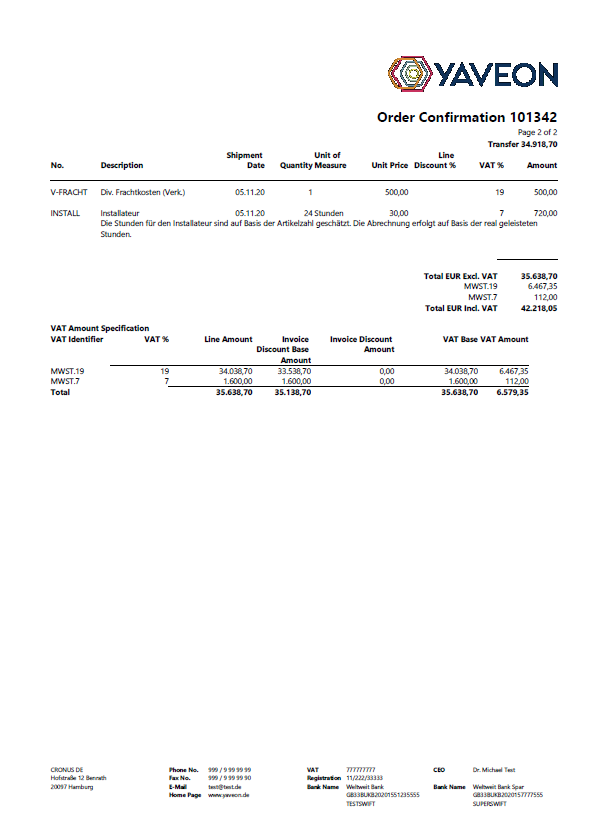
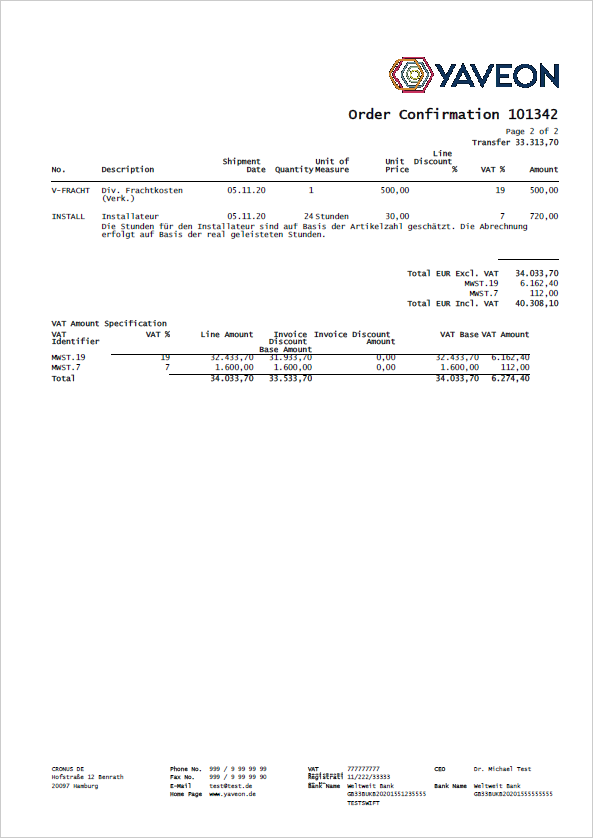
Order Confirmation Example — Page 2 (note the compact header: logo, document label, page counter, and subtotals only):
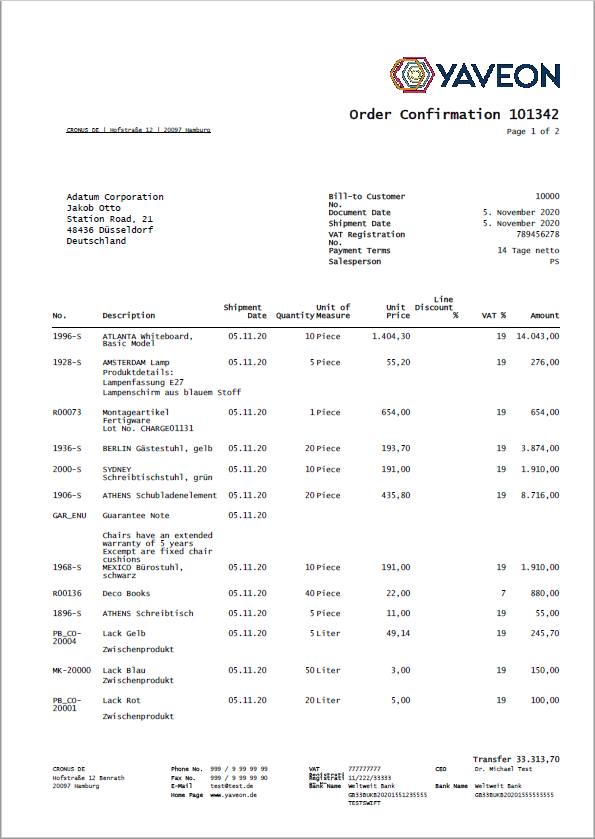
SYS_SMALLHDR
Order Confirmation Example — Page 1 (note the EPost barcode space between the sender and recipient address):
Order Confirmation Example — Page 2 (compact header, same structure as SYS_SMHDRNOEMAIL):
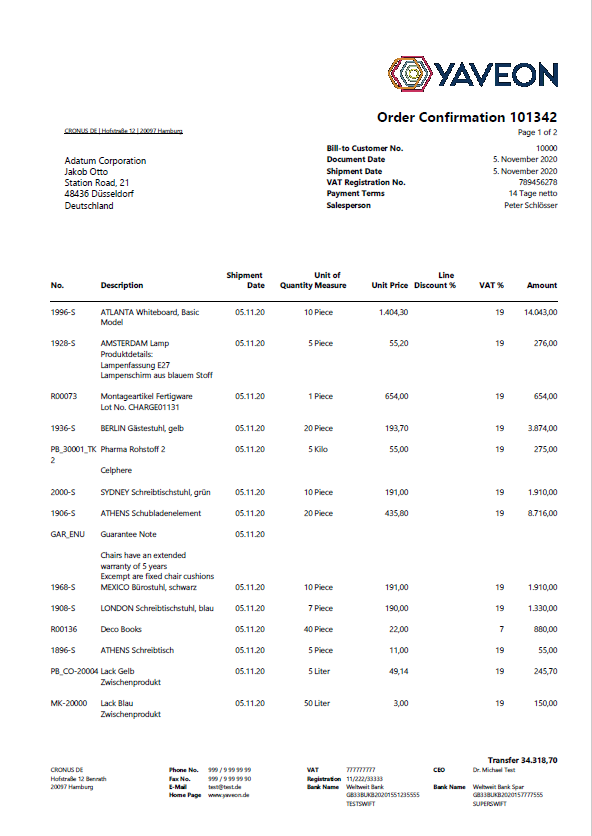
SYS_BH_NOEMAIL
Order Confirmation Example — Page 1:
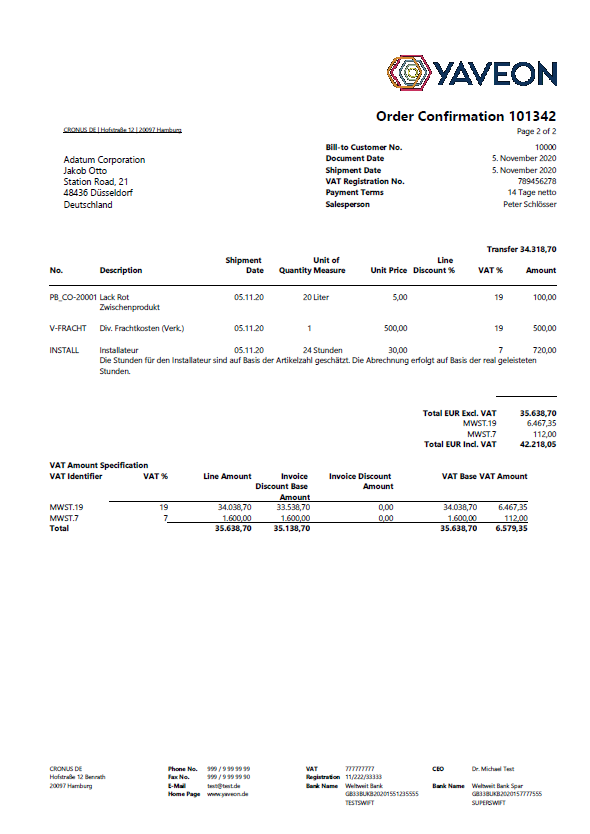
Order Confirmation Example — Page 2 (note the full header repeated: address block and reference fields are visible at the same size as on page 1):
SYS_BIGHDR
Order Confirmation Example — Page 1 (note the EPost barcode space between the sender and recipient address):
Order Confirmation Example — Page 2 (full header repeated, with EPost space):
SYS_FOURCFNOEMAIL
Order Confirmation Example — Page 1:
Order Confirmation Example — Page 2 (note the four centered footer columns at the bottom):
SYS_FOURCOLFOOTER
Order Confirmation Example — Page 1 (note the EPost barcode space between the sender and recipient address):
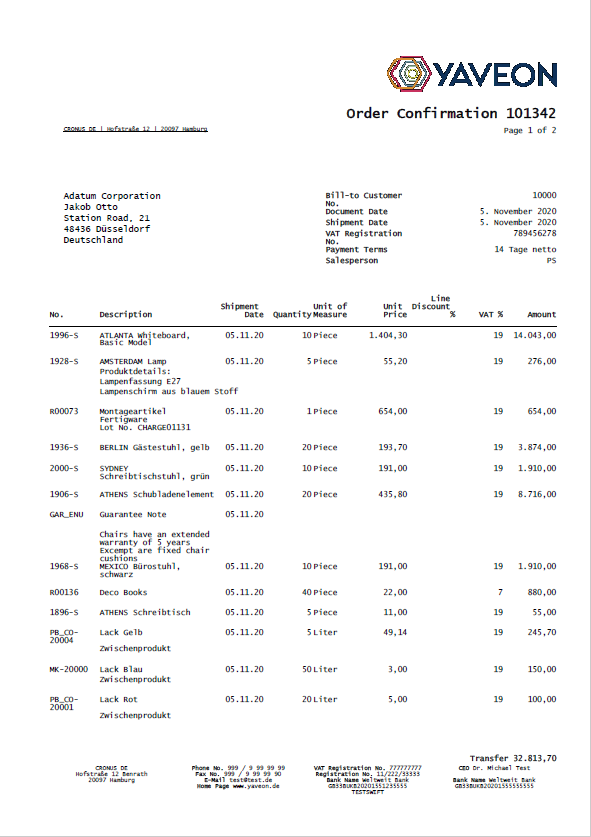
Order Confirmation Example — Page 2 (four centered footer columns, with EPost space):

SYS_RIGHTADDRHDR
Order Confirmation Example — Page 1 (note the address block on the right side of the page):

Order Confirmation Example — Page 2 (compact header, same structure as SYS_SMHDRNOEMAIL):