Load carrier lines
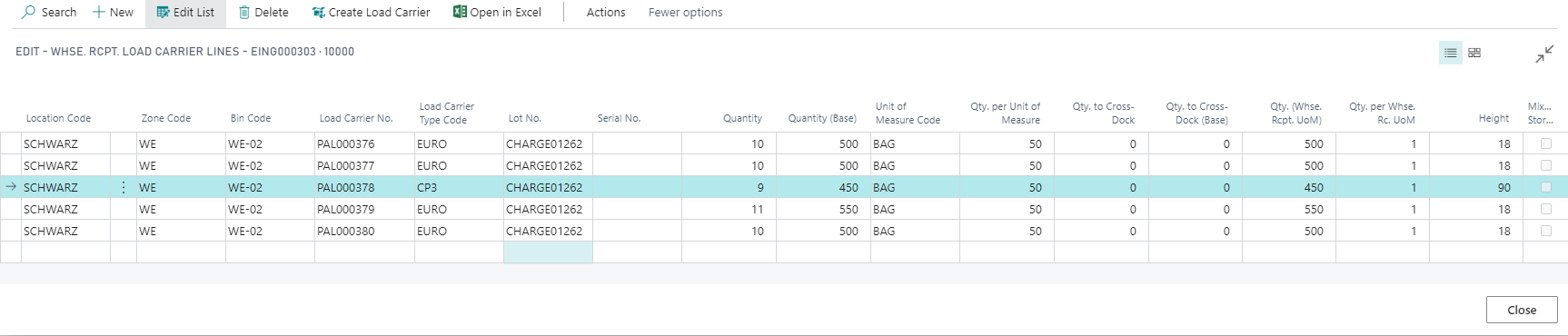
In the warehouse receipt header, the Load Carrier Lines created can be viewed with the action of the same name. This screen displays all the load carriers already created in the warehouse receipt (all warehouse receipt lines).
If you want to edit individual load carrier lines, use the call Load Carrier Lines in the warehouse receipt lines. There you get an overview of the existing load carriers per warehouse receipt line and can change individual fields later. For example, you can edit the Load Carrier Type Code, the Quantity per load carrier or the (calculated) Height (mm).
Note
The Load Carrier Type Code field keeps its name, but its lookup opens the unified Package Types page (Yaveon 365 Library). See Load Carrier Types for details.
When the warehouse receipt is posted, the included load carriers are transferred to the Posted Warehouse Receipt and can be viewed there under Posted Load Carrier Lines.