Put-away
When the warehouse receipt is posted, the system creates a Put-away when Logistics is activated. The put-away contains lines for each load carrier and each item without load carrier with a take and place line.
In the header of the screen, you can change the Sorting Method so that the sorting of the lines is changed. This field can be preassigned via the location.
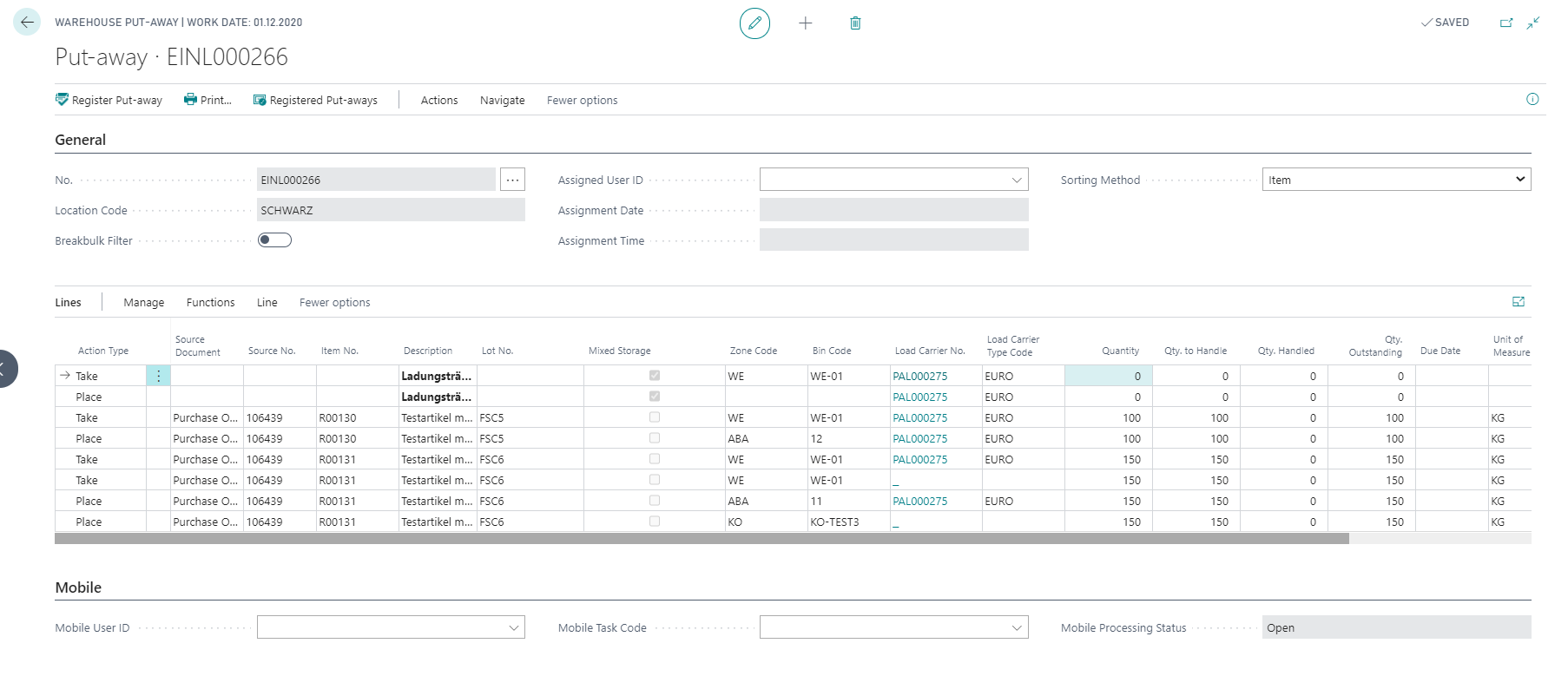
If mixed load carriers were created at warehouse receipt, the system creates an additional take and place line for each load carrier and sets the check mark Mixed Storage. The individual lines are then listed according to the Sorting Method.
At put-away, you can have the system propose a new storage bin for each item (line) using the function Assign new put-away bin according to the selected put-away strategy. If a zone is already set on the place line, the bin search is restricted to that zone. Depending on the field Blocking behavior Fct. Assign new put-away bin on the location card the previously found bin will be blocked (Inbound) or remains unblocked.
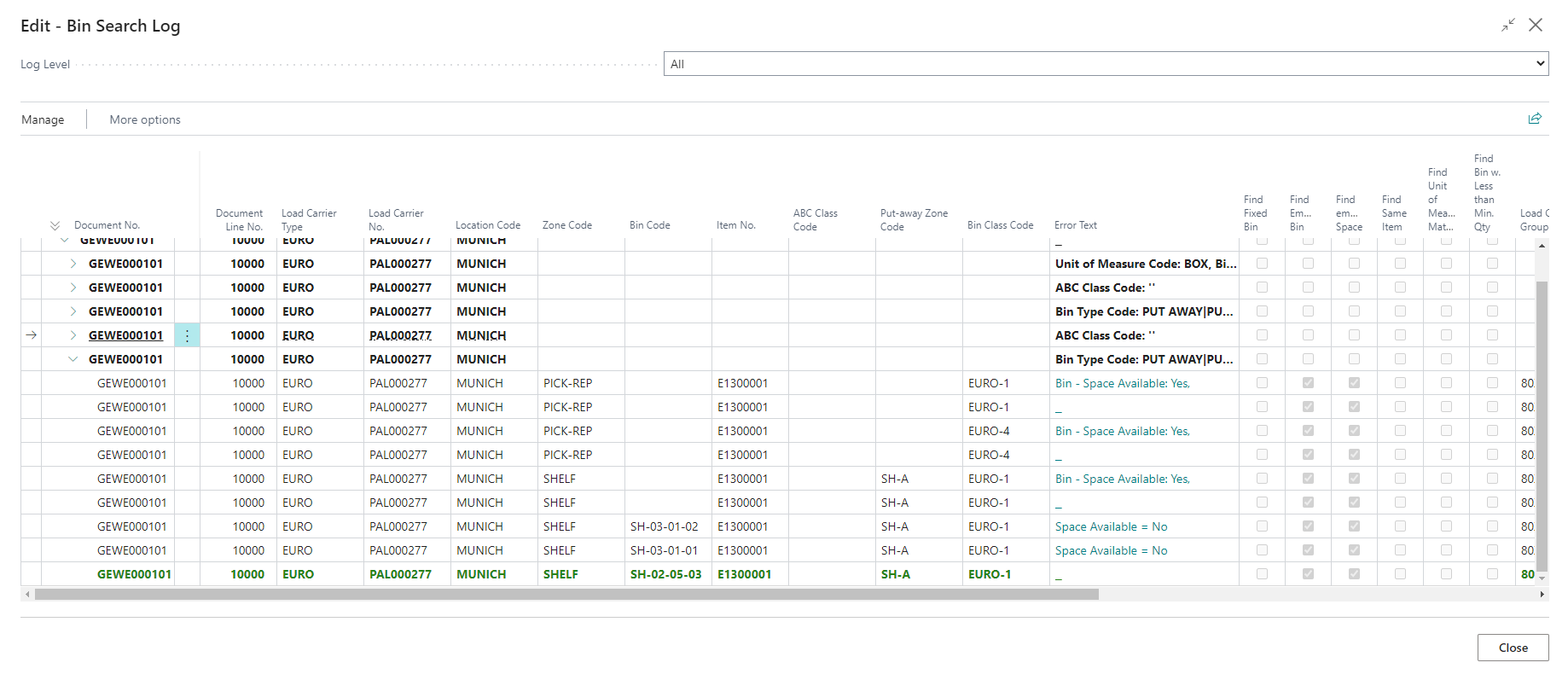
If no or an unexpected bin was found for a put-away line, notes on the result can be displayed via the Put-away Protocol. The screen is filtered accordingly for the current put-away.
Note
If the bin search should be logged, a log level must be defined via the bin search log. The Log level specifies how detailed the steps during the bin search are logged. The log level setting always applies only to the active user. The log must therefore be activated individually for each user.