Print Bank Accounts
In Business Central, various accounts can be stored in the Bank Accounts table. The information entered here will then be printed in the footer of documents, for example, as seen in Footer elements.
Setup of up two bank accounts
The bank account can be set up on the Bank Account Card. Five tabs are available here, which allow, among other things, the deposit of general information or contact details.
In order to be able to print the bank accounts in documents, a sorting of the document output must be specified under the tab PB365 Reporting. If only one bank account should be included in the footer, a 1 has to be entered in the Document Output sorting field on the corresponding bank account card. No entry will then be made in the remaining bank accounts.
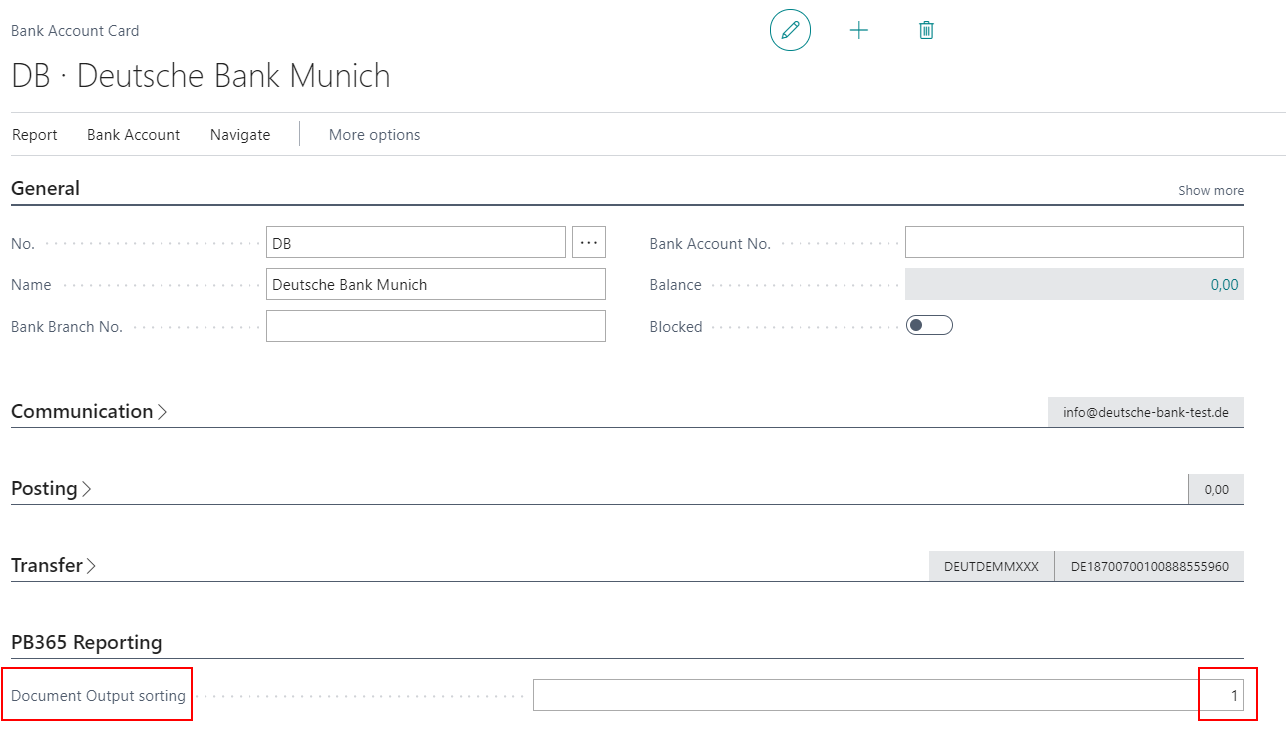
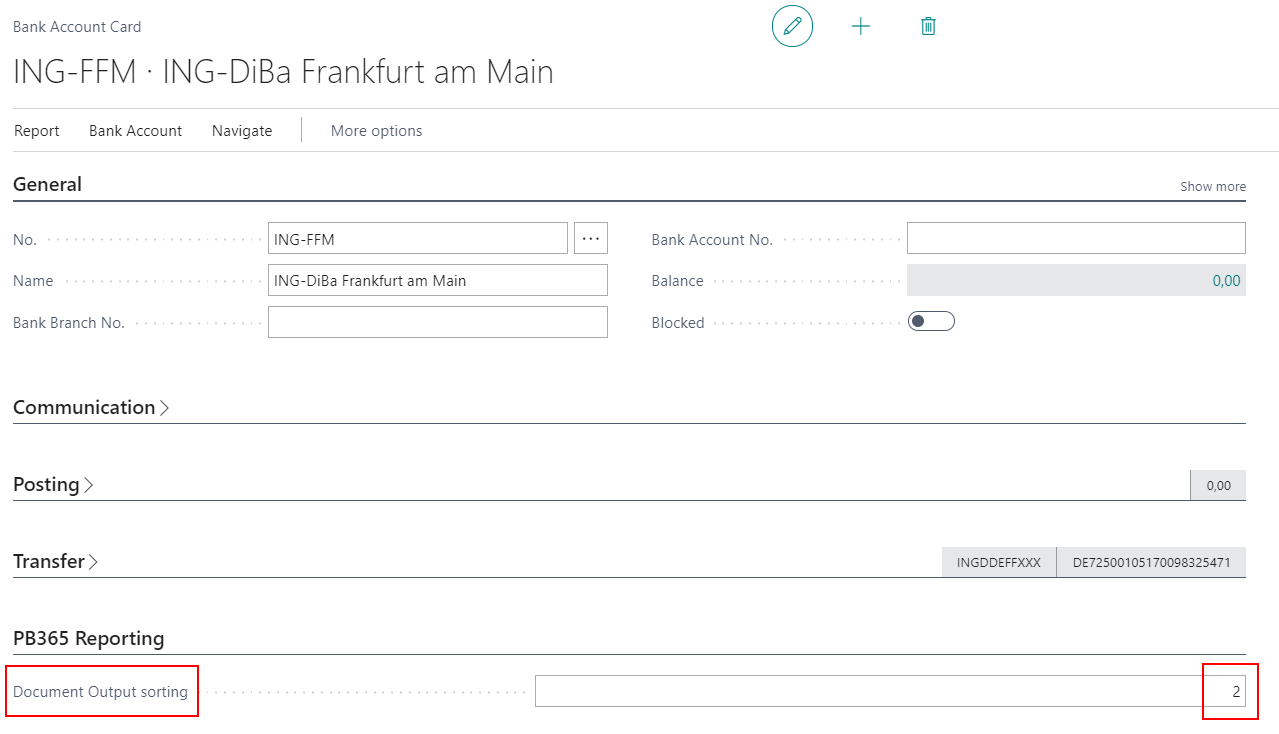
A total of two bank accounts can be printed in the standard footer. As soon as a second bank account should be printed on the reports, a 2 must be entered on the corresponding bank account card in the Document Output sorting field. Then both accounts will be visible on the reports.
Setup with different currencies
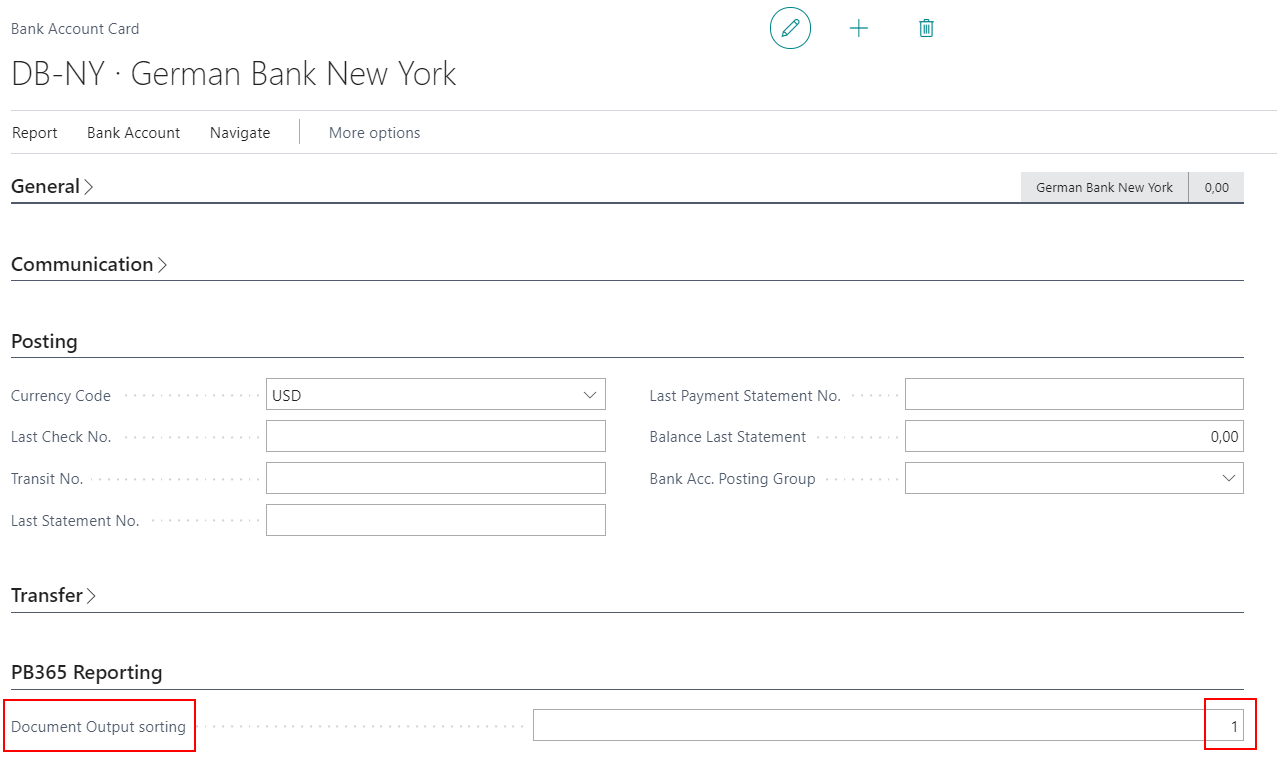
Bank accounts can be set up with other currencies, for example USD. If a document uses such a currency, the bank account with the according currency will be printed. The bank account with the company default currency will then remain hidden.
The sorting of the document output in the bank account is still relevant. If two bank accounts with a different currency exist, e.g. USD, both can be printed on documents. If these two bank accounts should be printed, the sorting must be adjusted as described above. The first bank account gets a 1 in the field Document Output sorting, the second bank account gets a 2.
If a currency is used in a document for which no specific bank account exists, the bank accounts for the default currency will be printed.