Replace Document Field
Within documents, existing lines/fields can be replaced by other lines/fields, which are available in the document, with the help of Corporate Design.
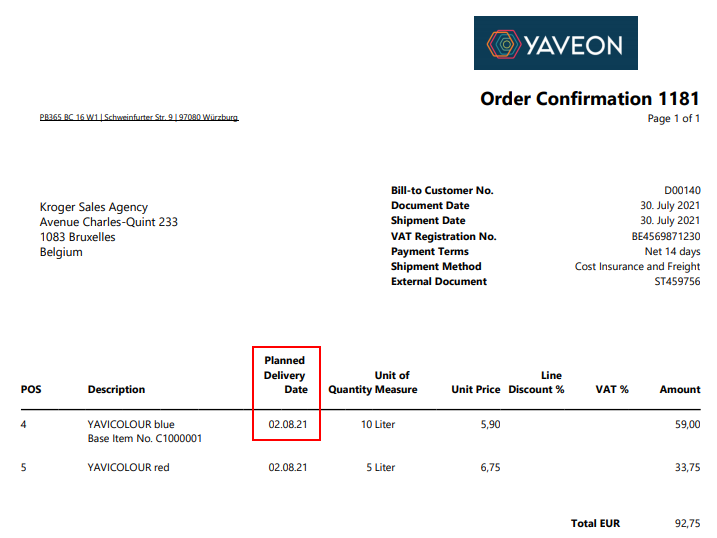
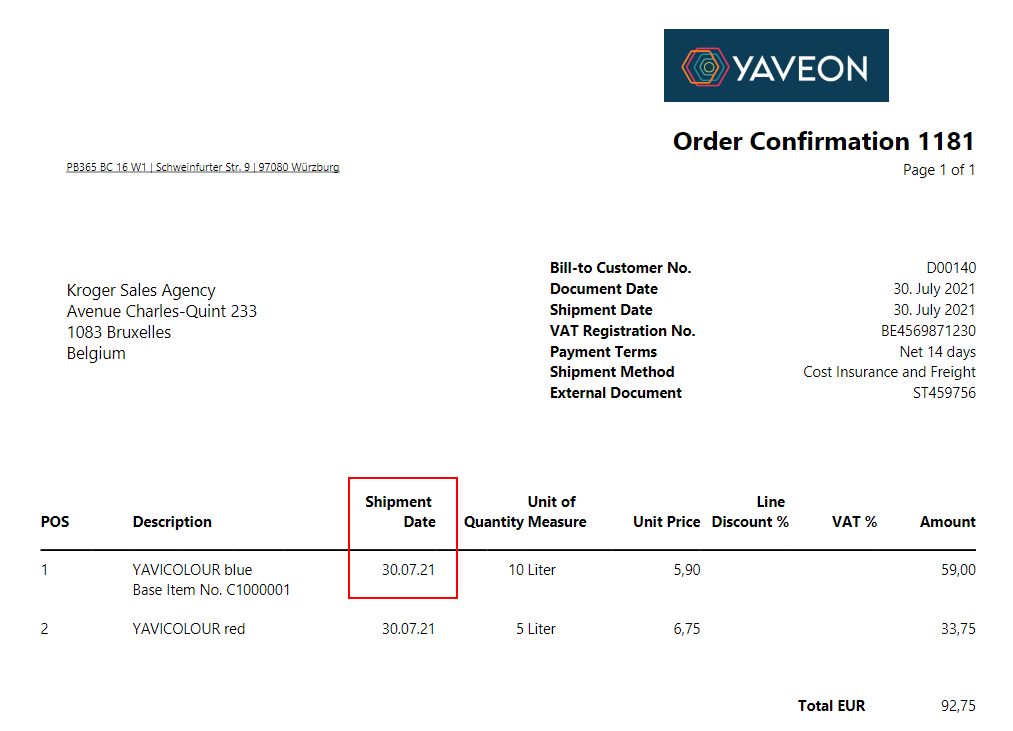
To illustrate the setup, this description will use an example to replace the Shipment Date of the Order Confirmation with the Planned Delivery Date. This will be applied to a custom layout. The CD Field Configuration is required for the replacement.
- CD Report ID 5517504
- CD Layout ID 2000 [custom setup]
- Section Line
- Field No. 10 --> 5794 [replace 10]
- Label Goods Issue Date --> Planned Delivery Date [replace Goods Issue Date].
The following is the before/after comparison:
Before:

After: