Sample Shipment
The Sample Shipment function enables you to send samples from a released inspection order to external service providers for an inspection. You can create a sample shipment from a released inspection order if it contains Samples that are marked as external and contains the corresponding inspection order line(s) for the Type sample.
A new sample shipment can be created using the action Create Sample Shipment in the released inspection order.
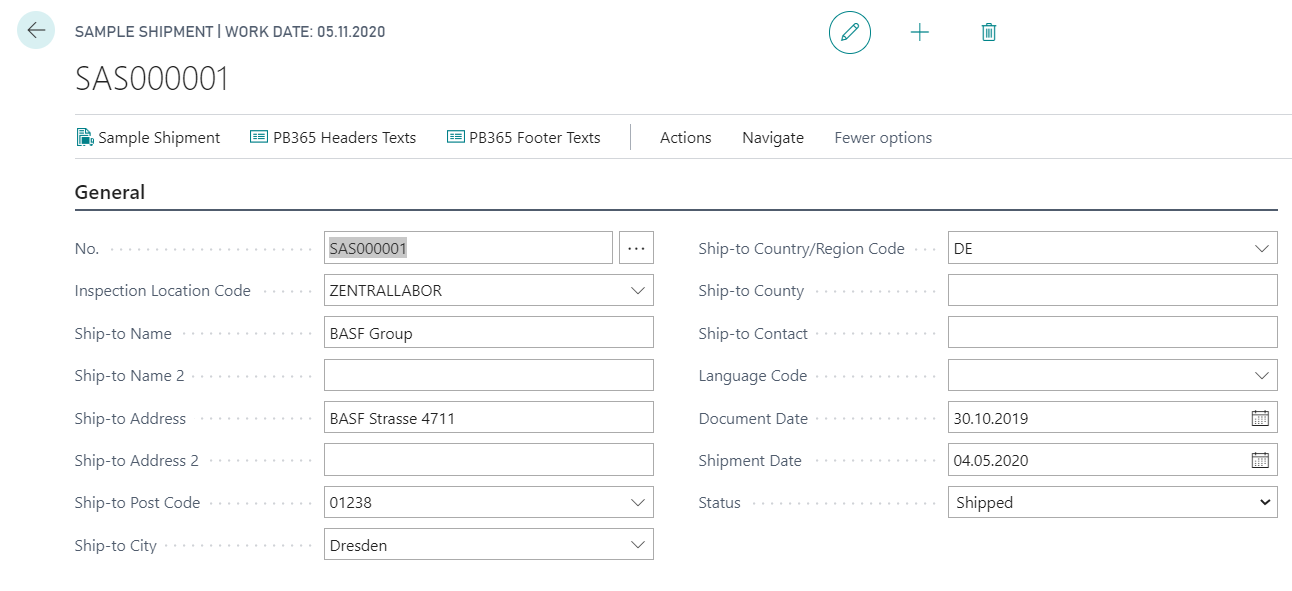
The newly created sample shipment is then opened automatically. The system assigns the next available No. to the document based on the number series stored and fills the fields based on the data maintained at the Inspection Location Code. The fields can be revised or completed as required.
In the actions for sending samples, you can also define PB365 Header Texts and PB365 Footer Texts for printing additional notes. For further information, please refer to the chapter Overview - Text Module. To send the samples, you have the option of printing an accompanying document using the Sample Shipment action and attaching it to the samples.
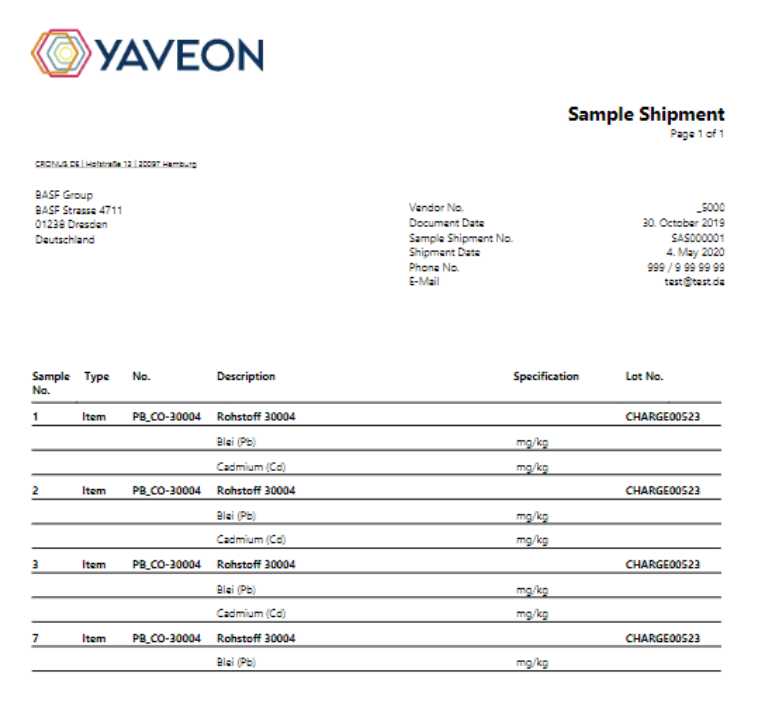
In the sample shipping lines, a line is created for each existing sample number and the features to be inspected are listed in the lines below. For example, for sample number 1, the values for lead and cadmium should be determined and for sample number 7, only the lead value should be determined.
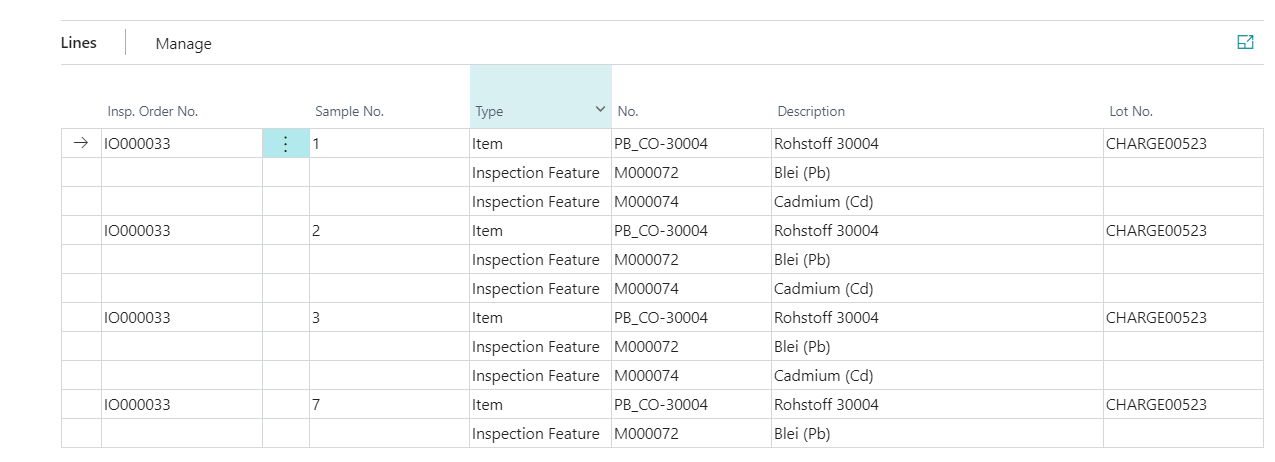
In the actions for the sample and the sample shipment line, you can also define PB365 Header Texts, PB365 Footer Texts and PB365 Line Texts for printing additional notes. Further information on this can also be found in the chapter Overview - Text Module.
You can also use the action Delete Line to delete the automatically created lines and define Translations for the inspection feature descriptions.
To manage whether a sample has already been sent, the Status field is available. The following statuses are available:
| Status | Description |
|---|---|
| Open | The fields of the sample shipment can be revised. It is possible to delete and edit lines. Texts can be created. |
| Shipped | The samples have been sent. If the status shipped is set, the system checks whether a date has already been entered in the Shipment Date field. If this is not the case, the system automatically defines it with the system date. The fields for sample shipping can no longer be edited. Texts can also no longer be created additionally. |
| Finished | The sample shipment is complete. No more changes are possible. |
For the purpose of subsequent processing, the Status of sample shipment can be reset from finished to another value at any time.