Stability Test
The Stability Test in the application provides you with the functions with which you can define the inspection contents and inspection periods for the various storage or stress conditions and execute the inspections yourself. Using stability tests, you can therefore periodically test lots or a specific serial number of an item over a defined period of time to check the quality under different temperatures, humidity, or usage conditions.
Creating a new stability test card
- With the action New you can create a new Stability Test Order.
- In the No. field, you can automatically assign the next free number from the number series by pressing Enter. Alternatively it is possible to enter a number manually.
- You must then enter a Item No. and a Lot No. or Serial No. The Description and Description 2 fields are filled with the item data and can be changed. These descriptions are later transferred to the inspection order for the stability test.
- Using the fields Inspection Plan No. and Inspection Plan Version Code, you can define which inspection plan should apply. A suitable inspection plan must exist for the item or item group and contain at least one inspection group of the inspection origin Stability Test. If several valid inspection plans are possible, you can select the appropriate one.
- The Starting Date field must be defined, as this is the basis for calculating the lines. You can optionally define a Calendar Code to include non-working days in the calculation.
You can then define the inspection points in the Date Formula field in the lines and define a note using the Comments action. The Inspection Date is calculated automatically using the Start Date. The information for the inspection plan is predefined on the basis of the header data and can be changed or entered manually, if necessary, if no inspection plan information has been defined in the header.
Creating Storage Conditions
By creating Storage Conditions you indicate under which special conditions (light, temperature, humidity, etc.) a stability test should be carried out to determine the shelf life of the product. You can use the fields Code and Description to define the storage conditions and have the option of translating the description using the action Translations.
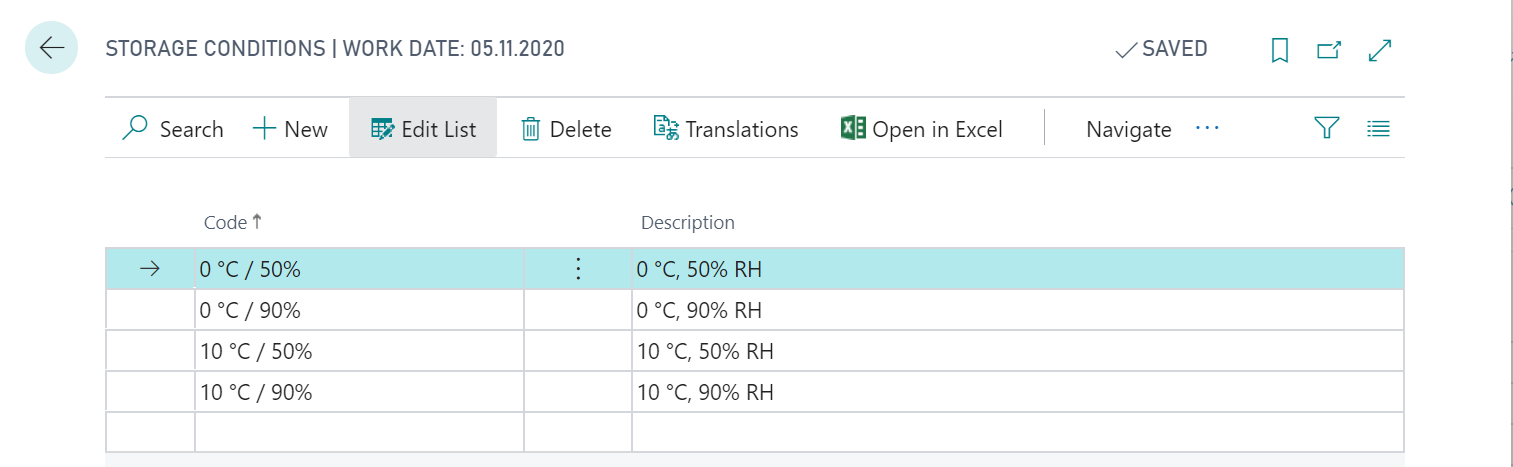
The storage conditions created can be defined on the stability test card and in the stability test template.
Use of Stability Test Templates
Stab. Test Templates can be used as templates for the creation of stability tests. You can create a new template using action New an define a Code and a Description. You can then use the lookup in the fields Inspection Plan No. and Inspection Plan Version Code to select from the inspection plans that contain an inspection group of the inspection origin Stability Test.
Important
Since the stability test templates have no reference to an item, any inspection plan can be selected that contains an inspection group with inspection source stability testing. If you enter the template code in the stability test, the inspection plan is adopted even if the inspection plan in the template refers to a different item. It is possible to create the inspection orders. The maintenance effort can therefore be significantly reduced and is different from selecting an inspection plan number on the stability testing card.
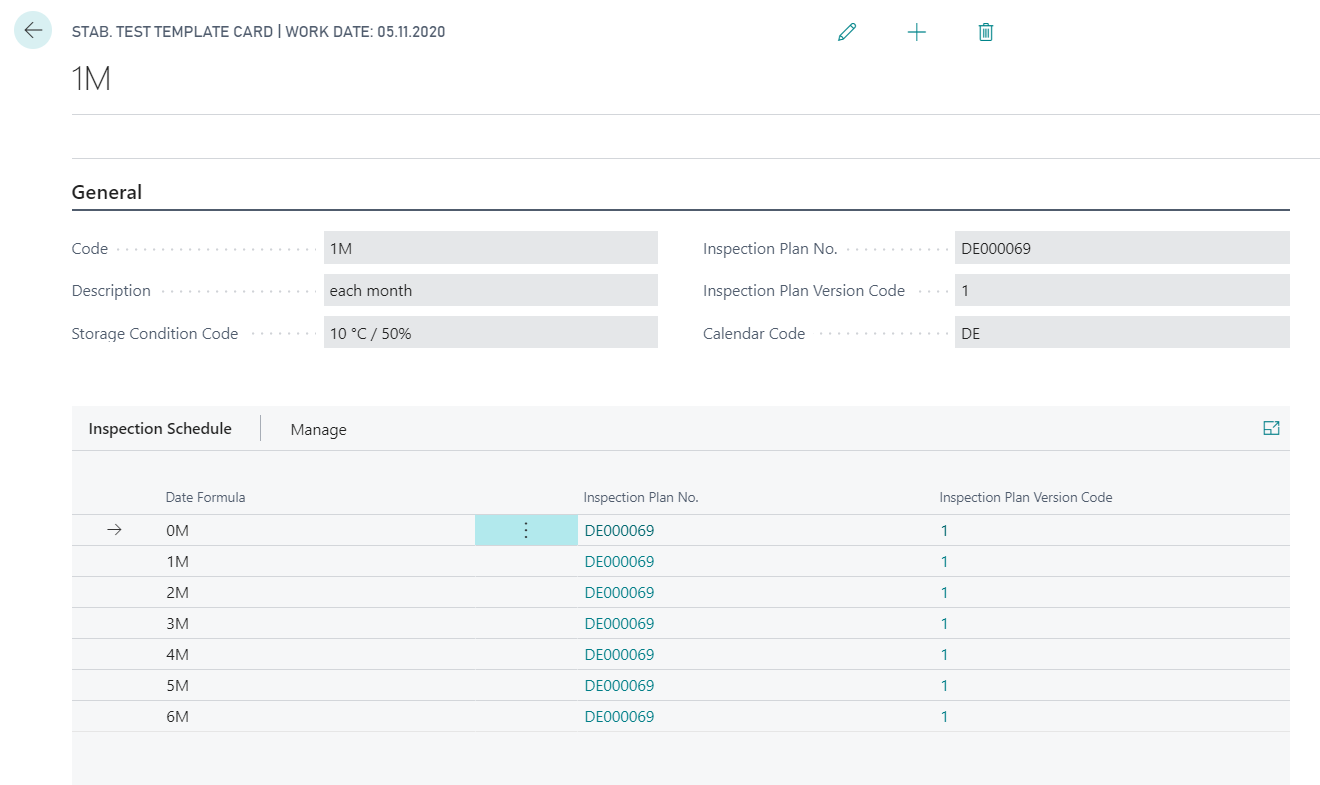
You can then define the inspection time in the corresponding lines using the Date Formula field. If information on the inspection plan that you want to use was defined in the header, the fields in the lines are automatically filled with the data and can be changed or supplemented here if necessary.
Example of creating a Stability Test using the Template
After creating a new stability test card and maintaining the fields No., Item No. and Lot No. or Serial No., you can fill the field Stability Test Template Code. Depending on the data maintenance, almost all required fields, including the corresponding lines, can be filled and created automatically. The predefined data can be changed here. For example, if you want to use a different inspection plan for a particular line, you can change this here.
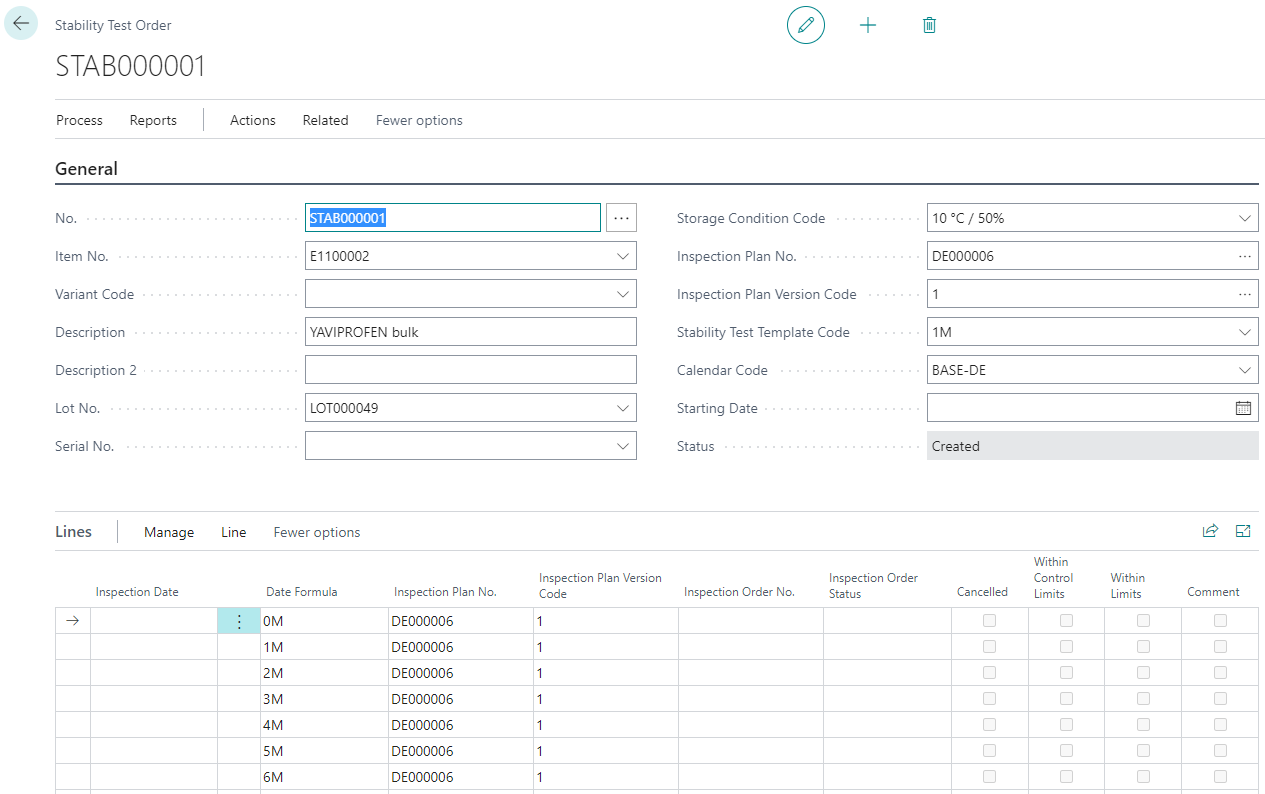
By entering the Starting Date, before or after, the concrete inspection time of the respective line is determined.
To be able to create inspection orders for the stability test, you must set the status to released using the action Change Status.
Creation of Inspection Orders for Stability Tests
With the action Create Inspection Orders you have the possibility to create inspection orders. To create the inspection orders, the field Create Inspection Orders must be activated. You can also use the Inspection Date field to decide up to which date inspection orders are to be created for this stability test.
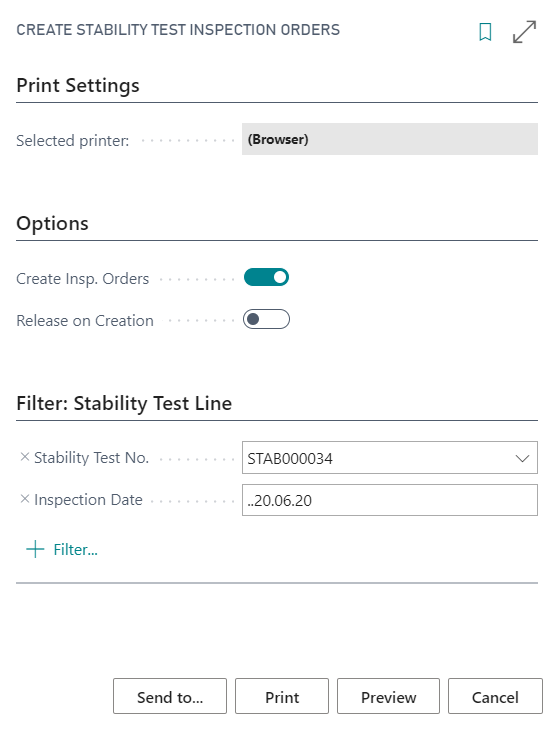
Furthermore, the batch processing Create Stability Test Inspection Orders is available. This works in the same way as the manual creation function, the only difference being that no filter is entered in the Stability Test No. field.
Inspection Orders for Inspection Equipment
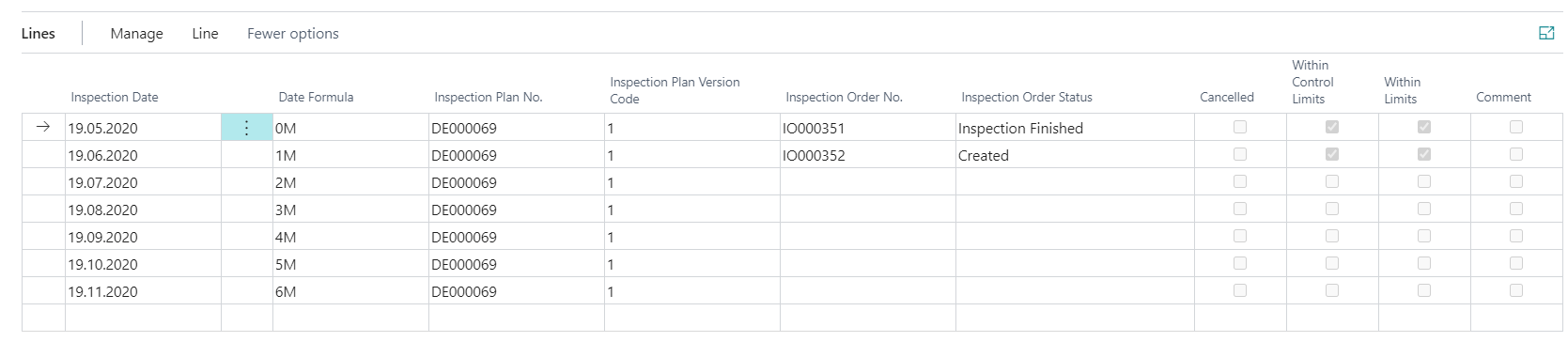
The processing of inspection orders for stability tests is not different from other inspection orders. For more information about processing inspection orders, see the chapter Inspection Order. In the stability test lines, you can track the Inspection Order Status of the respective inspection orders and the compliance with reference values in the fields Within Control Limits and Within Limits.
Additional functions for Stability Tests
In addition to the actions already mentioned, other options are available.
The stability test has a status management function. You can assign the following additional statuses using the action Change Status:
- You can reset the status to In Development to add lines or change data for lines for which there is not yet an inspection order.
- You can set the status to Canceled to indicate that no further tests are to be performed for this stability test or that the tests cannot be continued.
- You can set the status to Finished to indicate that all checks have been performed.
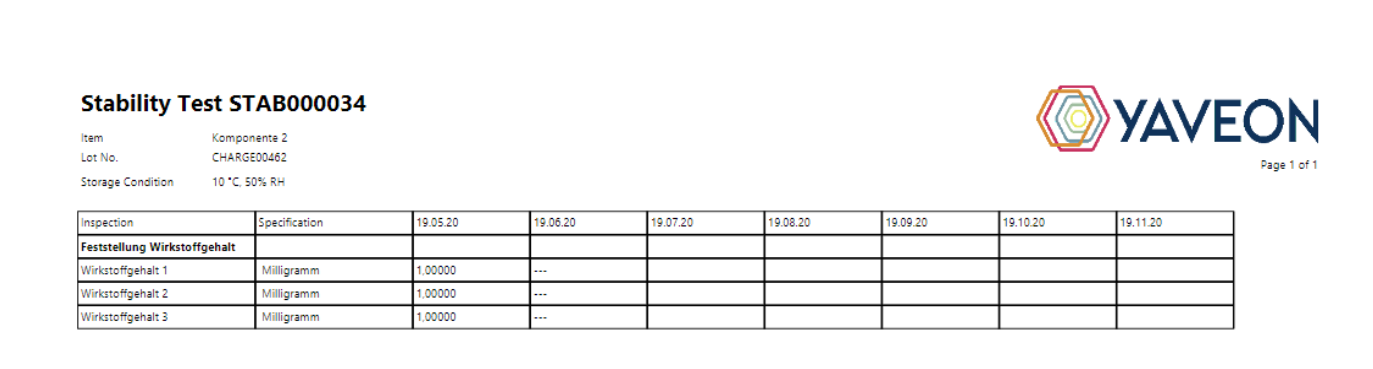
You can also print the stability test using the Stability Test action. The actual values of the corresponding inspection orders are displayed on the report.