Interval Rule Entry
The system creates Interval Rule Entries to determine the current level when creating or completing an inspection order. The time at which interval rule posts are created can be defined in the ProBatch 365 Quality Assurance Setup in the Interval Rule Entry Creation field. With the option Insp. Order Creation, the interval rule post is already updated when an inspection order is created. With Insp. Order Finishing, it is only updated when the inspection order is finished.
The reason for this is that interval rules may have to be taken into account before an inspection order is completed. The following example illustrates the differences with regard to the time of creation. A goods receipt document exists with one article and four different lots. The interval rule shown is defined in the inspection plan with inspection level Batch.
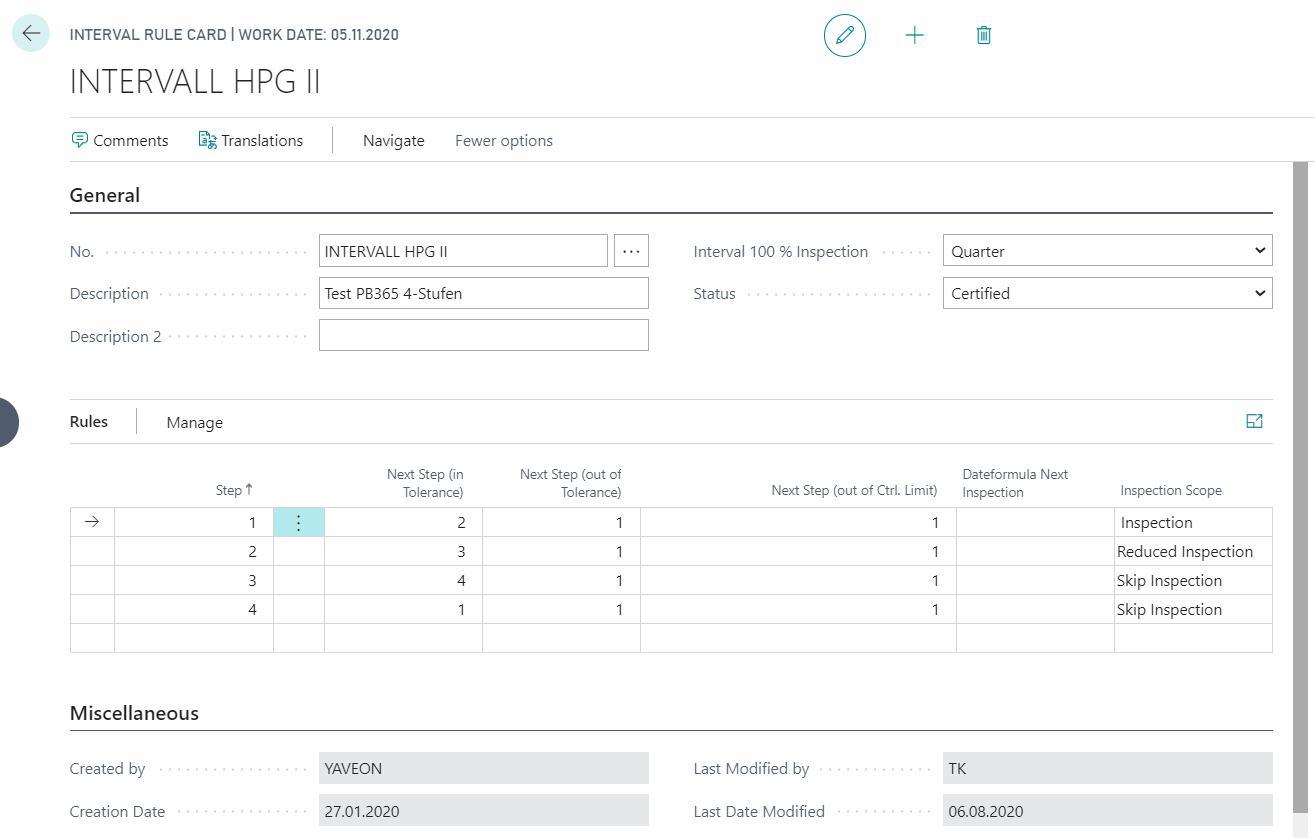
Interval rule entry at end of an Inspection Order
Since interval rule entries are only created when an inspection order is completed, four inspection orders with full inspection scope are created. If, in the meantime, a new delivery is made and none of the existing inspection orders has been completed, a "normal" inspection order is triggered again. Long-running inspection orders and several batches can therefore result in more inspection orders being created than required by the interval rule.
Interval rule entry when creating an Inspection Order
It may therefore be necessary to create interval rule entry even before an inspection order is completed. If you choose this setup, the system would create two inspection orders in this specific case, whereby one of the inspections would still have a reduced scope. The interval rule posts are therefore created first, regardless of the inspection result.
In the Interval Rule Entries, you can trace the levels and the data for the interval rule posts.
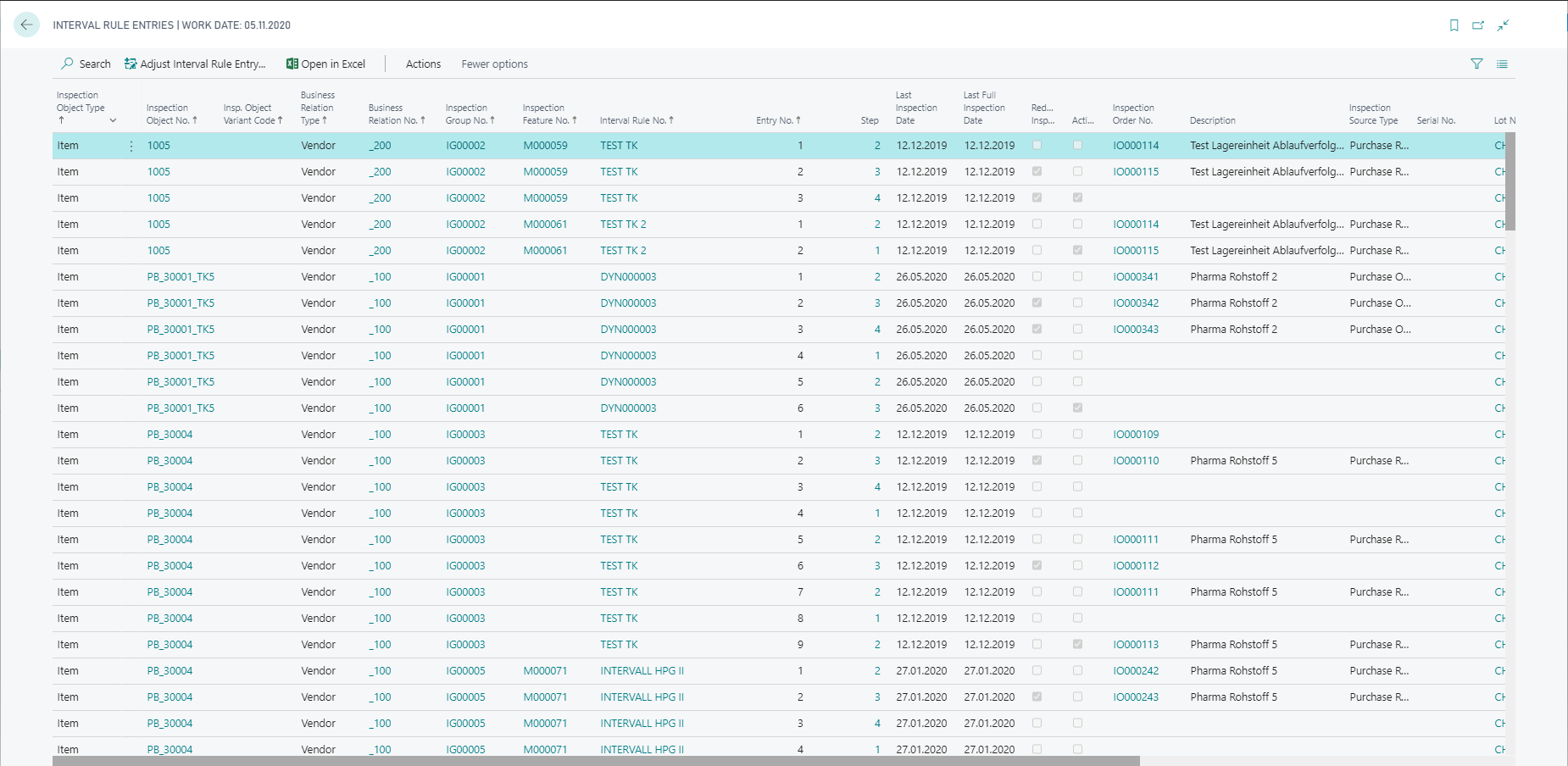
You can also change the level of the interval rule marked Active using the action Adjust Interval Rule Entry. The function opens a new window for selecting the new level. The selected level can be accepted via the OK button after a Comment has been entered. A manual revision of the entries is therefore guaranteed.

You can find more information under Interval Rules.