Feature management in the development recipe
The development recipe offers a comprehensive management of features that enable you to perform complex calculations. For example, you can determine the composition of the recipe with regard to a specific target value based on the selected input substances and quantities. This enables you to manage the active ingredient of a product, for example, and select the input substances and quantities accordingly.
To search for components with specific features, you can use the call Select item by Features... in the recipe line to call the Feature search and thus add an item by feature.
To facilitate editing the target values, you can view, enter, and edit the features contained in the development recipe in the Features or Line Features infotabs.
You can manually add features to both the header of the development recipe and the individual lines, or have the system insert them automatically. The features are inserted automatically using the Dev. Recipe Feat. Templ. Code in the development recipe. When you insert a Dev. Recipe Feat. Templ. Code in the development recipe header, all features already assigned are deleted and the features of the template are inserted. Then, all line features marked with Copy to next level are added (these line features are automatically inherited in the recipe header). The Dev. Recipe Feat. Templ. Code can be assigned on the item card and is transferred from there to the development recipe header or lines.
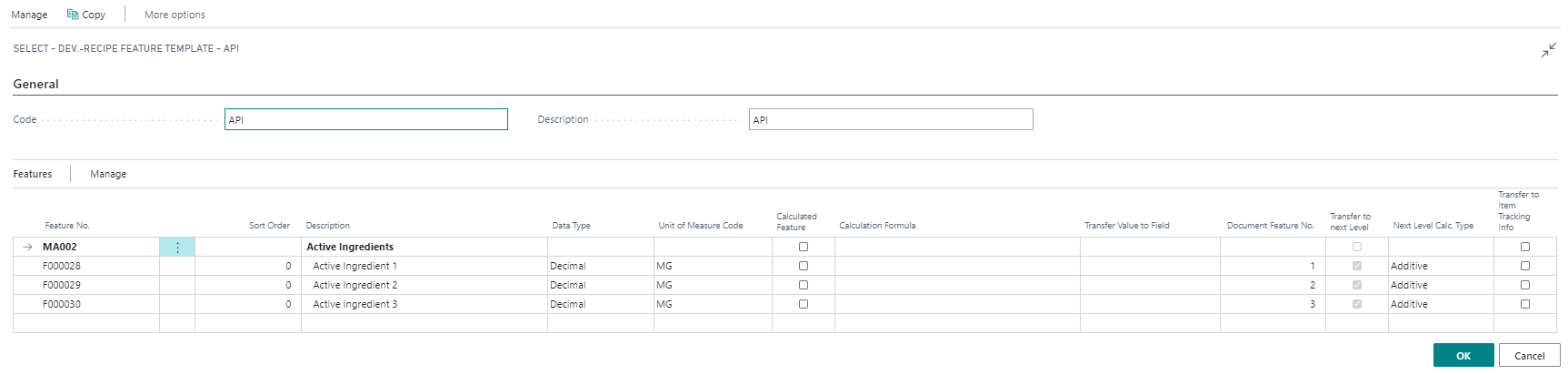
The presentation is grouped according to the assigned feature type. Only features with a feature type defined for Research and Development can be used.
You can use the Sort Order to determine the sequence in which the features are displayed in the line features. Sorting takes place within a feature type.
Using the field Transfer value to field, you can have the system automatically fill fields of the development recipe line (component line) on the basis of a feature value. For example, you can define a feature "Mass Portion", enter its feature value manually or have it calculated, and transfer the result to the "Proportion %" field of the development recipe line. The field must be entered with the field name (English!).
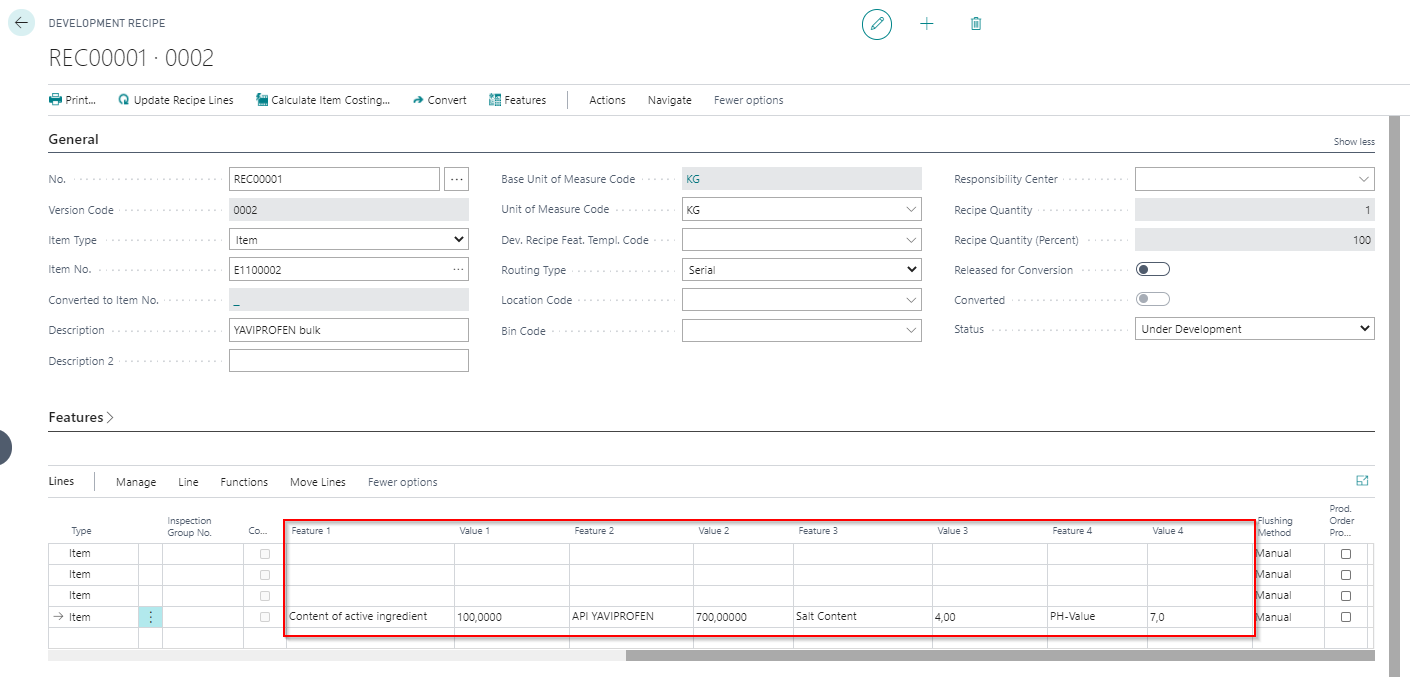
In the fields Feature 1 / Value 1 to Feature 4 / Value 4 of the recipe line, you can directly see the features assigned to the development recipe lines and enter the actual value here. To do so, you must fill the Document Feature number field in the Dev. Recipe Feat. Templ. Code, the Feature Group or Master Data Feature with the corresponding number (1 to 4).
When printing the development recipe, you can specify the lot size for printing. No data is exchanged but only the quantity-dependent target values (target value (quantity)) of the features for this lot size are printed.
When a development recipe is converted into a Manuf. Specification, the calculated header/actual feature values of the recipe are also transferred to the features of the Manuf. Specification header.
The updating of features and feature values in recipes that further process an item (multi-stage recipes) can be carried out via the processing Update recipes.