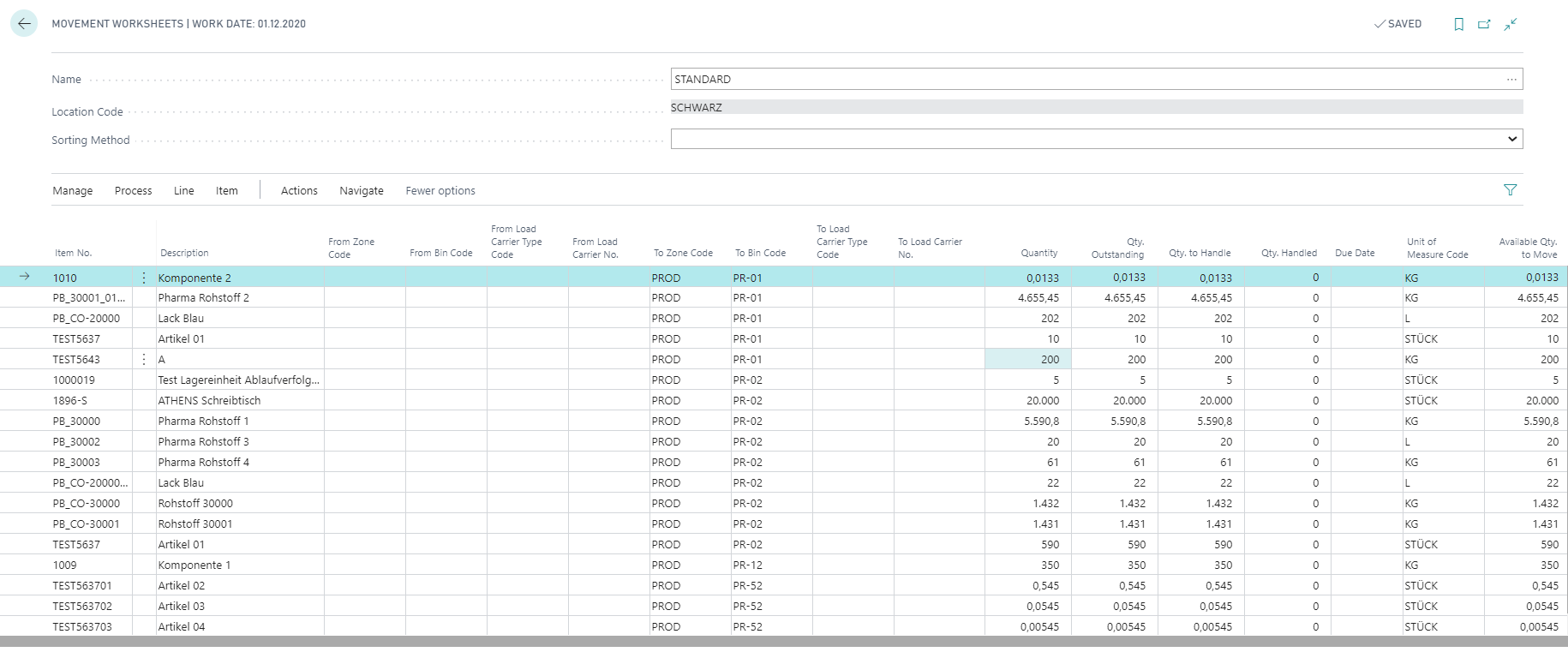
Calculate Production Demand
Note
This function can only be used in combination with the ProBatch 365 Manufacturing App.
You can use the action Calculate Production Demand to create a production provision for components in several production orders in one logistics document. This makes it possible, for example, to bundle the demand for components so that a component required in several production orders can be transferred from the warehouse to production using only one logistics document. Only components that have been assigned a Flushing Method of Forward or Backward and for which no production provision is necessary are taken into account (Production Provision = no).
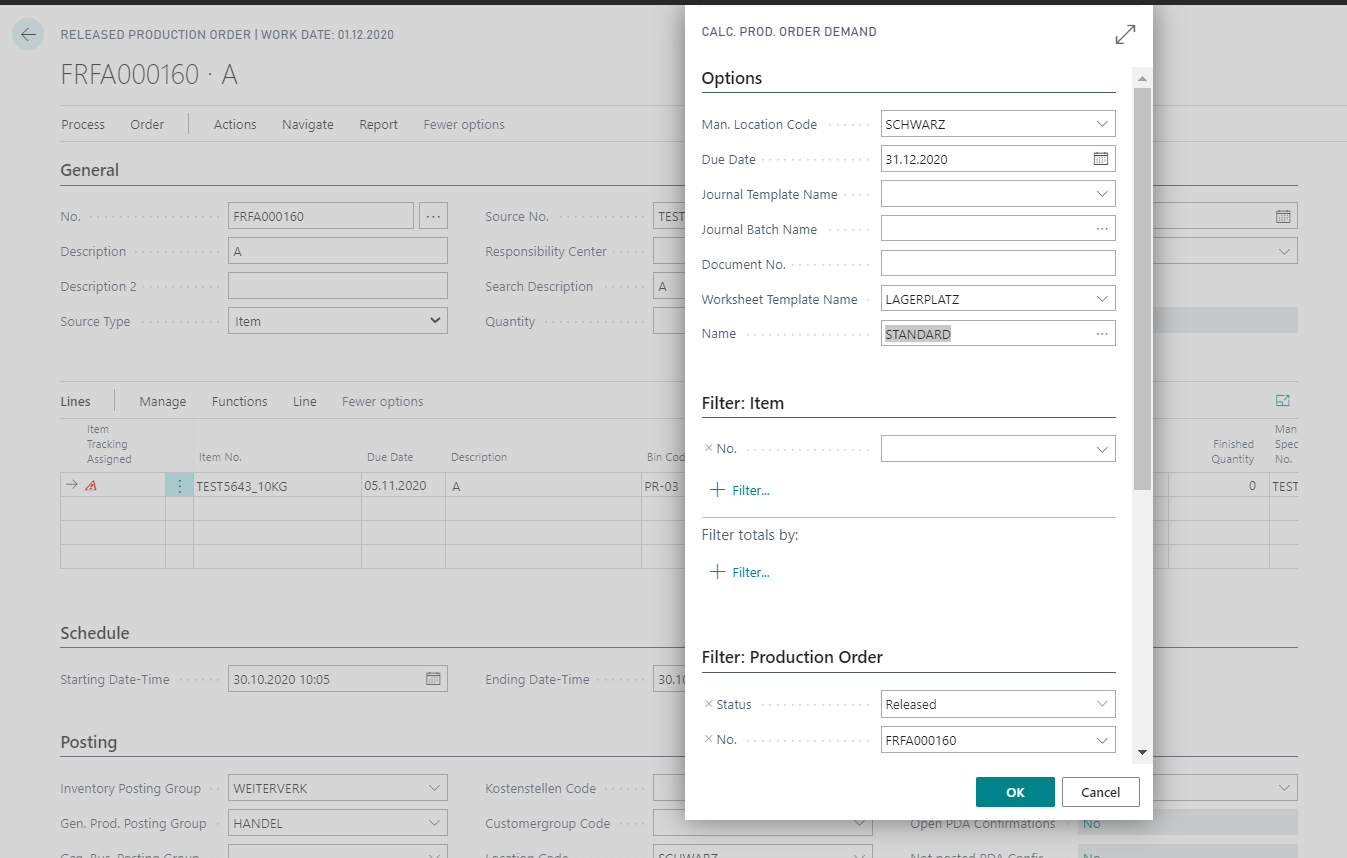
If you want to create a production provision for several production orders, you can use the function Calculate Production Order Demand on the released production order.
In this report, first enter a Man. Storage Location, the Due Date and, depending on the logistics functionality, the corresponding worksheet information. When calculating the required quantities, only production orders with a Due Date up to this date are taken into account. On the Item, Production Order and Prod. Order Routing Line tabs, you can make further restrictions on the items to be calculated. After exiting with OK, a movement worksheet or the item reclassification journal is filled.
Note
The function Calculate Production Order Demand can also be called directly in the movement worksheet and in the item reclassification journal.
By executing the calculation, the demands are determined for all items that meet the filter criteria of the report. The calculated values are then transferred to the logistics document (Movement Worksheet or Item Reclassification Journal).
If, for example, a restriction to a particular production order was made, the calculation is run for all contained production order components that are to be provisioned from the location specified in the report. The stock in the target bin of the production provision and the remaining quantities of the production order components of all released production orders with the same bin are taken into account.
This means that the determination of demand is not document-specific, that is, the total demand of items in a particular production bin in production are determined. There is no exact assignment of which production order triggered the demand.
The lines entered in the document on the basis of the demand can be posted from the item reclassification journal. If you are working with directed put-away & pick for the location used, the system first fills a movement worksheet and you can then create a warehouse movement using the action Create Movement. The take bin is not determined until the bin movement is created using the same criteria as for pick. If the stock to be removed was determined by the system, depending on the setting in the field Rounding Inventory Movement, the required quantity is increased for the Zone (see the chapter zone) or in the Item Zone Data (see the chapter item zone data), if necessary, to a whole unit or complete load carrier.