Item zone data
In the Item Zone Data, you can define the ABC Class of the item to be put away within the location or within a specific zone of the location. In addition, you have the possibility to define a Min. Qty. and a Max. Qty for your storage areas, which are taken into account when calculating manual replenishment. For the calculation of automatic replenishment, you can define per zone and item how the inventory rounding is to be performed in different processes. The inventory rounding fields on the item zone data override the settings on the Zone. A description of the inventory rounding fields is contained in the chapter zone.

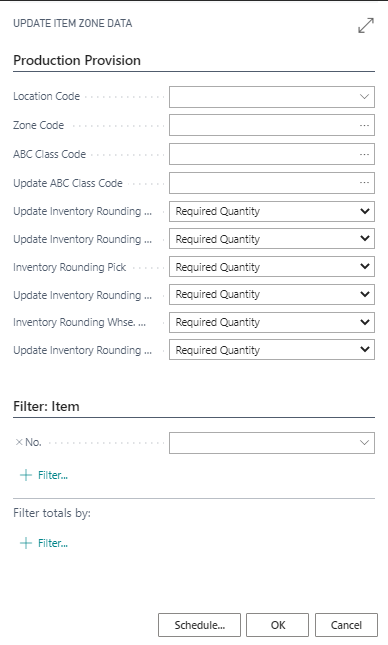
Item zone data can be updated or generated via a batch. Use the report Update Item Zone Data to do this. In the Item info tab, you can set a filter on the Items to be considered. You can enter the values to be changed in the Options info tab.