Item tracking setup on documents
Using Corporate Design, it is possible to print the item tracking information from the Business Central Standard and from the ProBatch 365 Lot Management app as a line extension. This is possible in two different ways, with a standard setup, and custom setup.
Standard
The initialization function of Corporate Design is used to create a standard setup. To do this, the function 5517650 Item Tracking Data is set up as a line extension in the CD Field Configuration.

Once the function is created, then it is easy to control whether the item tracking data is printed via the setup tables (ProBatch 365 Base Corporate Design Documents Setup, Corporate Design Report-Specific Setup or Corporate Design Custom Specific Setup). For this, the option Print Tracking Information in the Report Print Details, as well as the option Add additional Item Tracking Data in the PB365 Lot Management must be active.
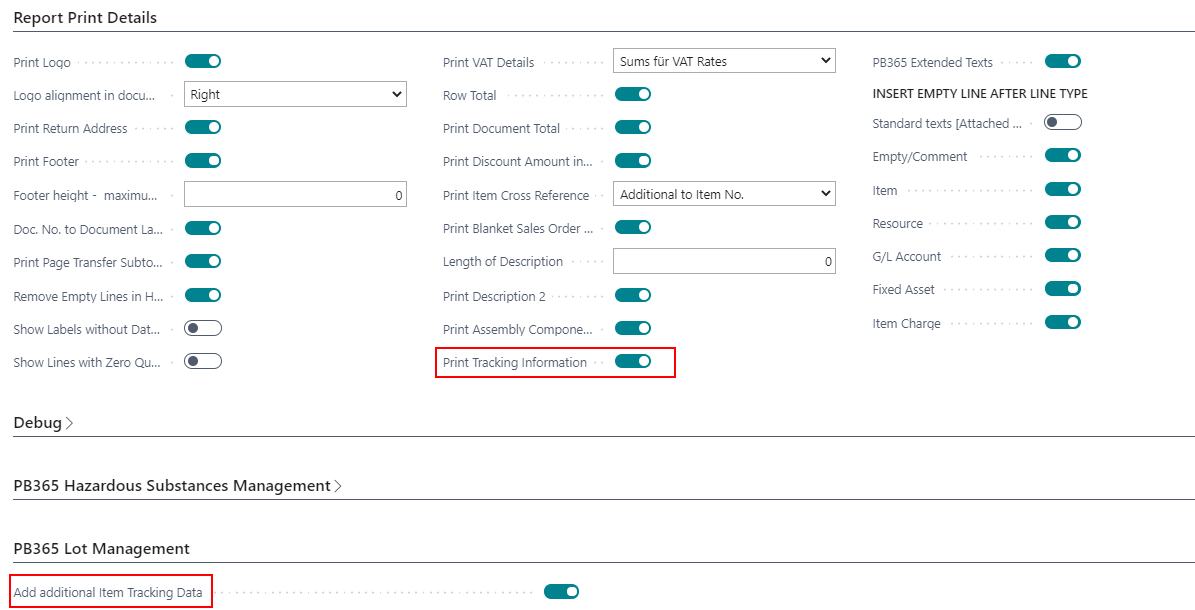
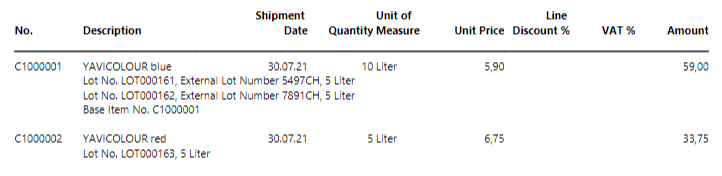
Since the setup is a programmed function, the different data elements are printed in a fixed defined order.
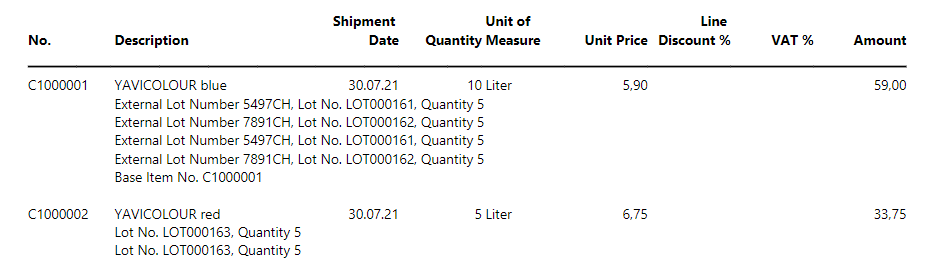
Here is an example of a printout with standard setup:
Individual
To set up the order of the item tracking information differently, an additional setup must be done. The setup line in the CD Field Configuration with the function 5517650 Item Tracking Data must be kept. New lines must be created in the Field Configurator which define which data is printed and in which order.
In the following, four lines are created as an example, which can be adapted and supplemented with the data from the Tracking Specification table. All lines have the Source Type Table and the Source No. 336 Tracking Specification. The fields can be selected accordingly from the 336 table. In the example, the following fields were selected: 5517651 External Lot Number, 5400 Lot No., 41 Expiration Date and 4 Quantity(Base). These are all printed in the Section Tracking. The items can be sorted from 1 upwards, and define the order in which they are printed. Labels can be added to this data in the Label column.

Here is an example of a document with individual setup: