Production provision
Create production provision
To do this, use the action Create Pick/Prod. Provision for the released production order. The call starts a new logic that creates either a pick or a production provision depending on the setting of the production order components. A production provision is only created if the field Prod. Order Provision at the production order component is activated.
Note
The field Prod. Order Provision can be preassigned using the field of the same name at the Location. A more detailed description can be found in the chapter location.
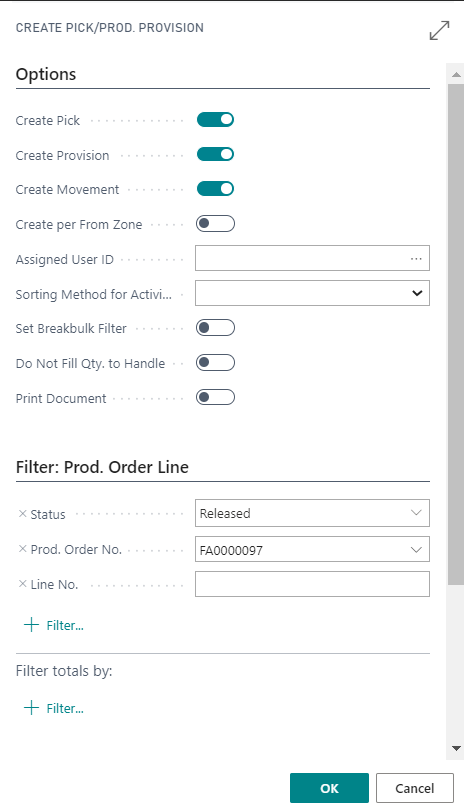
By calling up this function, you first have the option of filtering production orders and/or operations that are to be taken into account when creating logistics documents. For example, if you want to create production provisions for several production orders together, extend the filter in the Prod. Order Line tab to the required production orders. All production orders that are taken into account with one call are copied into the same production provision document. An exception to this is the remaining quantities assigned from existing production provisions, which remain in the original document.
Alternatively, picking is created for all filtered documents.
The fields Create Pick and Create Prod. Provision on the Options tab control the creation of the logistics documents for the report. At least one of the two fields must be activated.
| Field | Description |
|---|---|
| Create pick | Check this box if for all components with a Flushing Method with pick or manual the pick according to Dynamics 365 Business Central logic is to be executed. |
| Create prod. provision | Check this box if for all components with a Flushing Method not equal to picking and Production Provision = yes for all components for which production provision is to be carried out. |
If the field create pick is activated, the system first creates the pickings according to Dynamics 365 Business Central for all FA components with a flushing method with picking or manual. In a second run, the production provision function described below is run through. Only the production order components with flushing methods other than picking and activated prod. order provision are taken into account.
Note
Even if you only work with prod. provision or pick, you can leave both fields active. No deactivation is required.
Important
The flushing method cannot be changed after material has been provisioned or picked.
The field Create Movement is also available. If this field is activated (initially always activated), the corresponding whse. movement is also created directly for the production provision. To create the production provision and, if necessary, the whse. movement, click "OK". The corresponding messages are then displayed (in this example, production provision).
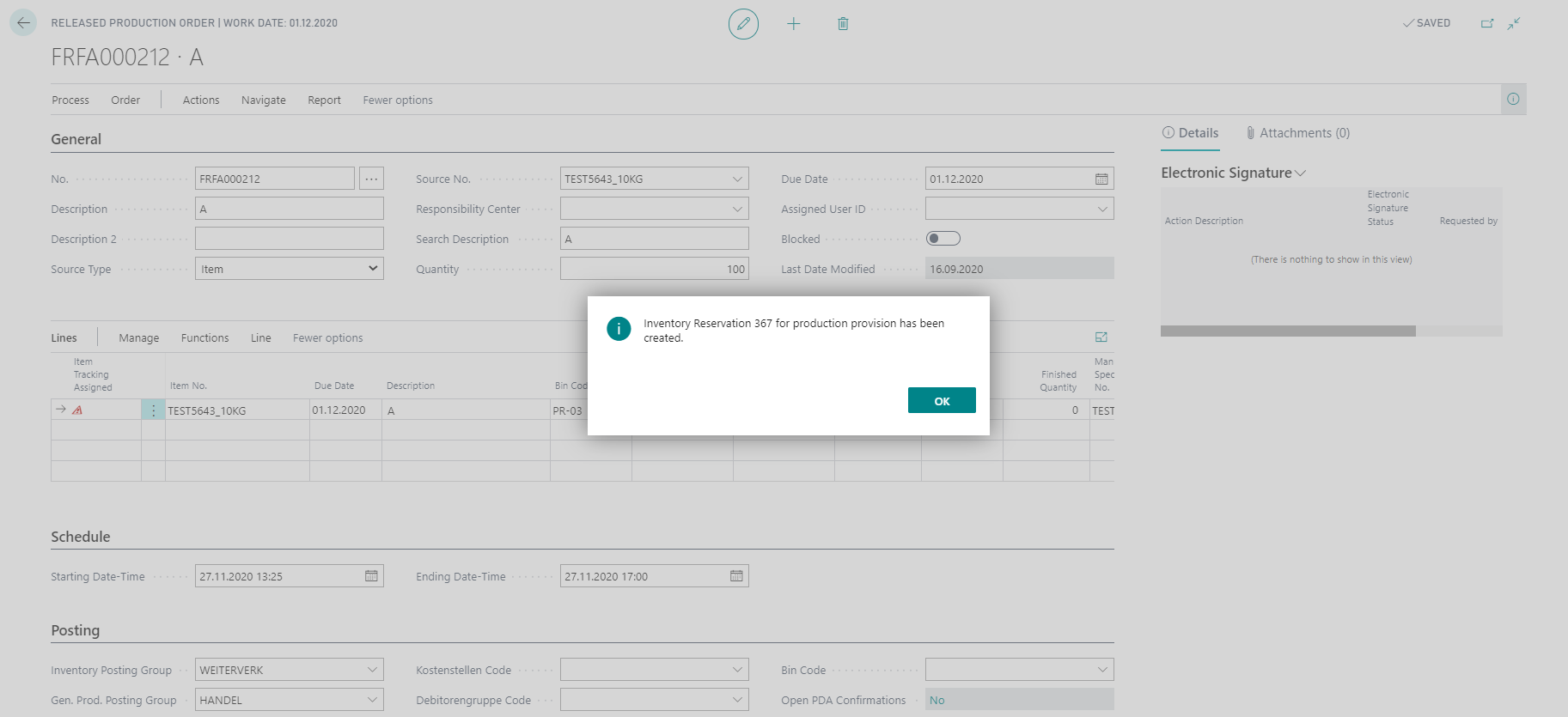
Edit production provision
Via the action Production Provision, you can call up the screen Inventory Reservation. If a whse. movement was also created directly, it is displayed in the field Movement No..
Note
If the field Create Movement was deactivated, the movement can be created manually by opening the field Inventory assignment current. No. and calling up the action Create Movement.

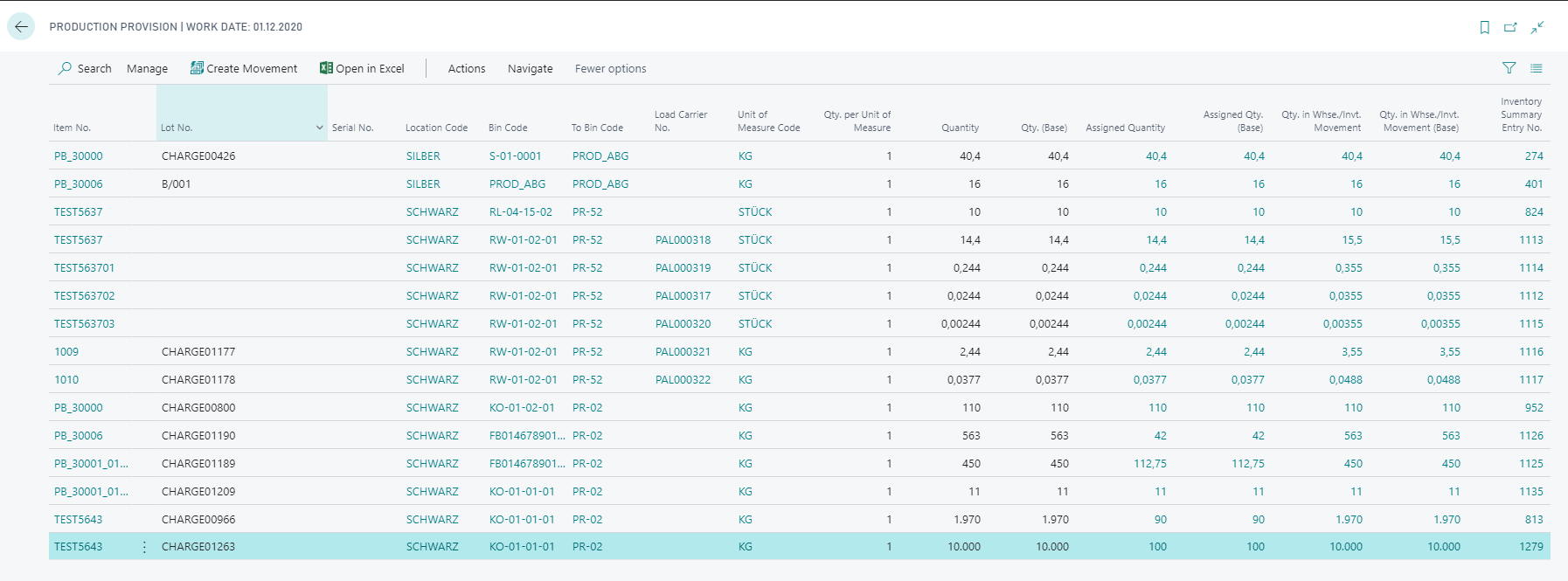
The action Show Movement can be used to open the whse. movement and to see that the Inventory Assignment Type field is a whse. movement for production provision. If, due to inventory rounding (see chapter zone), more stock was proposed for production provision for a production order component than is required by the production order, then a larger quantity may be proposed for movement than is required for the production order. This quantity is available for other production orders and can be assigned to another production order if necessary. This can be seen in the table Production Provision. Here, all existing production provisions are listed and, using the fields Qty. in Whse. / Invt. Movement and Assigned Quantity as well as Assigned Qty. (base), you can track whether the total quantity in warehouse movement is already assigned to a production order.
Note
The functionality was described using a location with directed put-away and pick. This is also used as far as possible in a warehouse without directed put-away and pick. However, the document used is then a Invt. Movement instead of a whse. movement.
For more details on the handling of production provision see Inventory Assignment.