Request the feature values from the Hazardous Substance Management System
HazMat Features are used to request classified information from the Hazardous Substance Management System within Yaveon 365 HazMat Connect. The individual values from the Hazardous Substance Management System for a HazMat Material are stored using these. For each HazMat Material data can be stored for each HazMat Region. The HazMat Region is used to store information from the HazMat system for the combination of judicial area and language.
By installing Yaveon 365 HazMat Connect the required HazMat Features are already created. To include additional HazMat Features in the interface exchange, you have to execute the following steps:
- Open the overview of the HazMat Features.
- Create a new HazMat Feature and assign a unique number in the field No. as well as a Data Type and a Data Transfer Direction.
- The information required for the interface exchange can be found in the HSM system tab. To retrieve a new value from the HSM system, you have to determine the identifier for the retrieval first. This can be found in the interface description of the HSM system.
Important
To retrieve values from the HSM system, it is essential to select either the value HSM to Business Central or Both in the field Data Exchange Direction. If you want to transfer data from a HazMat Feature to the HSM system, select Data Exchange Direction Business Central to HSM or Both.
To retrieve the new HazMat Feature, it must be assigned to a HazMat Material. For existing HazMat Materials, you have to do this manually. To automatically append the HazMat Features to new HazMat Materials, we recommend you to add the HazMat Feature to a HazMat Feature Group.
To assign the features manually, use the following steps:
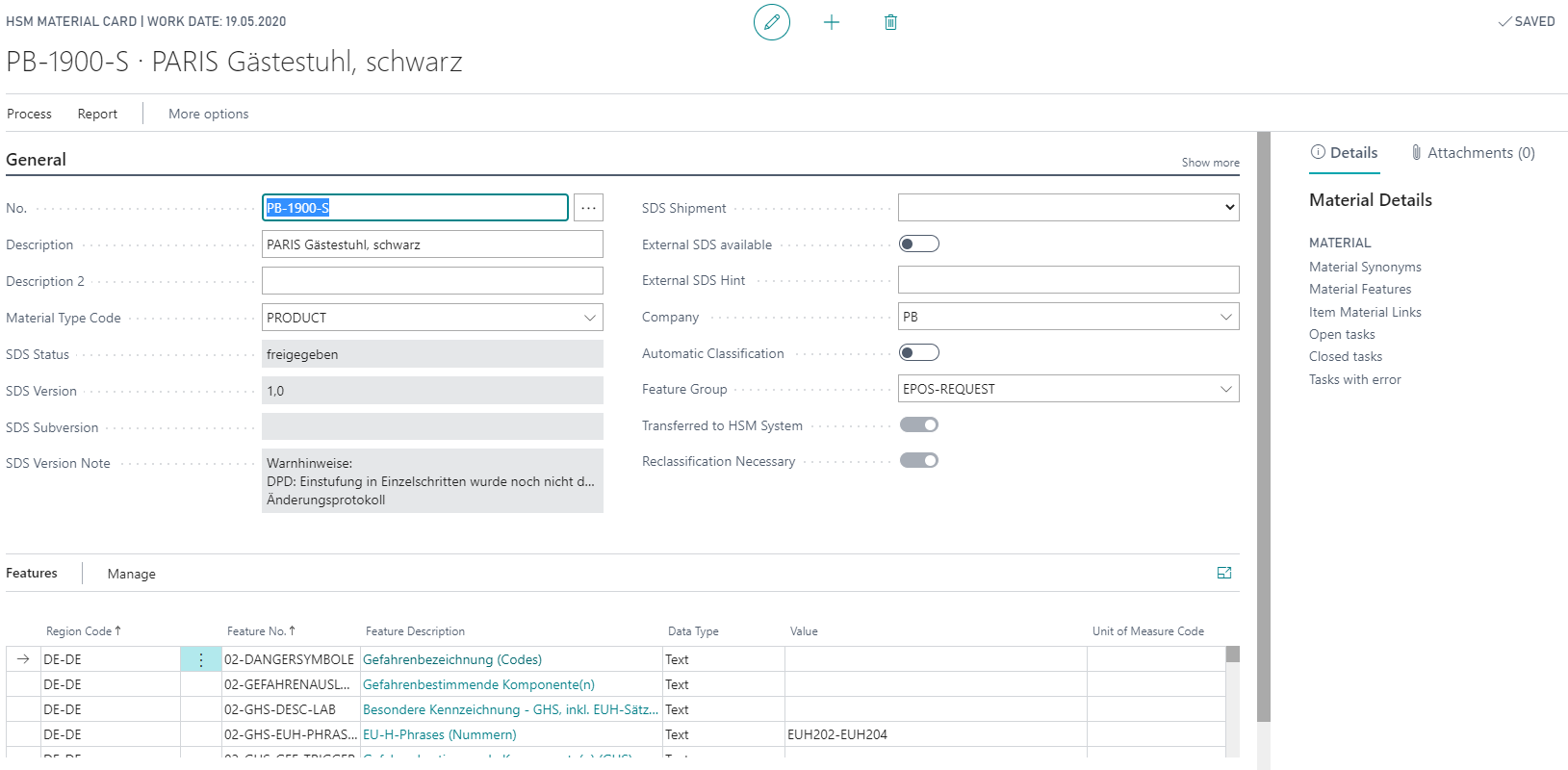
- Open the card of a HazMat Material
- Use the feature rows or the action HazMat Features to create a new row for the HazMat Feature and the desired HazMat Region.
- To create a HazMat Task, select the function Get Feature Values. You can also use the Yaveon 365 HazMat Connect Setup to execute this task directly by setting Process HazMat Tasks directly to Yes.