Set up line extensions
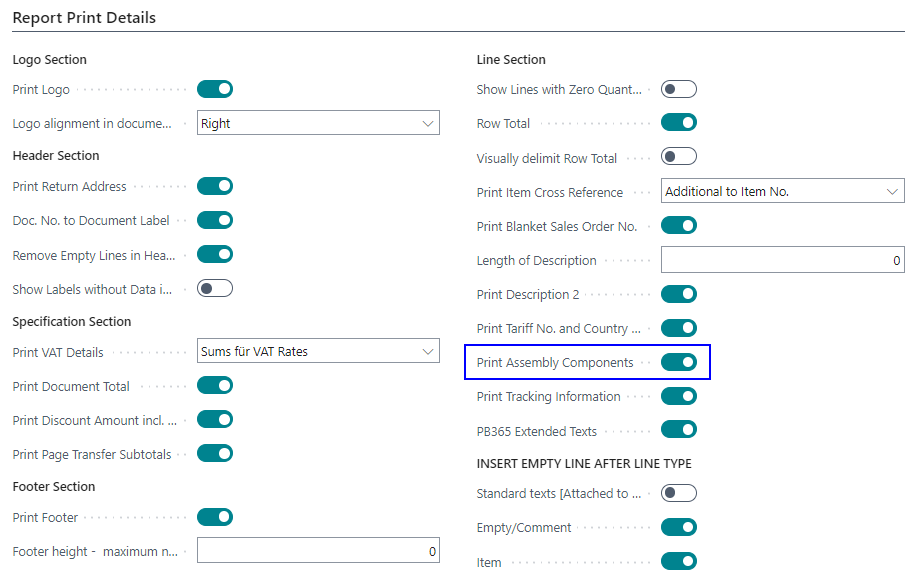
Line extensions can be set up in Corporate Design using the CD Field Configuration. This may be necessary, for example, if the individual assembly components should be printed in the line of an order confirmation in addition to the item description, as the following example shows:

Line extensions can be set up using functions that are linked to options in the setup pages. Alternatively, fields can also be printed directly in the line extensions, also using conditions.
Extension with functions
To set up the line extension with functions, a new line can be created in the CD Field Configurator:
- Source type Function
- Source No. 300
- Source Caption Add Assembly Components
- Type LineExtension
- Source Table Relation Table Type Function
- Section Line Extension

The various line extensions are transferred to the document via hard-coded functions. These can be selected via the Source No. field.
Note
The column in which the line extension is printed can currently NOT be controlled via the Position field. The column is defined in the CD Layout. In the system layouts, the line extension is printed in column 2 by default.
The Sorting specifies the order in which the line extensions should be printed. The smaller the number, the higher the extension. Due to the Sorting 30 the assembly components are always printed after the Document Texts as well as after the Item Tracking Data (if these are available).


Via the setup tables Yaveon 365 Process Base Corporate Design Document Setup, Corporate Design Report Spec. Setup and Corporate Design Custom Specific, it is possible to generally activate or deactivate the printout of the individual line extensions. For example, it is possible to deactivate the printout of the assembly components for a single customer. Accordingly, the line extension will no longer be effective for this customer.
Extension with fields
The line extension can also be extended by fields from the table. The setup is described on the page Add Document Field. Deviating from this description, the following values must be set:
- Section must be set to Line Extension
- Source Sub Type must be set to -1 so that the field value is read from the document line and printed in the line extension
- A suitable Position and Sorting should be selected
Important
Without setting Source Sub Type to -1, the field from the line cannot be resolved and will not be printed in the line extension. For a full description of the Source Sub Type values, see CD Field Configuration – Source columns.
The following example shows how to print the Item Category Code from the sales order line as a line extension in the order confirmation.
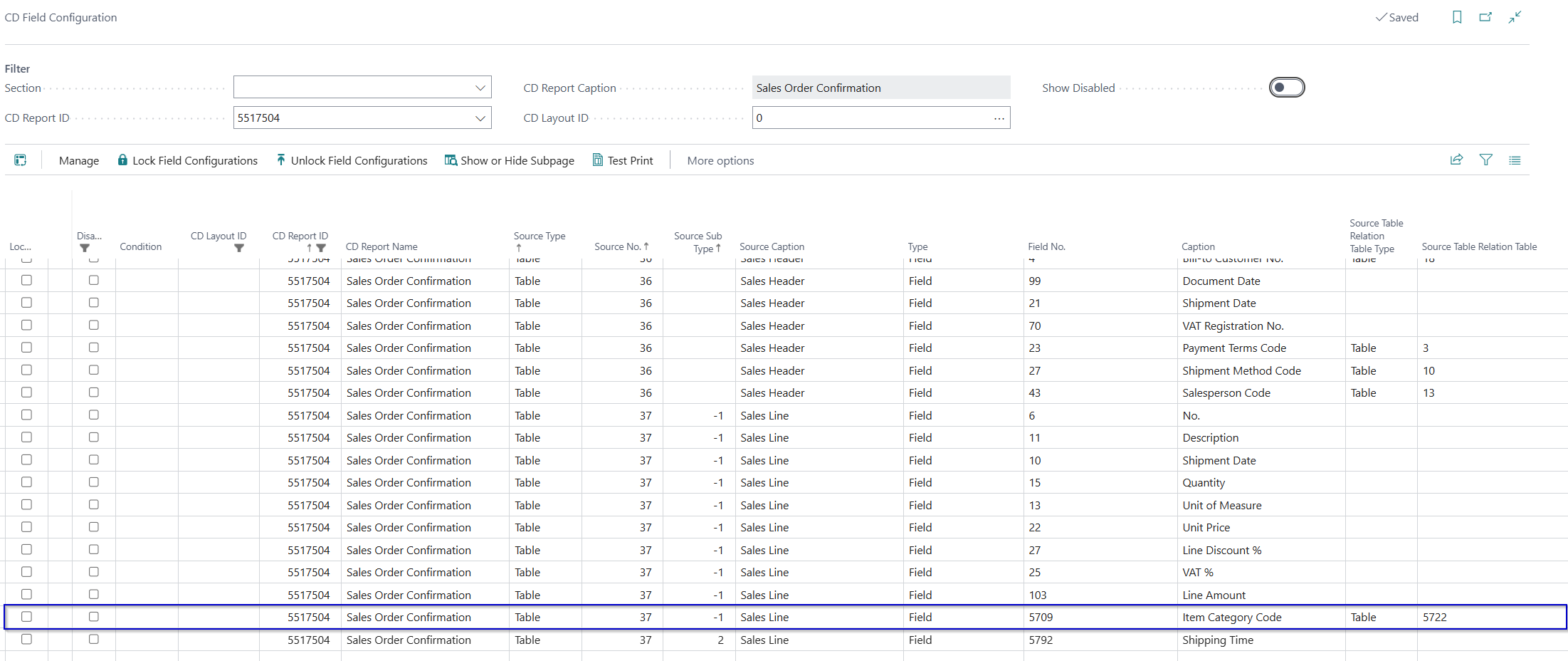
Open the CD Field Configuration and filter on CD Report ID 5517504 (order confirmation) and on Section Line Extension. Then add a new line and fill in the fields as follows:
- CD Report ID 5517504 — limits this setup line to the order confirmation report. Leave empty to apply to all reports.
- Source Type Table — the data is read directly from a database table.
- Source No. 37 — table 37 is the Sales Line table, which contains the line-level data of a sales order.
- Source Sub Type -1 — the value -1 causes the field to be printed for all line types (items, G/L accounts, resources, and so on). To restrict output to item lines only, enter 2.
- Type Field — a standard table field is printed.
- Field No. 5722 — field 5722 in the Sales Line table is the Item Category Code field.
- Section Line Extension — the field is printed below the corresponding sales order line, not as a separate column.
- Position 2 — anchors the extension below the column at position 2, which is typically the description column.
- Sorting 10 — controls the vertical order when multiple line extensions are printed at the same position; lower values appear first.
- Label Item Category Code — the prefix text printed in front of the value.
- Label Font Style Bold — the label is printed in bold.
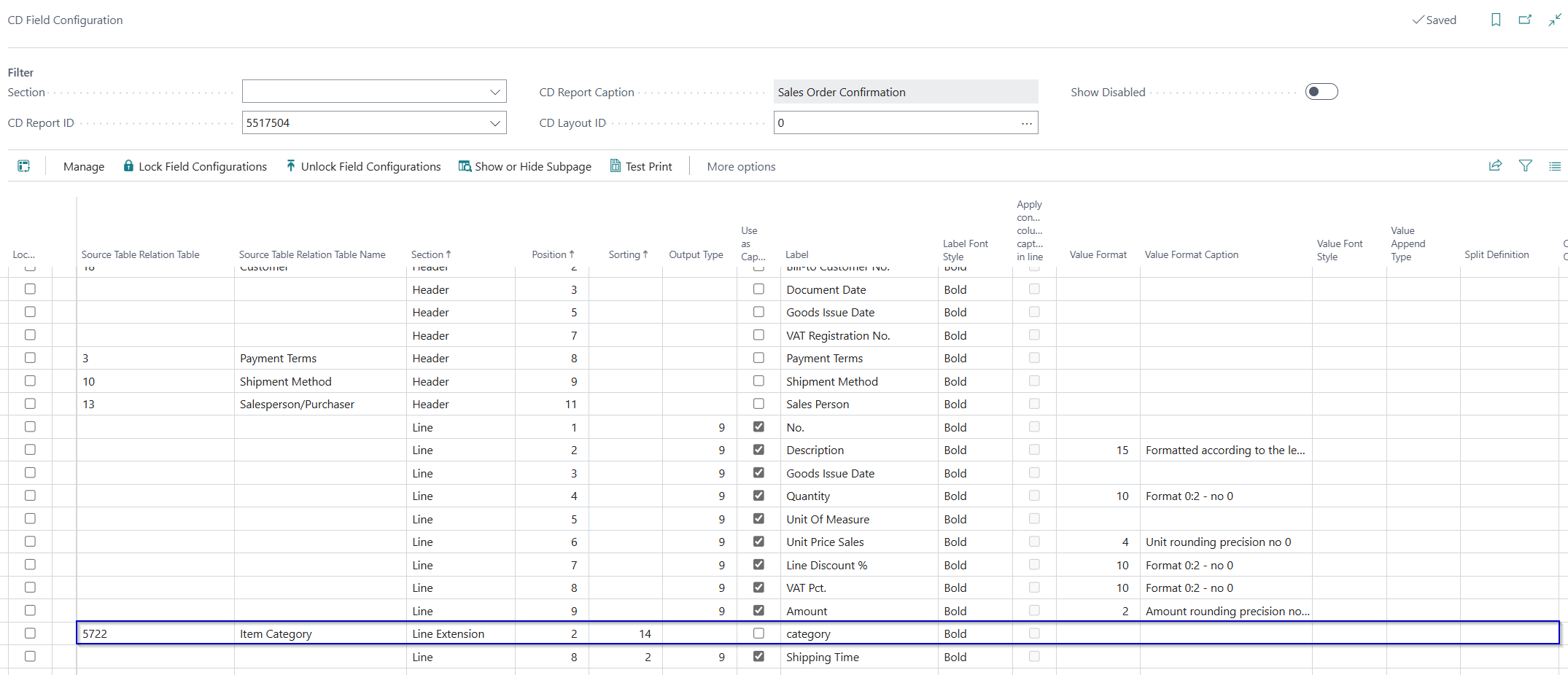
As a result, the item category code is printed in the line extension below the item description on the order confirmation.
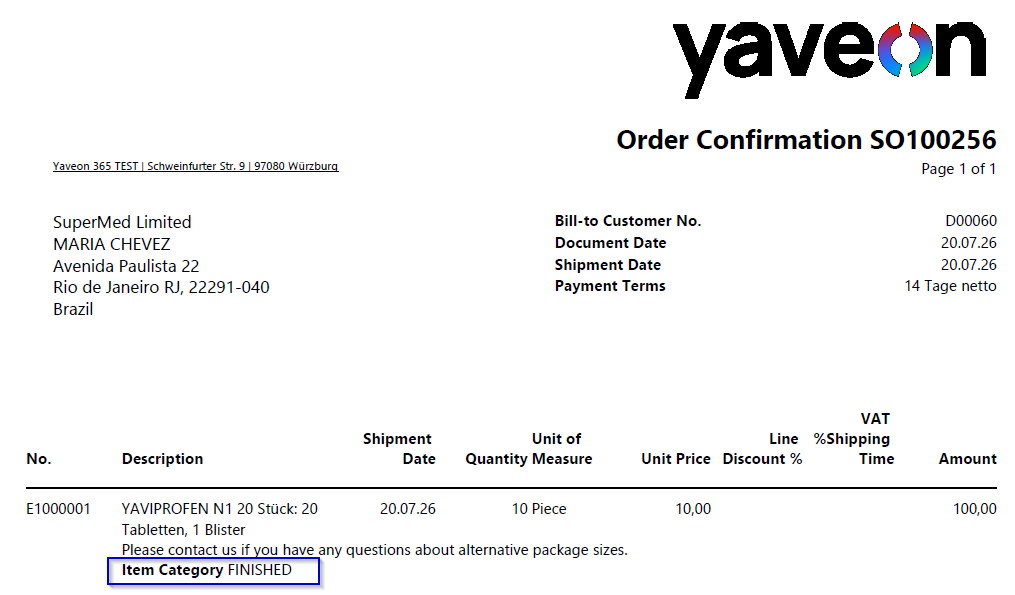
Printing fields in the line extension can be set up using conditions.