Inspection Location
You can use Inspection Locations to define where an inspection should take place. Inspections can be carried out internally at various locations in the company (laboratory, goods receipt, production, and so on). Other inspections must be performed by external service providers. You can assign an inspection location to an Inspection Features, an Inspection Groups or an Inspection Plan.
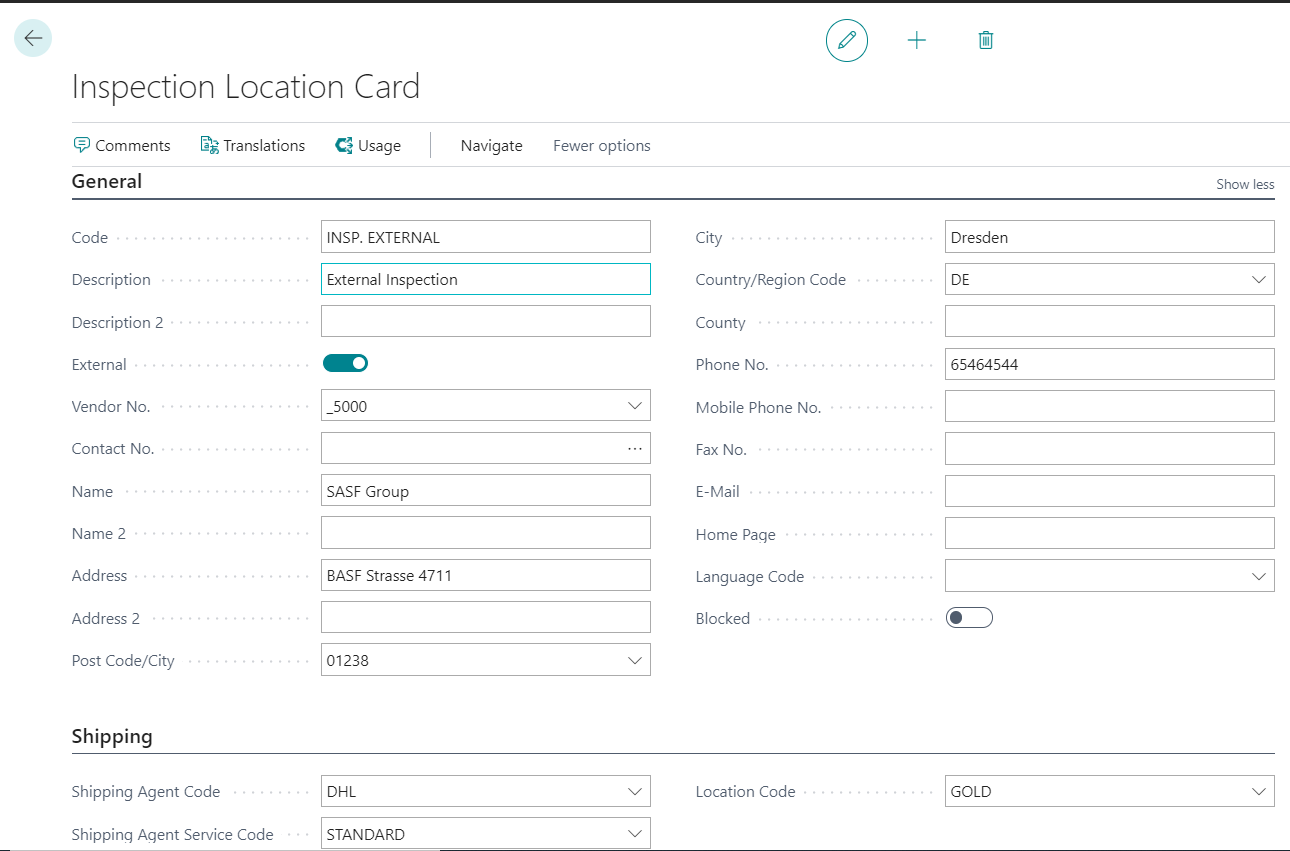
Creating an internal Inspection Location
A new inspection location can be created with the action New. In the field Code you can then specify a name for the inspection location and assign it a Description and, if necessary, a Description 2. You can maintain the other fields, such as E-Mail for information purposes, but they are more relevant for creating external inspection locations.
Extensions for external Inspection Locations and Sample Shipment
If an inspection is to be carried out by an external laboratory, you can mark inspection locations as External. You can also send samples to external inspection locations. For more information, see Sample Shipment. To be able to send samples in the system with as little maintenance as possible, you can use the fields Vendor No. and Contact No.. If you define one or both fields, the corresponding contact information is copied from the respective master data record and can be changed here if necessary. This information is then used in the corresponding Sample Shipping as a template for the delivery address, for example.
In addition, you can enter further details on the dispatch of the samples in the Shipping tab. In the Location field, you can define the storage location from which the samples are to be sent. You can also define specifications for the shipping agent in the Shipping Agent and Shipping Agent Transport Type fields.
Further Inspection Maintenance and Information
Using the action Usage, you can display an overview of the inspection features, inspection group features, inspection plans and inspection orders in which the inspection location is used. If required, you can also call up the respective data record from this screen using the action Show.
You can also define Comments and Translations for the inspection location.