Creation of a HazMat Material for an Item
Creation of the HazMat Material based on the Item
By creating a HazMat Material based on Item the required HazMat Item Material Link is generated directly in the background.
Start the action Create HazMat Material from the Item Card by choosing the actions in the navigate bar.
Confirm the following request with Yes.
On the following page the New Material No. is already preassigned. The default settings can be controlled via the Yaveon 365 HazMat Connect Setup in the field Item - Material Numbering. A Configurtion Template can be selected, if it has been set up before. Furthermore, a HazMat Feature Group should be assigned.
Important
It is mandatory to assign a HazMat Material Type Code on the created HazMat Material for communication with epos.
- Confirm the report with OK.
The created HazMat Material is displayed and can be edited.
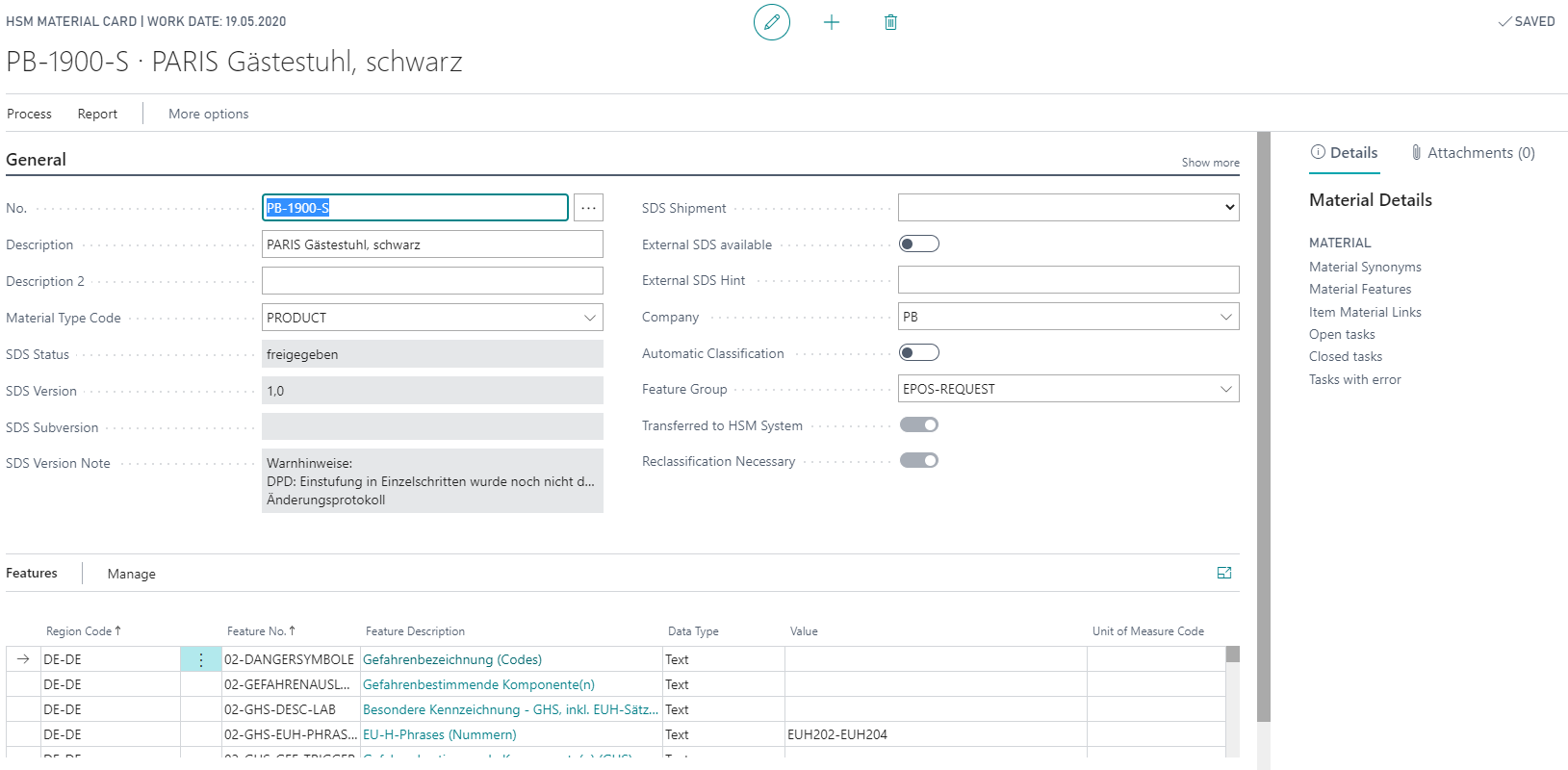
Using the action Transfer to HSM System you can transmit the HazMat Material to the Hazardous Substance Management System. In the Yaveon 365 HazMat Connect Setup you can use the Process HazMat Tasks directly field to control whether the interface tasks should be executed directly or manually via the HazMat Tasks.
After the required HazMat Task has been executed, the HazMat Material is also available in the HSM system and can be edited and classified there.
After successful classification and revision of the HazMat Material in the HSM system, the entered contents can be retrieved via the interfaces. For more information, see the chapter Requesting the feature values from the HSM system.
Manual creation of a HazMat Material including the corresponding Material Link
The HazMat Material and the corresponding HazMat Item Material Link can be created manually using the following steps:
Open HazMat Materials.
Select the action New and assign a No. manually or from the number series. Enter a suitable description and select a Material Type. The Material Type is used to divide HazMat Materials into products and raw materials. This information is important for the Transfer of Recipes. By filling the Feature Group field, all HazMat Features stored in this group are copied to the HazMat Material. You can also use the Company field to select one of the configured HazMat Companies.
Open the overview of linked items by choosing the action Item Link.
With New a new link can be created. For this it is necessary to select the corresponding item in the field Item No..
Tip
The HazMat Companies can be used to define the distribution company, which is identified on the safety data sheet.
A HazMat Material can be assigned to more than one Item without any problems. This is especially used for Items which are filled into different containers. It is also possible to assign more than one HazMat Material to one Item. For these multi-component items, it is important that the Proportion % field in the HazMat Item Material Link is filled correctly.