ProBatch 365 Manufacturing Setup
In the ProBatch 365 Manufacturing Setup, general settings can be made that affect various functions in production.
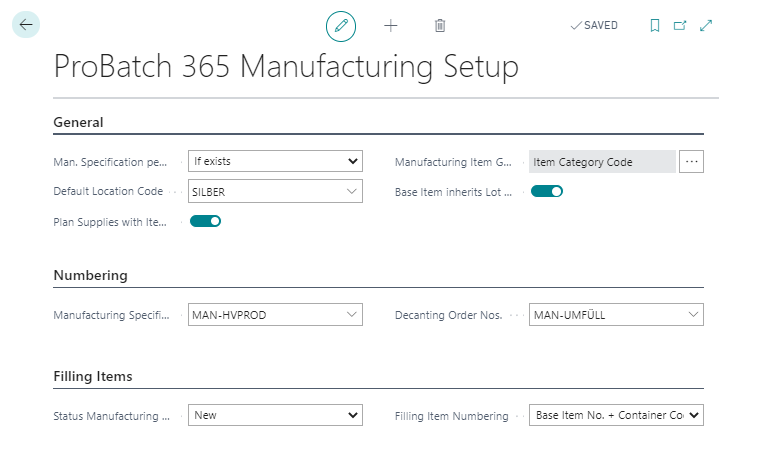
Info Tab General
The field Manufacturing Specification per Location controls how the Location code specified in the Manufacturing Specification is taken into account when determining the Manufacturing Specification to be used. The field has the following options:
| Option | Description |
|---|---|
| No | No filter is set on the Location code. This means that the Location code of the Manufacturing Specification is ignored when determining the Manufacturing Specification. |
| Yes | It filters to the Location code. Only Manufacturing Specifications with the same Location code are taken into account. Note: If the Location code is empty, the default Location code will be taken into account. |
| If exists | The system searches for a Manufacturing Specification with the same Location code. If no Manufacturing Specification can be found, the system searches for a Manufacturing Specification without Location code. Note: If the Location code is empty, the default Location code will be taken into account. This means that the system will search with the specified Location or the default Location if this search was not successful with an empty Location. |
In addition, you can define a Location code in the field Default Location code. This code is used in the search if no Location code is specified for determining the Manufacturing Specification and the option Yes or If exists of the Man. Specification per Location is used (for example, item costing, display of a multi-level BOM).
You can find further information in chapter Determine the Manufacturing Specification version to be used.
If the flag Plan supplies with item tracking is set
planned receipts that have item tracking information assigned to them are treated in the Business Central Standard planning functionality as if planning flexibility was set to "None". This means, for example, that created production orders are not recalculated or their quantity is not changed. You can find further information in chapter 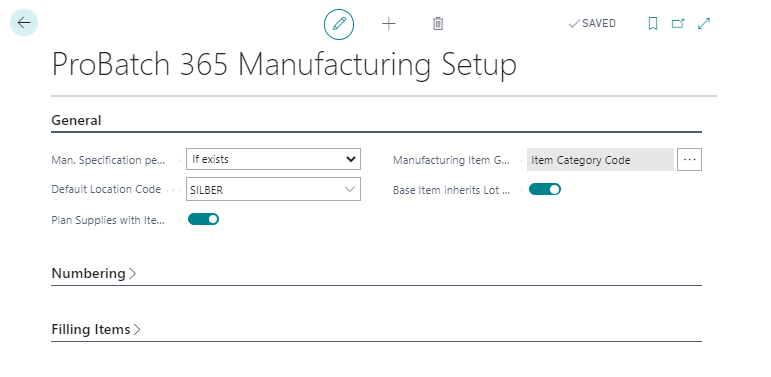
To facilitate data maintenance for items, it is possible to automatically fill the Production item groups table and synchronize the value of the individual item with another item field. You can find further information in chapter Definition of the item group for manufacturing
Inheritance of data to filling items can be activated via field Base Item inherits lot data. For example the release of a bulk product can be inherited to existing fillings.
The setting in the field Excess Consumption Handling refers to the handling for dealing with reserved Prod. Order components in the event of excess consumption. You can find further information in chapter Excess Consumption Handling
The setup Backward Cons. acc. to Picking Method allows an automatical consumption posting via FEFO.
Info Tab Numbering
Define the number series for Manufacturing Specifications and Filling Orders.
Info Tab Filling Items
The status of created Manufacturing Specifications for filling items can be defined in the field Manufacturing Specificaiton Status.
The numbering of filling items can be defined in the field Filling Item Numbering. You can find further information in chapter Create Filling Items.
Info Tab Batches
The Calc. Batches automatically field can be activated to automatically call up the Calculate Prod. Order Batches function when the Production Order is refreshed based on the specified Batch size from the Manufacturing Specification and splits the Production Order lines.
Information of Batches can be seen in chapter batch-based Production.
Info Tab Joint Production
The costs of joint production can be posted automatically in the Automatically post cost distribution field.
The default value for joint-products is set up in the Inheritance for joint products field. Components in a manufacturing specification can inherit various information to produced items and also to produced joint products. See also: Inheritance for joint products