Bins
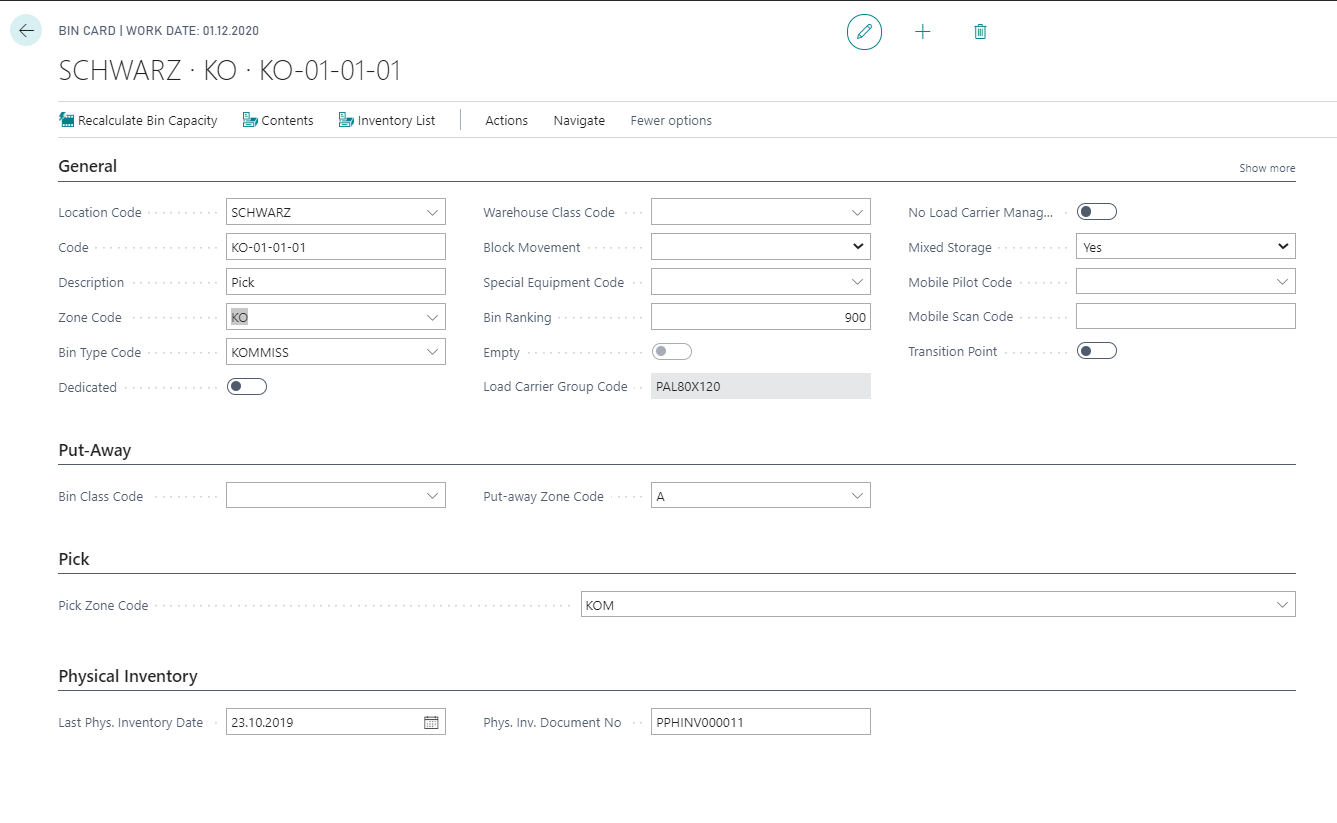
The Yaveon 365 Warehouse Management extends the Bins with further data. Some fields have already been described in chapter zone:
- Zone Code Pick
- Consider Picking Method
You can also find information on the following fields in other chapters:
| Chapter | Fields |
|---|---|
| Bin class code | bin class code |
| Put-away zones | put-away zone code |
| Bin capacity | occupied space, remaining space, space available |
| Load carriers | pitch group code |
| Mobile pilot code | mobile pilot code |
| Mobile load carrier activities | transition point |
| Extensions inventory | last phys. inventory date, phys. inv. document no |
| Direct Consumption from Pick Bins | Allow Direct Consumption (field of the Yaveon 365 Manufacturing) |
The Mobile Scan Code uniquely identifies a bin on the mobile device. It is pre-filled with the bin code when a new bin is created and can be adjusted to match a physical barcode or label attached to the bin. The scan code must be unique within a location. A bin is therefore always reachable by both values: by its bin code and by its Mobile Scan Code. For how the scanning apps process this value, see Bin Label Recognition.
With the field No Load Carrier Management you can also select bins in which no load carrier numbers are to be managed. If a load carrier is added to this bin, the load carrier number is canceled at the moment of addition to existing stock (put-away, stock transfer; load carrier and stock are separated from each other). The field can only be changed if there is currently no stock assigned to a load carrier in this bin.
If the field Ignore Warehouse Class is activated for a bin, the system no longer checks whether the bin's Warehouse Class Code matches the Warehouse Class Code of the item that is put away, moved, or registered in this bin. This is useful for bins that are only used temporarily, for example receipt or shipment bins, where items with different warehouse classes need to pass through the same bin.
Important
If the feature The warehouse class is always respected when creating a put-away is activated in the Yaveon Feature Management, the put-away bin search does not evaluate the field Ignore Warehouse Class. In that case, the bin's Warehouse Class Code always applies there. In all other processes — for example for manually entered bins, for bin movements, and for the inventory import — the field remains fully effective. For a comparison of both behaviours, see Extension of the put-away strategy.
In the Mixed Storage field, you can limit the bin occupancy. The following options are available:
- Yes: There is no restriction, mixed use is permitted.
- Same Item: Only stocks of one item can be stored in this bin at any one time.
- Same Lot: Only stocks of one item with the same lot can be stored in this storage bin at any one time.
You can also call up bins via the action Bin Card in the card view and can maintain the data there.
The system also supports you with the labeling of bins. You can print bin labels for all existing bins using the Bin Label report request window or by specifying a filter for selected bins.
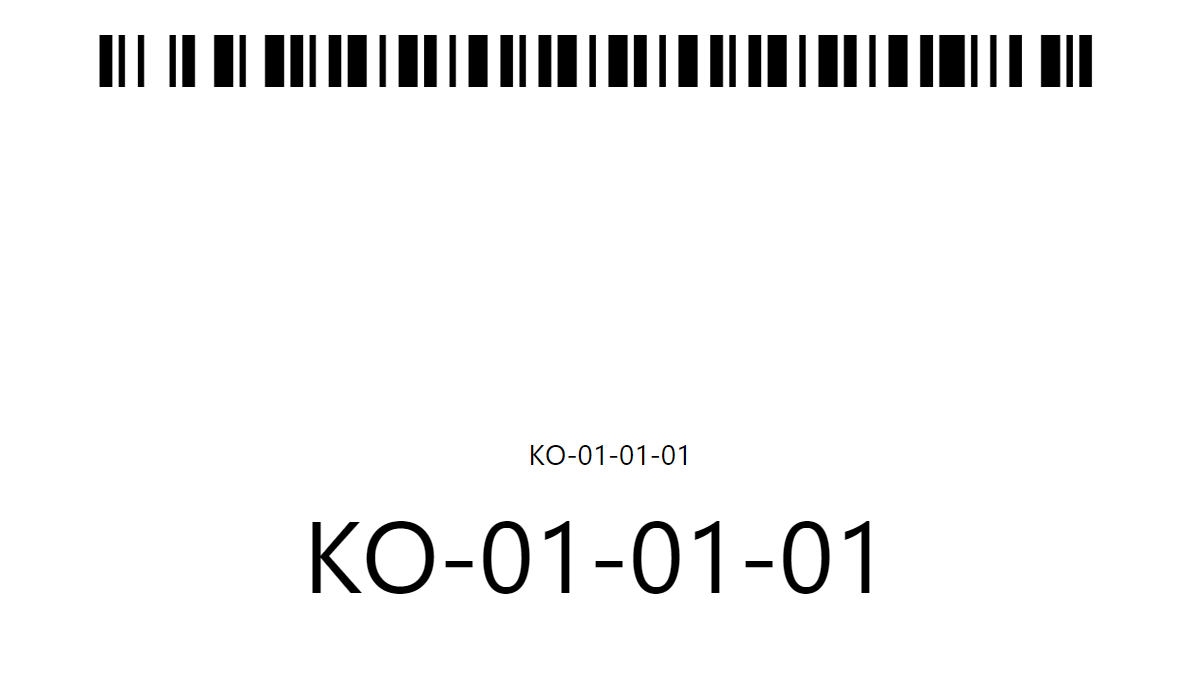
The Barcode Option field determines which value is printed as the barcode on the label:
| Option | Printed value |
|---|---|
| Bin Code | The Code of the bin. |
| Scan Code | The Mobile Scan Code of the bin. |
Bins whose selected value is empty are skipped and not printed.
Note
The Bin Creation Worksheet has also been extended by the fields Bin Class Code, Zone Code Pick, Put-away Zone Code and Mixed Storage.