Process overview ProBatch 365 Quality Assurance
General
The ProBatch 365 Quality Assurance offers you the possibility to depict quality-relevant processes in your company. Along your supply chain, you can define the processes in which inspections should take place and define the inspection values for items, batches, or serial numbers in the system. In conjunction with the ProBatch 365 Lot Management App, you got the option to define a set of rules, that release or block batches from being used in subsequent supply chain steps. In addition to the classic inspection of items, you can also plan and perform inspections for the Inspection Equipment orObject Inspection used, such as machines.
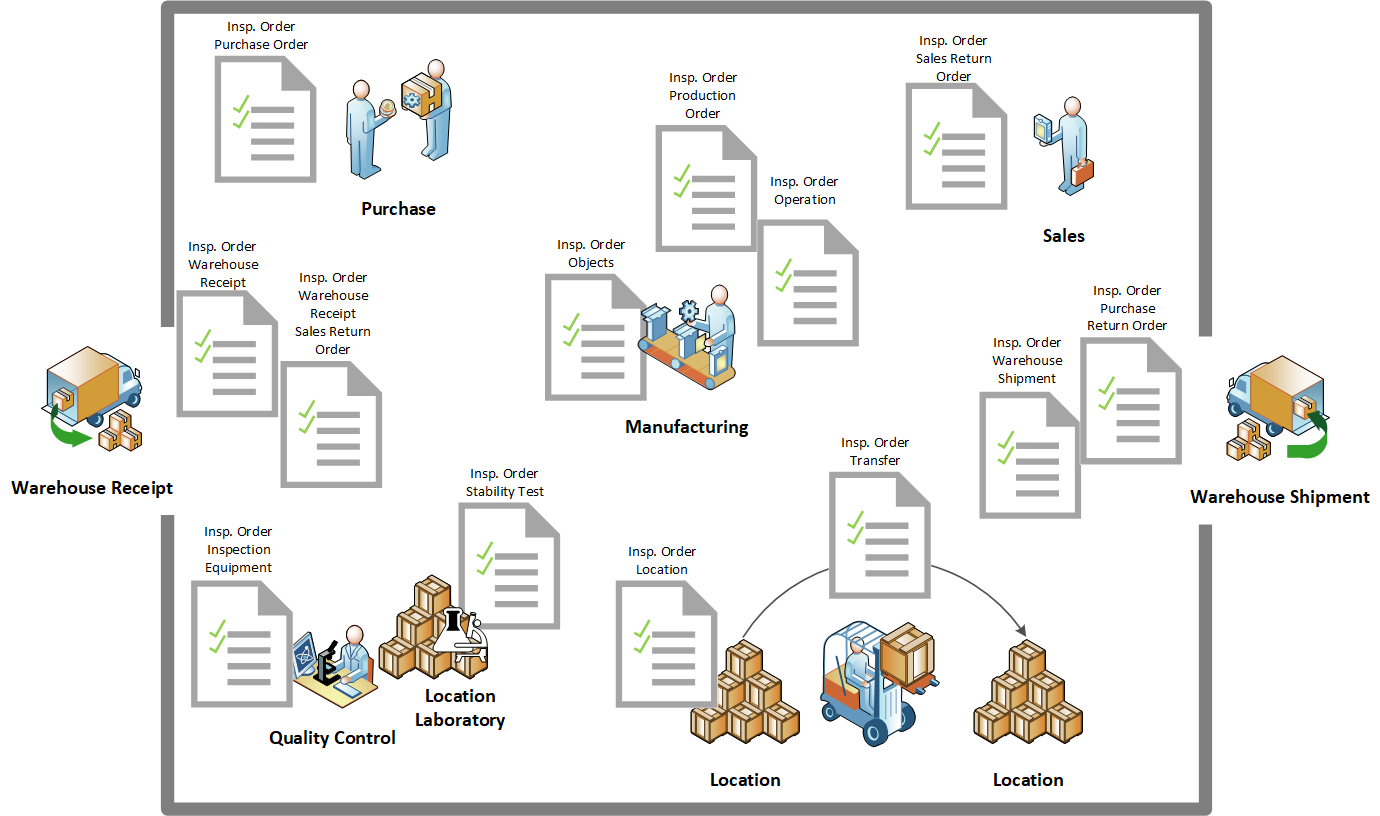
Furthermore you have the possibility to follow the development of test values under defined conditions of use by using Stability Test.
The Inspection Features are the basis of quality control. You can use inspection features to define the individual inspection parameters in the system. The inspection features are then assigned to Inspection Groups. The inspection groups in turn are the basis for the definition of Inspection Plans. In addition to these elementary setups, you can define further setups, for example, to ensure that the personnel has the necessary qualifications. By using Interval Rules, you also have the option of reducing the inspection frequency with the number of positive inspection results.
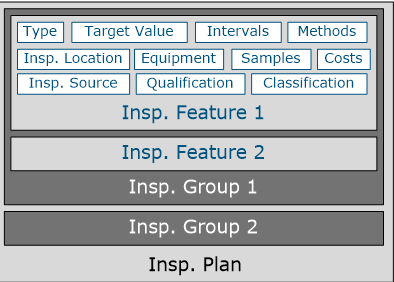
As soon as a certified inspection plan exists for a inspection object, an Inspection Order can be created and edited. Regardless of the type of inspection object, i.e. article, object, inspection equipment, etc., the identical procedure is always used.
A further elementary component in the ProBatch 365 Quality Assurance is the drawing and administration of samples. Using the Feature / Inspection Method Setup, you can also maintain standardized, recurring procedures and use them as the basis for drawing samples in inspection plans.
To represent the inspection of external laboratories, you can also define external Inspection Locations and execute Sample Shipment in the system.
QA Role Center
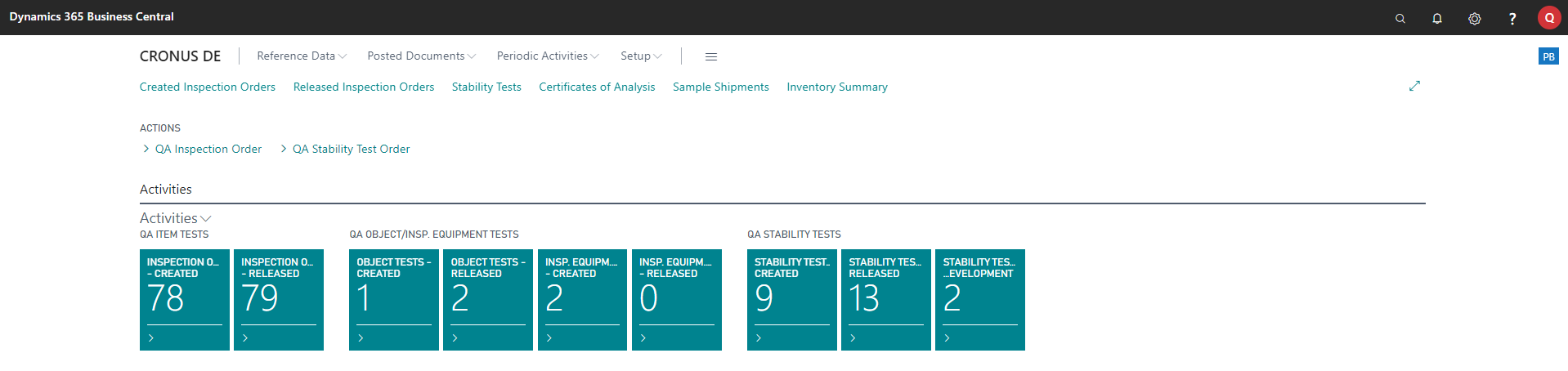
As a member of the quality control staff, the role centre PB365 Quality Control is at your disposal. In addition to the overview of existing inspection orders, you can also call up the most important tables for setting up master data from the role center.
Translations
At many places of the ProBatch 365 Quality Assurance you can define Translations. You can translate the Description, for example, of inspection features, into another language by selecting a Language Code. This translation is then taken into account when the analysis certificate is printed, for example, if you select the corresponding language code.
Comments
You can also enter Comments at various points in the system. Here you can define additional, useful information in the system. By entering a text in the Comments field, the Date, Time and User ID fields are automatically filled by the system.
Quality codes
Using the field Quality Code in the inspection feature, you can create the link to the valuation of the delivery with regard to quality and thus to the ProBatch 365 Delivery Rating. You can find more information in the chapter Delivery rating via quality control.
Item Entries
To be able to trace where a particular inspection plan or inspection feature is currently used in the system, the system creates Usage Entries. The action Usage is available at various places in the system and you can display an overview of it. For more information, see the individual help documents.
Specifications
In addition to the possibility of creating lot-specific specifications in the form of Certificates of Analysis, you can also create Specifications for items. The specifications can be vendor- or customer-specific, but also neutral without reference. In the specification, a lot of quality-relevant data is brought together that is already available in other places in the application. To avoid having to maintain this data manually in the specification, it is possible to automatically copy the required existing data from the corresponding areas of the application into the specification. In addition, it is also possible to work with text modules in the specification or to enter quality-relevant data manually.